- ADsP-회귀분석 데이터 해석해보기 2025.11.22
- ADsP-연관분석 데이터 해석해보기 2025.11.22
- 포켓몬 이로치가 나올 확률로 이항분포를 때려보자 2025.10.14
- R 배워보기-8.4. Other interesting graphs 2022.08.23
- R 배워보기-8.3. Basic graphs with standard graphics 2022.08.23
- R 배워보기-8.2. Miscellaneous 2022.08.23
- R 배워보기-번외편: R로 standard curve 그리기 2022.08.22
- R의 내장 데이터 (부제: 공공데이터 어떻게 받아요?) 2022.08.22
- R 배워보기-8.1. ggplot2로 그래프 그리기 (하) 2022.08.22
- R 배워보기-8.1. ggplot2로 그래프 그리기 (상) 2022.08.22
- R 배워보기-7. Statistical analysis (하) 2022.08.21
- R 배워보기-7. Statistical analysis (상) 2022.08.21
- R 배워보기- 6.5. Manipulating data-Sequential data 2022.08.20
- R 배워보기- 6.4. Manipulating data-Restructing data 2022.08.20
- R 배워보기- 6.3. Manipulating data-Data Frames 2022.08.20
회귀분석... 아직도 난 이게 뭔지 모르겠어...
회귀분서억
관찰된 연속형 변수들에 대해 두 변수 사이의 모형을 구한 뒤 적합도를 측정해 내는 분석 방법이라고 하는데, 그래서 이게 뭔데요? 하나(단순선형-y = β₀ + β₁x + ε) 혹은 그 이상(다중선형-단순선형에서 x가 오지게 많아짐)의 독립변수들이 종속변수에 미치는 영향을 추정할 수 있는 통계기법 이다. 일차식으로 나오는것도 있고, 로지스틱이라고 해서 0 또는 1만 있는 거 할 때도 있는데 뒤에껀 무슨 변환식 보면 갑자기 자연로그가 튀어나오더니 시그모이드 등장함... 하다보면 이항 다항 튀어나오고 난리납니다.
다중공선성
회귀분석을 망칠수도 있는 요인이다. 이게 뭐냐고? 여러분들 멘델의 유전법칙 아십니까? 우열의 법칙이랑 독립의 법칙이라고 있는데, 독립의 법칙은 두 쌍 이상의 대립 형질이 유전될 때, 서로 다른 형질을 결정하는 유전자는 서로 영향을 주지 않고 독립적으로 분리되어 유전된다는거잖아요. 근데 멘델의 법칙을 따르지 않는 케이스도 있다. 대표적인 게 ABO식 혈액형인데, A형과 B형은 O형보다는 우성이지만 둘이 또이또이 쌤쌤이라 AB형이라는 조합이 나오는 것이다.
우리 다중공선성 하다가 왜 유전자로 틀었어요? 아 끝까지 들어봐요. 한국말은 끝까지 들어야돼… 연관 유전이라고 들어보셨습니까? 예? 뭐요? 생물시간에 졸아서 모르는데요! 아니 이건 퍼잔거랑 상관 없이 중고딩 수업시간에서는 안 다뤘을거임… 자 봐봐요. 사람 염색체가 23쌍이잖아요. 일반적인 남자는 2n+XY, 일반적인 여자는 2n+XX. 근데 사람의 유전자는 몇만개 되잖아요? 그니까 대충 비둘기집의 원리에 입각해서(?) 몇 개의 유전자들이 같은 염색체에 들어있게 된다. 좀 멀리 있으면 염색체 교차될때 뭐 짬뽕되고 그러기야 하겠지만, 얘네가 거리가 가까우면 얘 유전될때 쟤가 따라가기때문에 멘델의 유전법칙이 성립하지 않게 된다.
그래서 이게 다중공선성이랑 뭔 상관인데요? 독립변수들이 지들끼리 연관이 있다면? 당신의 결과에 묵념. 회귀분석에서 모형의 독립변수들간에 강한 상관관계를 갖는 것이 다중공선성이고, 특히나 다중회귀분석에서는 이걸 고려해야 한다. 지표가 VIF랑 상태지수 두 개인데, VIF는 4 이상이면 다중공선성이 있다고 보고, 10 이상이면 쓰으읍 이거 심각한데 수준이 된다. 상태지수는 10 이상이면 문제가 좀 있는거고 30 이상이면 오늘 점심 뭐먹지급 심각한 수준이 된다. 이 컷트라인 잘 기억하십쇼.
단순회귀분석
> summary(linear_regression)

Call:
lm(formula = cyl ~ hp, data = mtcars)

Residuals:
     Min       1Q   Median       3Q      Max
-2.27078 -0.74879 -0.06417  0.63512  1.74067

Coefficients:
            Estimate Std. Error t value Pr(>|t|)
(Intercept) 3.006795   0.425485   7.067 7.41e-08 ***
hp          0.021684   0.002635   8.229 3.48e-09 ***
---
Signif. codes:  0 '***' 0.001 '**' 0.01 '*' 0.05 '.' 0.1 ' ' 1

Residual standard error: 1.006 on 30 degrees of freedom
Multiple R-squared:  0.693,     Adjusted R-squared:  0.6827
F-statistic: 67.71 on 1 and 30 DF,  p-value: 3.478e-09
일단 맨 밑에 있는 P-value를 보니, 이 회귀분석은 유의수준 0.05, 0.01에서(신뢰구간 95%, 99%) 통계적으로 유의하다. 예? P-value가 유의수준보다 크면 안된다. 예를 들어서 P-value가 0.04면 유의수준 0.05에서는 통계적으로 유의하지만 유의수준 0.01에서는 아 씁 귀무가설 채택각 나왔죠? 가 된다.
다음으로 lm(formula = cyl ~ hp, data = mtcars)를 보자. 여기서 함정으로 자주 나오는 문제가 뭐가 독립변수고 뭐가 종속변수냐는 얘기인데, R에서 회귀분석 할 때는 lm (종속(Y) ~ 독립(X), data=데이터셋)으로 쓴다. 그니까 저 회귀분석에서는 cyl이 종속, hp가 독립이다. 이거 헷갈리지 마십쇼.
intercept는 y절편이다. 밑에껀 아마 ax+b에서 a인듯? intercept가 b고. Pr(>|t|)는 일차식에서는 못봤고… 아니 기출이 다 다중 이항 다항 이래… 아무튼. 쟤는 대충 이 변수가 통계적으로 유의한가를 보는거라고 보면 된다. Multiple R-squared: 0.693, Adjusted R-squared: 0.6827은 각각 R², 수정된 R²인데 1에 가까울수록 좋은거다. 이 모델은 0.6827이라 설명력은 음…
Bradford assay 할 때 엑셀로 추세선 그리고 R²를 확인했는데, 그 이유를 여기서 알게 됐음. 아, 이거 1에 가까울수록 스탠다드 커브의 설명력이 설득력을 얻는구나.
다중회귀분석
> summary(multi_regression)

Call:
lm(formula = hp ~ cyl + mpg + wt + drat, data = mtcars)

Residuals:
    Min      1Q  Median      3Q     Max
-52.185 -13.840  -4.268  12.969 116.812

Coefficients:
            Estimate Std. Error t value Pr(>|t|)
(Intercept)  -85.127    140.572  -0.606 0.549854
cyl           29.430      7.313   4.025 0.000415 ***
mpg           -4.207      2.609  -1.613 0.118451
wt            -2.837     14.159  -0.200 0.842677
drat          39.860     18.263   2.183 0.037939 *
---
Signif. codes:  0 '***' 0.001 '**' 0.01 '*' 0.05 '.' 0.1 ' ' 1

Residual standard error: 36.07 on 27 degrees of freedom
Multiple R-squared:  0.759,     Adjusted R-squared:  0.7233
F-statistic: 21.26 on 4 and 27 DF,  p-value: 5.111e-08
연관 있어보이는 걸로 했는데 망했는데 이거? 아무튼, 이게 다중회귀분석이다. 독립변수들이 +로 묶여있는데, 여기서는 cyl, mpg, wt, drat 네 개가 묶여있다. 그리고 이 중에서 0.05보다 P-value가 큰 변수가 mpg랑 wt 두개다. 저 둘은 유의수준 0.05일 때 통계적으로 유의하지 않다. 그렇다고 덮어놓고 빼지는 않겠지만…
나머지는 인터셉트랑 ax+bx+cx+dx의 a, b, c, d들이고 뭐 그렇다. 여기는 R^2가 위에 일차항보다 더 높고, 모델 전체의 P-value는 여전히 통계적으로 유의한 게 특징. 저 두개 빼고 다시 다항 하면 어떻게 되냐고?
Call:
lm(formula = hp ~ cyl + drat, data = mtcars)

Residuals:
    Min      1Q  Median      3Q     Max
-54.235 -25.571  -8.917  23.576 119.507

Coefficients:
            Estimate Std. Error t value Pr(>|t|)
(Intercept) -215.768     88.362  -2.442   0.0209 *
cyl           39.012      5.205   7.496 2.92e-08 ***
drat          33.662     17.385   1.936   0.0626 .
---
Signif. codes:  0 '***' 0.001 '**' 0.01 '*' 0.05 '.' 0.1 ' ' 1

Residual standard error: 36.96 on 29 degrees of freedom
Multiple R-squared:  0.7281,    Adjusted R-squared:  0.7094
F-statistic: 38.83 on 2 and 29 DF,  p-value: 6.288e-09
왜 설명력이 미묘하게 좀 더 떨어진건지 설명해보실까.
> AIC(multi_regression)
[1] 326.8388
lm(formula = hp ~ cyl + mpg + wt + drat, data = mtcars)의 AIC이다. 왜 운전하다가 뭐 어기면 딱지 날아오고 벌점붙고 그러죠? AIC도 일종의 회귀 모델에 붙는 벌점이라고 보면 된다. 이건 사실 절대적인 기준선은 없고 두 모델 중 뭐가 나은가를 비교할 때 보는건데, 숫자가 작을수록 벌점을 덜 받은거기때문에 좋은거다. 일단 저 모델은 벌점 꼬라지를 보니 시투더망인건 알겠음.
> vif(multi_regression)
     cyl      mpg       wt     drat
4.064721 5.890263 4.574095 2.272304
세개가 VIF 4 돌파면 이 모델은 망한 게 맞다.
로지스틱 회귀분석
> summary(logistic)

Call:
glm(formula = Species ~ Sepal.Length, family = binomial, data = iris)

Coefficients:
             Estimate Std. Error z value Pr(>|z|)
(Intercept)  -27.8285     4.8276  -5.765 8.19e-09 ***
Sepal.Length   5.1757     0.8934   5.793 6.90e-09 ***
---
Signif. codes:  0 '***' 0.001 '**' 0.01 '*' 0.05 '.' 0.1 ' ' 1

(Dispersion parameter for binomial family taken to be 1)

    Null deviance: 190.954  on 149  degrees of freedom
Residual deviance:  71.836  on 148  degrees of freedom
AIC: 75.836

Number of Fisher Scoring iterations: 7
문제를 봤더니 lm이 아니라 glm이 있었나요? 로지스틱입니다. 시그모이드 그거 말하는거 맞다. 근데 쟤는 절편이 의미가 있나...? 5.1757은 어... 이게 기울기 뭐 그런건 맞는데 그냥 기울기가 저게 아니고... 이게 좀 복잡하긴 한데 오즈비라고 있습니다. 그건 나중에 설명해드리겠음. 아무튼 로지스틱은 0 아니면 1이라서 얘를 로그 오즈로 변환한 다음에 지지고 볶는 구조거든요? 그래서
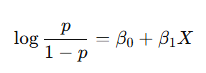
저기서 왼쪽에 log(0/(1-p))가 5.1757인거다. 저기서 왼쪽에 log(0/(1-p))가 5.1757인거다. 그 외에는 변수에 P밸류 있고, 쟤는 걍 회귀분석과 달리 AIC가 결과에 나오는데 저 모델의 '벌점'이 75.836이라는 의미다.
> summary(logistic)

Call:
glm(formula = Species ~ Sepal.Length + Petal.Length, family = binomial,
    data = iris)

Coefficients:
              Estimate Std. Error z value Pr(>|z|)
(Intercept)      78.26  316177.75   0.000    1.000
Sepal.Length    -39.83   81738.90   0.000    1.000
Petal.Length     48.60   43659.68   0.001    0.999

(Dispersion parameter for binomial family taken to be 1)

    Null deviance: 1.9095e+02  on 149  degrees of freedom
Residual deviance: 5.0543e-09  on 147  degrees of freedom
AIC: 6

Number of Fisher Scoring iterations: 25
변수 하나 늘렸더니 P밸류 급떡상한거 실화냐.
> vif(logistic)
Sepal.Length  Sepal.Width
    4.802804     4.802804
그럴만 했다.
릿지와 라쏘
이거는 그… 쉽게 말하자면 회귀모델에 제약조건을 주는 것이다. 릿지는 L2, 라쏘는 L1인데 릿지는 R, 라쏘는 L이라 라쏘가 레벨 1이라고 외우면 됨.
릿지(L2): 가중치들의 제곱합을 최소화하는 것을 제약조건으로 추가한다.
라쏘(L1): 가중치들의 절대값의 합을 최소화한다.
외우십시오.
'Coding > R' 카테고리의 다른 글
| ADsP-연관분석 데이터 해석해보기 (0) | 2025.11.22 |
|---|---|
| 포켓몬 이로치가 나올 확률로 이항분포를 때려보자 (0) | 2025.10.14 |
| R 배워보기-8.4. Other interesting graphs (0) | 2022.08.23 |
| R 배워보기-8.3. Basic graphs with standard graphics (0) | 2022.08.23 |
| R 배워보기-8.2. Miscellaneous (0) | 2022.08.23 |
이걸 왜 알아야 하냐면 결과 주고 옳은 것은? 옳지 않은 것은? 해석하라고 나옵니다. 연관, 회귀(주로 다항), 또 뭐 있었는데 아무튼... 그래서 분석도 해볼 수 있으면 직접 찍먹정도는 해보는게 좋다는거임.
연관분석이 뭔데요?
내가 겜덕이니까 겜 위주로 비유를 좀 해보겠음. 요즘 스위치 2 나왔잖아요? 연관분석에는 크게 장바구니 분석, 서열분석 두 개가 있는데, 장바구니 분석은 스위치 2를 사는 고객들이 뭘 같이 사는가(액정필름, 파우치, 냥발(스틱 커버) 이런거)이고 서열분석은 스위치 2를 구매한 고객들이 이후에 뭘 사는가를 분석하는거다.
게임기로는 잘 안 와닿는 분들을 위해 한가지 더 예를 들어보자면, 내가 지금쓰고 있는 폰이 아이폰 15 프맥인데 얘를 살 때 액정필름이랑 케이스를 같이 샀었다. (아이폰은 외장메모리 없음) 아이폰을 구매하는 고객들이 '핸드폰을 사면서 뭘 같이 사는가'는 장바구니 분석이고, 본인의 경우에는 액정필름이랑 케이스를 산 것이다. 근데 핸드폰이 갓 나왔을때는 살 수 있는 케이스 디자인이 되게 한정적이고, 내꺼 블랙 색감이 아주 쥑여줘서 투명으로 샀거든요? 근데 핸드폰이 나오고 좀 지나면 아주 이쁜 케이스들이 나와요. 그러면 예쁜 케이스로 바꾸게 되는 건 내가 핸드폰을 산 후잖아요? 아니면 액정필름을 갈거나, 카메라 보호 유리를 사거나 할 수도 있다. 핸드폰을 산 '후에' 뭘 사는 건 서열분석이다.
지지도, 신뢰도, 향상도
이거 계산하라고 나오니까 공식 외우시면 되는데, 분모는 어차피 A 교집합 B라 쉽다. 분자가 문제지.
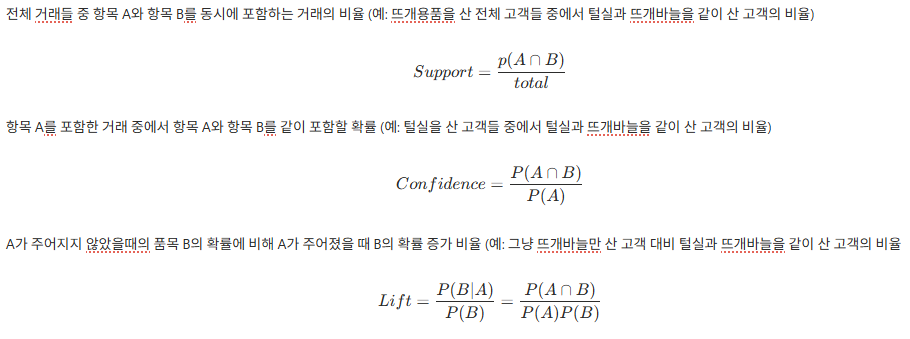
귀찮아서 노션에 정리한거 걍 쌩으로 캡쳐했음.
1) 지지도: 전체 모바일 기기 구매 고객들 중에 갤럭시와 갤럭시 버즈를 동시에 포함하는(그니까 갤럭시랑 버즈 둘다 산) 고객의 비율
2) 신뢰도: 갤럭시 기기를 산 고객들 중에서 갤럭시 기기와 갤럭시 버즈를 같이 구매한 고객의 비율(버즈를 안 사는 사람도 있다. 나도 아이폰 쓰지만 에어팟은 귓구녕 막아서 안씀)
3) 향상도: 갤럭시 기기를 보유하지 않은 사람들이 갤럭시 버즈를 살 확률에 비해 갤럭시 기기를 보유한 사람이 갤럭시 버즈를 살 확률 증가 비율
결과가 어떻게 나오나요?
> rules=apriori(Groceries, parameter=list(support=0.01, confidence=0.3))
Apriori

Parameter specification:
 confidence minval smax arem  aval originalSupport maxtime support minlen
        0.3    0.1    1 none FALSE            TRUE       5    0.01      1
 maxlen target  ext
     10  rules TRUE

Algorithmic control:
 filter tree heap memopt load sort verbose
    0.1 TRUE TRUE  FALSE TRUE    2    TRUE

Absolute minimum support count: 98

set item appearances ...[0 item(s)] done [0.00s].
set transactions ...[169 item(s), 9835 transaction(s)] done [0.00s].
sorting and recoding items ... [88 item(s)] done [0.00s].
creating transaction tree ... done [0.00s].
checking subsets of size 1 2 3 4 done [0.00s].
writing ... [125 rule(s)] done [0.00s].
creating S4 object  ... done [0.00s].
걍 분석하쇼 하면 이렇게 나온다.
> inspect(rules)
      lhs                           rhs                   support confidence   coverage     lift count
[1]   {hard cheese}              => {whole milk}       0.01006609  0.4107884 0.02450432 1.607682    99
[2]   {butter milk}              => {other vegetables} 0.01037112  0.3709091 0.02796136 1.916916   102
[3]   {butter milk}              => {whole milk}       0.01159126  0.4145455 0.02796136 1.622385   114
[4]   {ham}                      => {whole milk}       0.01148958  0.4414062 0.02602949 1.727509   113
[5]   {sliced cheese}            => {whole milk}       0.01077783  0.4398340 0.02450432 1.721356   106
[6]   {oil}                      => {whole milk}       0.01128622  0.4021739 0.02806304 1.573968   111
[7]   {onions}                   => {other vegetables} 0.01423488  0.4590164 0.03101169 2.372268   140
[8]   {onions}                   => {whole milk}       0.01209964  0.3901639 0.03101169 1.526965   119
[9]   {berries}                  => {yogurt}           0.01057448  0.3180428 0.03324860 2.279848   104
[10]  {berries}                  => {other vegetables} 0.01026945  0.3088685 0.03324860 1.596280   101
[11]  {berries}                  => {whole milk}       0.01179461  0.3547401 0.03324860 1.388328   116
[12]  {hamburger meat}           => {other vegetables} 0.01382816  0.4159021 0.03324860 2.149447   136
[13]  {hamburger meat}           => {whole milk}       0.01474326  0.4434251 0.03324860 1.735410   145
[14]  {hygiene articles}         => {whole milk}       0.01281139  0.3888889 0.03294357 1.521975   126
[15]  {sugar}                    => {other vegetables} 0.01077783  0.3183183 0.03385867 1.645119   106
[16]  {sugar}                    => {whole milk}       0.01504830  0.4444444 0.03385867 1.739400   148
[17]  {waffles}                  => {whole milk}       0.01270971  0.3306878 0.03843416 1.294196   125
[18]  {long life bakery product} => {whole milk}       0.01352313  0.3614130 0.03741739 1.414444   133
[19]  {dessert}                  => {other vegetables} 0.01159126  0.3123288 0.03711235 1.614164   114
[20]  {dessert}                  => {whole milk}       0.01372649  0.3698630 0.03711235 1.447514   135
[21]  {cream cheese }            => {yogurt}           0.01240468  0.3128205 0.03965430 2.242412   122
[22]  {cream cheese }            => {other vegetables} 0.01372649  0.3461538 0.03965430 1.788977   135
[23]  {cream cheese }            => {whole milk}       0.01647178  0.4153846 0.03965430 1.625670   162
[24]  {chicken}                  => {other vegetables} 0.01789527  0.4170616 0.04290798 2.155439   176
[25]  {chicken}                  => {whole milk}       0.01759024  0.4099526 0.04290798 1.604411   173
[26]  {white bread}              => {other vegetables} 0.01372649  0.3260870 0.04209456 1.685268   135
[27]  {white bread}              => {whole milk}       0.01708185  0.4057971 0.04209456 1.588147   168
[28]  {chocolate}                => {whole milk}       0.01667514  0.3360656 0.04961871 1.315243   164
[29]  {coffee}                   => {whole milk}       0.01870869  0.3222417 0.05805796 1.261141   184
[30]  {frozen vegetables}        => {other vegetables} 0.01779359  0.3699789 0.04809354 1.912108   175
[31]  {frozen vegetables}        => {whole milk}       0.02043721  0.4249471 0.04809354 1.663094   201
[32]  {beef}                     => {root vegetables}  0.01738688  0.3313953 0.05246568 3.040367   171
[33]  {beef}                     => {other vegetables} 0.01972547  0.3759690 0.05246568 1.943066   194
[34]  {beef}                     => {whole milk}       0.02125064  0.4050388 0.05246568 1.585180   209
[35]  {curd}                     => {yogurt}           0.01728521  0.3244275 0.05327911 2.325615   170
[36]  {curd}                     => {other vegetables} 0.01718353  0.3225191 0.05327911 1.666829   169
[37]  {curd}                     => {whole milk}       0.02613116  0.4904580 0.05327911 1.919481   257
[38]  {napkins}                  => {whole milk}       0.01972547  0.3766990 0.05236401 1.474268   194
[39]  {pork}                     => {other vegetables} 0.02165735  0.3756614 0.05765125 1.941476   213
[40]  {pork}                     => {whole milk}       0.02216573  0.3844797 0.05765125 1.504719   218
[41]  {frankfurter}              => {rolls/buns}       0.01921708  0.3258621 0.05897306 1.771616   189
[42]  {frankfurter}              => {whole milk}       0.02053889  0.3482759 0.05897306 1.363029   202
[43]  {brown bread}              => {whole milk}       0.02521607  0.3887147 0.06487036 1.521293   248
[44]  {margarine}                => {other vegetables} 0.01972547  0.3368056 0.05856634 1.740663   194
[45]  {margarine}                => {whole milk}       0.02419929  0.4131944 0.05856634 1.617098   238
[46]  {butter}                   => {other vegetables} 0.02003050  0.3614679 0.05541434 1.868122   197
[47]  {butter}                   => {whole milk}       0.02755465  0.4972477 0.05541434 1.946053   271
[48]  {newspapers}               => {whole milk}       0.02735130  0.3426752 0.07981698 1.341110   269
[49]  {domestic eggs}            => {other vegetables} 0.02226741  0.3509615 0.06344687 1.813824   219
[50]  {domestic eggs}            => {whole milk}       0.02999492  0.4727564 0.06344687 1.850203   295
[51]  {fruit/vegetable juice}    => {whole milk}       0.02663955  0.3684951 0.07229283 1.442160   262
[52]  {whipped/sour cream}       => {other vegetables} 0.02887646  0.4028369 0.07168277 2.081924   284
[53]  {whipped/sour cream}       => {whole milk}       0.03223183  0.4496454 0.07168277 1.759754   317
[54]  {pip fruit}                => {other vegetables} 0.02613116  0.3454301 0.07564820 1.785237   257
[55]  {pip fruit}                => {whole milk}       0.03009659  0.3978495 0.07564820 1.557043   296
[56]  {pastry}                   => {whole milk}       0.03324860  0.3737143 0.08896797 1.462587   327
[57]  {citrus fruit}             => {other vegetables} 0.02887646  0.3488943 0.08276563 1.803140   284
[58]  {citrus fruit}             => {whole milk}       0.03050330  0.3685504 0.08276563 1.442377   300
[59]  {sausage}                  => {rolls/buns}       0.03060498  0.3257576 0.09395018 1.771048   301
[60]  {sausage}                  => {whole milk}       0.02989324  0.3181818 0.09395018 1.245252   294
[61]  {bottled water}            => {whole milk}       0.03436706  0.3109476 0.11052364 1.216940   338
[62]  {tropical fruit}           => {other vegetables} 0.03589222  0.3420543 0.10493137 1.767790   353
[63]  {tropical fruit}           => {whole milk}       0.04229792  0.4031008 0.10493137 1.577595   416
[64]  {root vegetables}          => {other vegetables} 0.04738180  0.4347015 0.10899847 2.246605   466
[65]  {root vegetables}          => {whole milk}       0.04890696  0.4486940 0.10899847 1.756031   481
[66]  {yogurt}                   => {other vegetables} 0.04341637  0.3112245 0.13950178 1.608457   427
[67]  {yogurt}                   => {whole milk}       0.05602440  0.4016035 0.13950178 1.571735   551
[68]  {rolls/buns}               => {whole milk}       0.05663447  0.3079049 0.18393493 1.205032   557
[69]  {other vegetables}         => {whole milk}       0.07483477  0.3867578 0.19349263 1.513634   736
[70]  {curd,
       yogurt}                   => {whole milk}       0.01006609  0.5823529 0.01728521 2.279125    99
[71]  {whole milk,
       curd}                     => {yogurt}           0.01006609  0.3852140 0.02613116 2.761356    99
[72]  {pork,
       other vegetables}         => {whole milk}       0.01016777  0.4694836 0.02165735 1.837394   100
[73]  {pork,
       whole milk}               => {other vegetables} 0.01016777  0.4587156 0.02216573 2.370714   100
[74]  {other vegetables,
       butter}                   => {whole milk}       0.01148958  0.5736041 0.02003050 2.244885   113
[75]  {whole milk,
       butter}                   => {other vegetables} 0.01148958  0.4169742 0.02755465 2.154987   113
[76]  {other vegetables,
       domestic eggs}            => {whole milk}       0.01230300  0.5525114 0.02226741 2.162336   121
[77]  {whole milk,
       domestic eggs}            => {other vegetables} 0.01230300  0.4101695 0.02999492 2.119820   121
[78]  {other vegetables,
       fruit/vegetable juice}    => {whole milk}       0.01047280  0.4975845 0.02104728 1.947371   103
[79]  {whole milk,
       fruit/vegetable juice}    => {other vegetables} 0.01047280  0.3931298 0.02663955 2.031756   103
[80]  {yogurt,
       whipped/sour cream}       => {other vegetables} 0.01016777  0.4901961 0.02074225 2.533410   100
[81]  {other vegetables,
       whipped/sour cream}       => {yogurt}           0.01016777  0.3521127 0.02887646 2.524073   100
[82]  {yogurt,
       whipped/sour cream}       => {whole milk}       0.01087951  0.5245098 0.02074225 2.052747   107
[83]  {whole milk,
       whipped/sour cream}       => {yogurt}           0.01087951  0.3375394 0.03223183 2.419607   107
[84]  {other vegetables,
       whipped/sour cream}       => {whole milk}       0.01464159  0.5070423 0.02887646 1.984385   144
[85]  {whole milk,
       whipped/sour cream}       => {other vegetables} 0.01464159  0.4542587 0.03223183 2.347679   144
[86]  {pip fruit,
       other vegetables}         => {whole milk}       0.01352313  0.5175097 0.02613116 2.025351   133
[87]  {pip fruit,
       whole milk}               => {other vegetables} 0.01352313  0.4493243 0.03009659 2.322178   133
[88]  {other vegetables,
       pastry}                   => {whole milk}       0.01057448  0.4684685 0.02257245 1.833421   104
[89]  {whole milk,
       pastry}                   => {other vegetables} 0.01057448  0.3180428 0.03324860 1.643695   104
[90]  {citrus fruit,
       root vegetables}          => {other vegetables} 0.01037112  0.5862069 0.01769192 3.029608   102
[91]  {citrus fruit,
       other vegetables}         => {root vegetables}  0.01037112  0.3591549 0.02887646 3.295045   102
[92]  {citrus fruit,
       yogurt}                   => {whole milk}       0.01026945  0.4741784 0.02165735 1.855768   101
[93]  {citrus fruit,
       whole milk}               => {yogurt}           0.01026945  0.3366667 0.03050330 2.413350   101
[94]  {citrus fruit,
       other vegetables}         => {whole milk}       0.01301474  0.4507042 0.02887646 1.763898   128
[95]  {citrus fruit,
       whole milk}               => {other vegetables} 0.01301474  0.4266667 0.03050330 2.205080   128
[96]  {sausage,
       other vegetables}         => {whole milk}       0.01016777  0.3773585 0.02694459 1.476849   100
[97]  {sausage,
       whole milk}               => {other vegetables} 0.01016777  0.3401361 0.02989324 1.757876   100
[98]  {other vegetables,
       bottled water}            => {whole milk}       0.01077783  0.4344262 0.02480935 1.700192   106
[99]  {whole milk,
       bottled water}            => {other vegetables} 0.01077783  0.3136095 0.03436706 1.620783   106
[100] {tropical fruit,
       root vegetables}          => {other vegetables} 0.01230300  0.5845411 0.02104728 3.020999   121
[101] {tropical fruit,
       other vegetables}         => {root vegetables}  0.01230300  0.3427762 0.03589222 3.144780   121
[102] {tropical fruit,
       root vegetables}          => {whole milk}       0.01199797  0.5700483 0.02104728 2.230969   118
[103] {tropical fruit,
       yogurt}                   => {other vegetables} 0.01230300  0.4201389 0.02928317 2.171343   121
[104] {tropical fruit,
       other vegetables}         => {yogurt}           0.01230300  0.3427762 0.03589222 2.457146   121
[105] {tropical fruit,
       yogurt}                   => {whole milk}       0.01514997  0.5173611 0.02928317 2.024770   149
[106] {tropical fruit,
       whole milk}               => {yogurt}           0.01514997  0.3581731 0.04229792 2.567516   149
[107] {tropical fruit,
       rolls/buns}               => {whole milk}       0.01098119  0.4462810 0.02460600 1.746587   108
[108] {tropical fruit,
       other vegetables}         => {whole milk}       0.01708185  0.4759207 0.03589222 1.862587   168
[109] {tropical fruit,
       whole milk}               => {other vegetables} 0.01708185  0.4038462 0.04229792 2.087140   168
[110] {root vegetables,
       yogurt}                   => {other vegetables} 0.01291307  0.5000000 0.02582613 2.584078   127
[111] {root vegetables,
       yogurt}                   => {whole milk}       0.01453991  0.5629921 0.02582613 2.203354   143
[112] {root vegetables,
       rolls/buns}               => {other vegetables} 0.01220132  0.5020921 0.02430097 2.594890   120
[113] {root vegetables,
       rolls/buns}               => {whole milk}       0.01270971  0.5230126 0.02430097 2.046888   125
[114] {root vegetables,
       other vegetables}         => {whole milk}       0.02318251  0.4892704 0.04738180 1.914833   228
[115] {root vegetables,
       whole milk}               => {other vegetables} 0.02318251  0.4740125 0.04890696 2.449770   228
[116] {other vegetables,
       whole milk}               => {root vegetables}  0.02318251  0.3097826 0.07483477 2.842082   228
[117] {yogurt,
       soda}                     => {whole milk}       0.01047280  0.3828996 0.02735130 1.498535   103
[118] {other vegetables,
       soda}                     => {whole milk}       0.01392984  0.4254658 0.03274021 1.665124   137
[119] {whole milk,
       soda}                     => {other vegetables} 0.01392984  0.3477157 0.04006101 1.797049   137
[120] {yogurt,
       rolls/buns}               => {other vegetables} 0.01148958  0.3343195 0.03436706 1.727815   113
[121] {yogurt,
       rolls/buns}               => {whole milk}       0.01555669  0.4526627 0.03436706 1.771563   153
[122] {other vegetables,
       yogurt}                   => {whole milk}       0.02226741  0.5128806 0.04341637 2.007235   219
[123] {whole milk,
       yogurt}                   => {other vegetables} 0.02226741  0.3974592 0.05602440 2.054131   219
[124] {other vegetables,
       rolls/buns}               => {whole milk}       0.01789527  0.4200477 0.04260295 1.643919   176
[125] {whole milk,
       rolls/buns}               => {other vegetables} 0.01789527  0.3159785 0.05663447 1.633026   176
inspect 하면 이렇게 나온다.
일단 저 분석에서 support랑 confidence에 각각 0.01, 0.3이라고 되어 있을텐데, 사실 이 연관분석이라는 게 브루트 포스랑 다를 게 없음. 브루트 포스가 뭐냐면 통장 비번 맞추려고 0000부터 9999까지 다 쳐보는거다. 물론 하나하나 다 쳐보는거니까 답을 찾을 수는 있겠지만 시간이 증말 드럽게 오래걸리고 리소스도 무지막지하게 잡아먹는 게 특징… 그래서 저건 뭔가요? 일종의 마지노선이다. 왜 회사에 지원할때 보면 지원자격 있죠? 그런겁니다. 최소지지도에서 0.01보다 크면 서류전형에서 합격이고, 최소신뢰도가 0.3보다 크면 실무진 면접까지 합격하는.
Absolute minimum support count: 98

set item appearances ...[0 item(s)] done [0.00s].
set transactions ...[169 item(s), 9835 transaction(s)] done [0.00s].
sorting and recoding items ... [88 item(s)] done [0.00s].
creating transaction tree ... done [0.00s].
checking subsets of size 1 2 3 4 done [0.00s].
writing ... [125 rule(s)] done [0.00s].
creating S4 object  ... done [0.00s].
이 부분을 다시 보자. 여기서 총 생성된 규칙을 찾으라고 하면 뭘 찾아야 하나요? 바로 writing … [125 rule(s)] done [0.00s]. 이거다. Absolute minimum support count는 생성된 규칙 수가 아니라 전체 트랜잭션과 최소신뢰도를 기반으로 계산한 것으로, 집계되는 거래 건수의 마지노선이다. 아무튼 생성된 규칙 수는 쟤 아니고 다른 애니까 그거 헷갈리지 마십셔.
> inspect(rules)
      lhs                           rhs                   support confidence   coverage     lift count
[1]   {hard cheese}              => {whole milk}       0.01006609  0.4107884 0.02450432 1.607682    99
[2]   {butter milk}              => {other vegetables} 0.01037112  0.3709091 0.02796136 1.916916   102
[3]   {butter milk}              => {whole milk}       0.01159126  0.4145455 0.02796136 1.622385   114
[4]   {ham}                      => {whole milk}       0.01148958  0.4414062 0.02602949 1.727509   113
[5]   {sliced cheese}            => {whole milk}       0.01077783  0.4398340 0.02450432 1.721356   106
이건 위에 다섯개만 보고 가자. lhs->rhs는 이걸 산 사람이 이것도 샀다, 이런 의미이고 서포트 컨피던스는 지지도 신뢰도, 커버리지 쟈는 모르것고 리프트가 향상도이다. 카운트는 아마도 거래건수? 보통은 결과 이런 식으로 안 나오고
> inspect(sorted_rules_lift)
      lhs                           rhs                   support confidence   coverage     lift count
[1]   {citrus fruit,
       other vegetables}         => {root vegetables}  0.01037112  0.3591549 0.02887646 3.295045   102
[2]   {tropical fruit,
       other vegetables}         => {root vegetables}  0.01230300  0.3427762 0.03589222 3.144780   121
[3]   {beef}                     => {root vegetables}  0.01738688  0.3313953 0.05246568 3.040367   171
[4]   {citrus fruit,
       root vegetables}          => {other vegetables} 0.01037112  0.5862069 0.01769192 3.029608   102
[5]   {tropical fruit,
어떤 기준으로든 정렬해서 이런 식으로 낸다. 얘는 향상도를 기준으로 정렬한것. 여기서는 그냥 아 지지도 신뢰도 향상도 이렇게 나왔구나...하시고... {citrus fruit, other vegetables} => {root vegetables}의 지지도가 약 0.0104, 신뢰도가 약 0.3592, 향상도가 약 3.2950일 때 해석을 어떻게 하냐면
1) 지지도: 전체 구매 고객 중 시트러스류 과일(귤, 레몬, 유자 이런거)과 다른 야채, 그리고 뿌리채소를 같이 구매한 고객의 비율이 약 0.0104
2) 신뢰도: 시트러스류 과일과 다른 야채까지만 구입한 고객 대비 뿌리채소까지 같이 구매한 고객의 비율이 약 0.3593
3) 향상도: 고객들이 그냥 뿌리채소만 구매할 확률 대비 시트러스류 과일과 채소, 뿌리채소를 같이 구매할 확률 증가 비율이 약 3.2950
저 세개 개념만 알고 있으면 어느정도는 풀 수 있을 것이다. 기출에서는 그로서리즈 나왔는데 혹시 모름… 얘네 어느순간 다른 데이터셋으로 낼 수도 있어…
'Coding > R' 카테고리의 다른 글
| ADsP-회귀분석 데이터 해석해보기 (0) | 2025.11.22 |
|---|---|
| 포켓몬 이로치가 나올 확률로 이항분포를 때려보자 (0) | 2025.10.14 |
| R 배워보기-8.4. Other interesting graphs (0) | 2022.08.23 |
| R 배워보기-8.3. Basic graphs with standard graphics (0) | 2022.08.23 |
| R 배워보기-8.2. Miscellaneous (0) | 2022.08.23 |
일단 이항분포가 뭐냐… 특정 확률(p)을 가진 베르누이 시행을 n번 독립적으로 반복했을 때, 성공하는 횟수(X)에 대한 이산 확률 분포라고 한다. Pass or Fail 뭐 이런건데, 여기서 중요한 건 결과가 두개라고 확률까지 반반이라는 건 아니라는 얘기. 그것은 하등 근거없는 편견이다.
근데 확률이 너무 낮아서 이항분포 때릴 수 있나 모르겠음.
확률이 얼마길래?
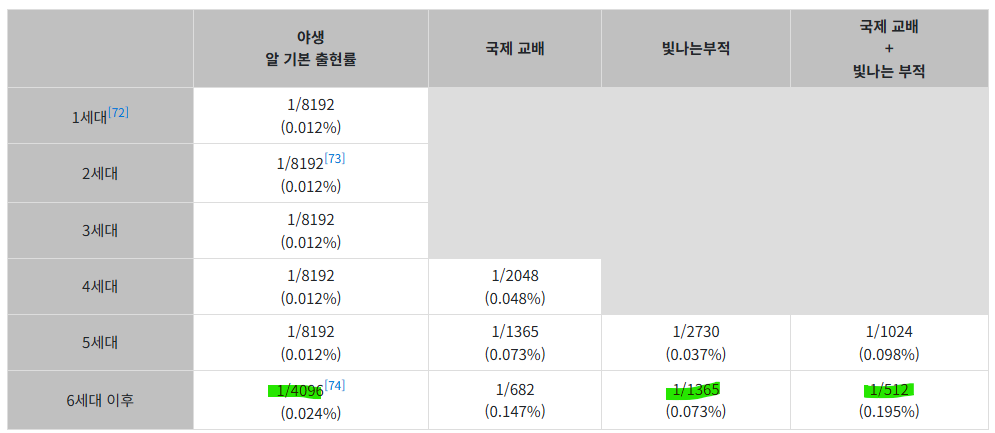
우리가 여기서 해볼 건 1/4096(no빛부 야생), 1/1365(빛부), 1/512(빛부+국제교배)이다.
R에서 이항분포 때려보기
> x_val=0:10
> y_val1=dbinom(x_val,100,1/4096)
일단 위는 x가 0부터 10까지라는 얘기이고, 아래가 이항분포 그 뭐시기다. 저걸 쉽게 풀어주자면 1) 1/4096의 확률을 가지고 있는 어떤 사건을 2) 100번 시행할거야 3) 근데 0번에서 10번까지 성공활 확률이 어떻게 돼? 라는 거. 일단 저 가운데 숫자는 한 1000정도로 통일해보자. 참고로 ggplot 안씀 이거 윈도에서 새로 깐거임...
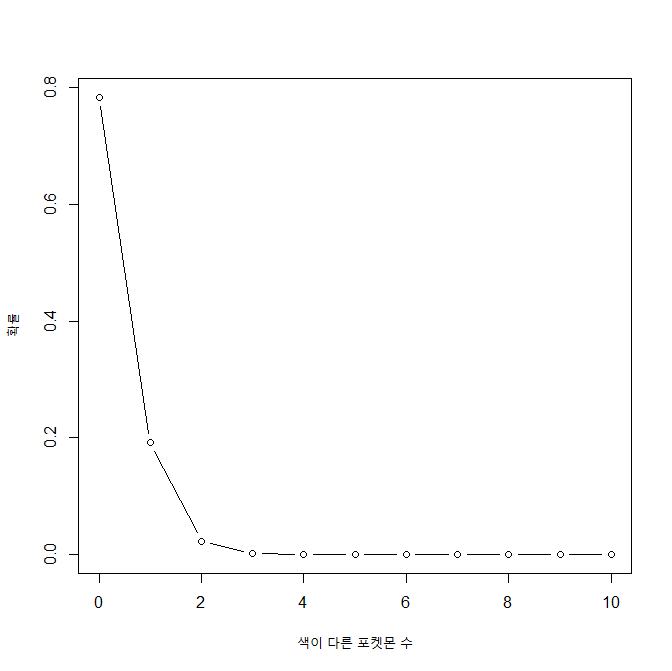
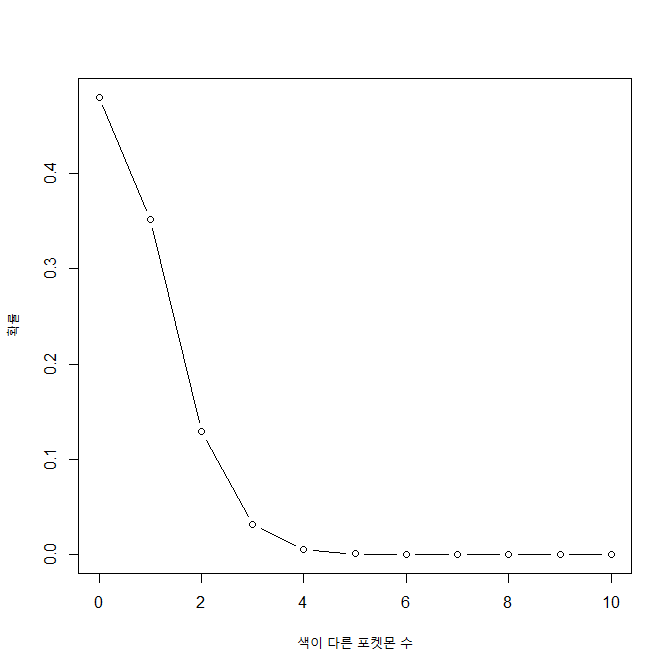
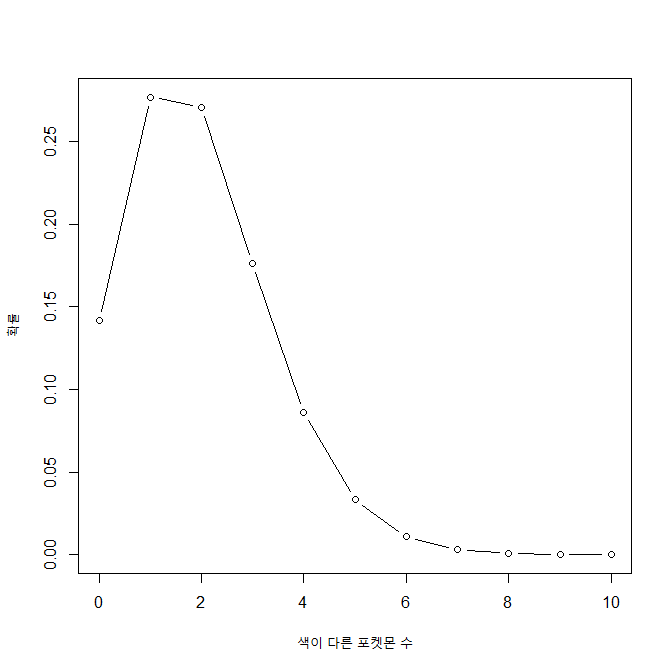
엄밀히 말하자면 위에 두 개는 야생 포켓몬을 1) 빛나는 부적 없이, 2) 빛나는 부적을 갖고 조우한 것이고 3)은 국제교배(어버이 국적이 다른 포켓몬끼리 교배)+빛나는 부적이라 알을 1000번 깐다는 전제 하의 확률이다. 그니까 1000번 알 까서 이로치 나올 확률이 1/4정도 뭐 이런 얘기… 그러니까 알깠는데 이로치가 나왔다는 건 매우 좋은거다. 그래도 리니지보다는 혜자인 게 함정.
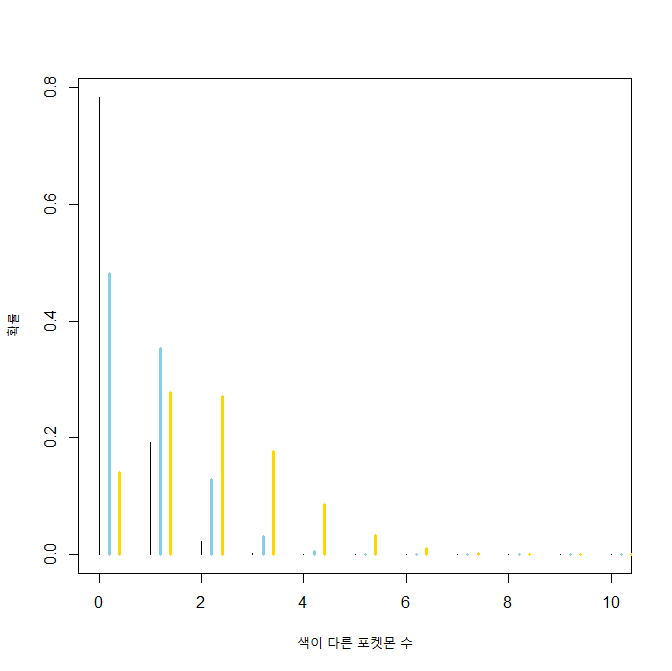
막대그래프 스타일로 세개를 겹쳐서 그려봤다. 검정색이 1/4096, 하늘색이 1/1365, 노란색이 1/512다. 확률이 낮아질수록 점점 옆으로 쏠리는 것을 볼 수 있다. 막대그래프라서 안 와닿는다고?
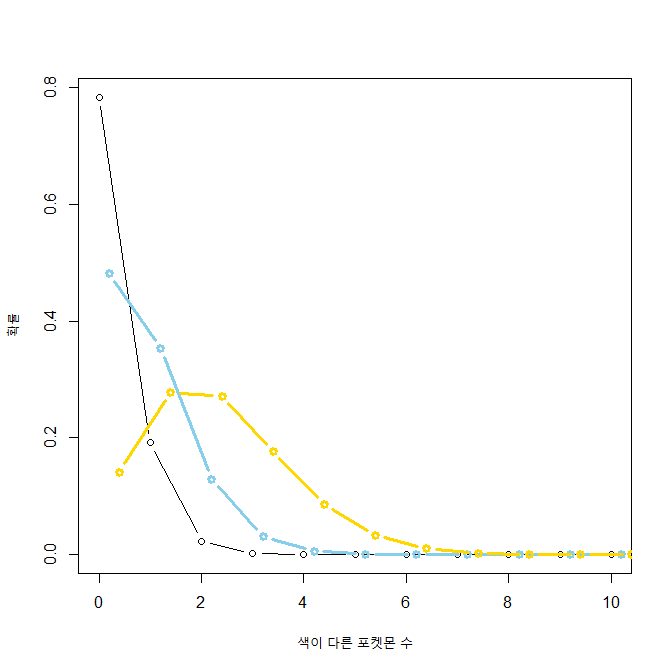
이건 좀 와닿수?
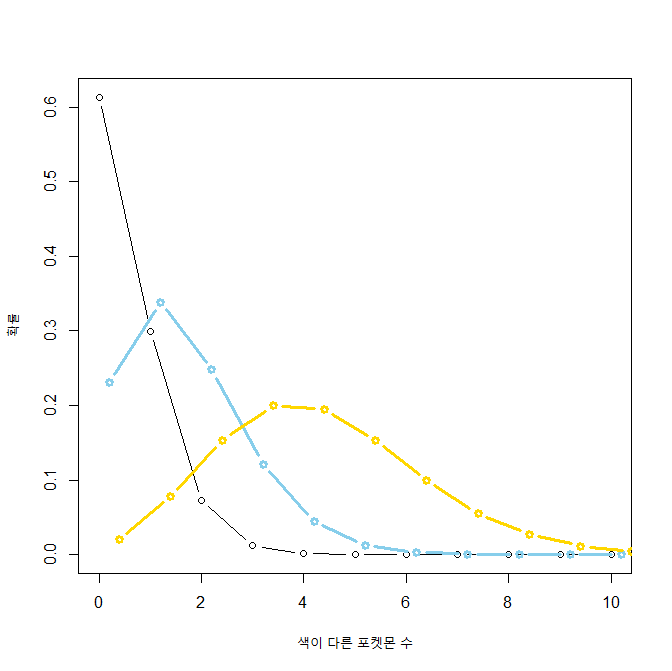
시행 횟수를 2000으로 늘려봤다. 그럼 아예 시행 횟수를 4096으로 맞추면요?

결론: 이로치는 급나 완전 개 노가다와 운빨의 산물이다
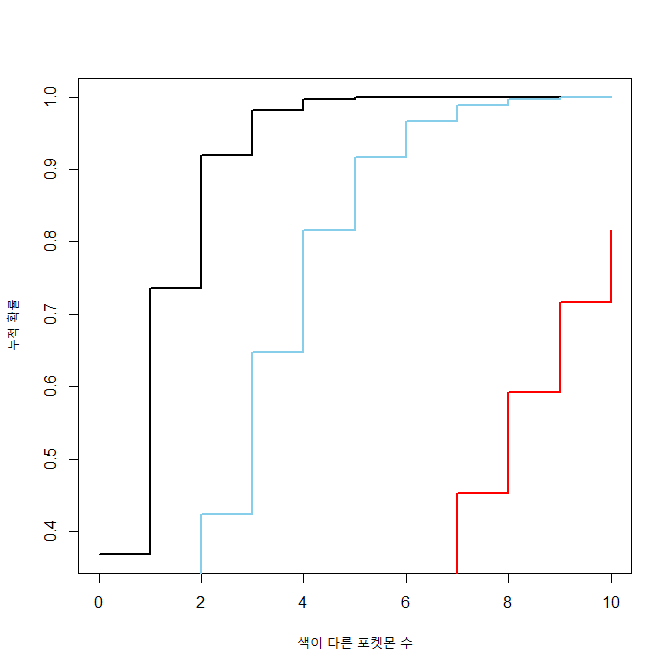
위에껀 걍 이항분포… 그니까 1) 필드 뺑뺑이를 돌거나 알을 깔 동안 2) 이로치를 만나거나 깔 확률이 정확히 0~10인거고 아래는 누적 이항분포이다.
y_val4=pbinom(x_val2,4096,1/4096)얘는 그니까 4096마리 만났을 때 0~10마리까지 이로치 만날 확률을 누적해둔 거라 언젠가는 1이 되긴 된다. 역시나 검은 선이 1/4096, 하늘색 선은 1/1365, 빨간 선이 1/512인데... 왜 확률이 더 높은 애가 더 앞으로 가 있나요? 나도 정확히 이해는 안되는데, 1/512가 확률이 더 높아서 성공횟수가 분산되기 때문에 확률이 높을수록 뒤로 가는 게 맞단다.
'Coding > R' 카테고리의 다른 글
| ADsP-회귀분석 데이터 해석해보기 (0) | 2025.11.22 |
|---|---|
| ADsP-연관분석 데이터 해석해보기 (0) | 2025.11.22 |
| R 배워보기-8.4. Other interesting graphs (0) | 2022.08.23 |
| R 배워보기-8.3. Basic graphs with standard graphics (0) | 2022.08.23 |
| R 배워보기-8.2. Miscellaneous (0) | 2022.08.23 |
이 다음이 스크립트랑 함수파트인데...
함수 정의하고 스크립트 실행하는게 링크가 없다...
뭐 어쩌라는겨...
아 참고로 이번에도 라이브러리 하나 깔아야됩니다
install.packages("ellipse")ㅇㅋ ㄱㄱ
Correlation matrix
사실 여기는 이거 하나밖에 없음...ㅋㅋㅋㅋㅋㅋ
근데 내가 이걸 어디서 본 것 같은디... (가물가물)
> set.seed(955)
> vvar <- 1:20 + rnorm(20,sd=3)
> wvar <- 1:20 + rnorm(20,sd=5)
> xvar <- 20:1 + rnorm(20,sd=3)
> yvar <- (1:20)/2 + rnorm(20, sd=10)
> zvar <- rnorm(20, sd=6)
난수를 뭐 이렇게 많이 만드냐...
> data <- data.frame(vvar, wvar, xvar, yvar, zvar)
> head(data)
       vvar       wvar     xvar       yvar      zvar
1 -4.252354  5.1219288 16.02193 -15.156368 -4.086904
2  1.702318 -1.3234340 15.83817 -24.063902  3.468423
3  4.323054 -2.1570874 19.85517   2.306770 -3.044931
4  1.780628  0.7880138 17.65079   2.564663  1.449081
5 11.537348 -1.3075994 10.93386   9.600835  2.761963
6  6.672130  2.0135190 15.24350  -3.465695  5.749642
이걸 굳이 데이터프레임까지 만들어야 하냐...
> library(ellipse)

다음의 패키지를 부착합니다: ‘ellipse’

The following object is masked from ‘package:car’:

    ellipse

The following object is masked from ‘package:graphics’:

    pairs
그리고 새기들아 깔아야 되는 라이브러리는 미리 말하라고...
> ctab=cor(data)
> round(ctab,2)
      vvar  wvar  xvar  yvar  zvar
vvar  1.00  0.61 -0.85  0.75 -0.21
wvar  0.61  1.00 -0.81  0.54 -0.31
xvar -0.85 -0.81  1.00 -0.63  0.24
yvar  0.75  0.54 -0.63  1.00 -0.30
zvar -0.21 -0.31  0.24 -0.30  1.00
아무튼 그려봅시다
> plotcorr(ctab,mar=c(0.1,0.1,0.1,0.1))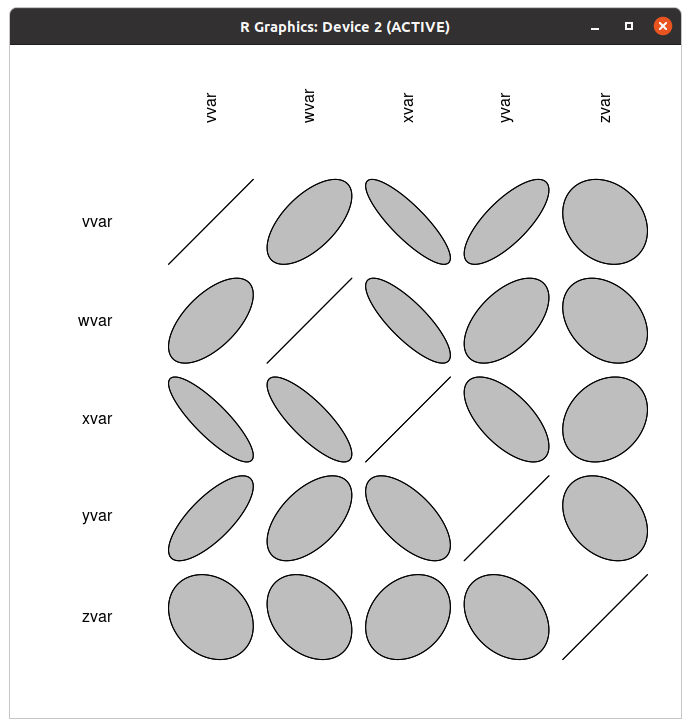
어 때깔이... 흑백이네?
> colorfun=colorRamp(c("#f7cac9","#5f4b8b","#91a8d1"),space="Lab")
> plotcorr(ctab,col=rgb(colorfun((ctab+1)/2),maxColorValue=255),mar=c(0.1,0.1,0.1,0.1))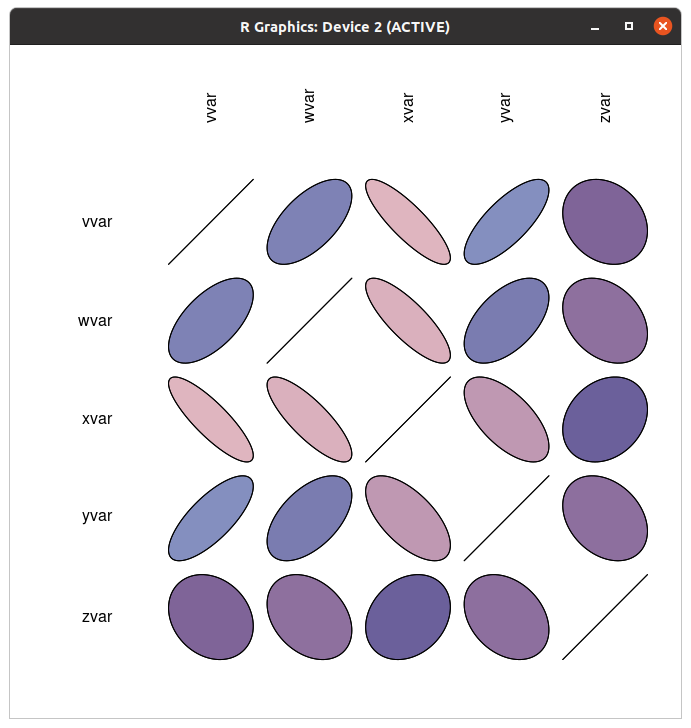
내가 색깔을 잘못 잡았나본데...?
아무튼 그래요... 저거 근데 보통 히트맵으로 그리지 않음?
'Coding > R' 카테고리의 다른 글
| ADsP-연관분석 데이터 해석해보기 (0) | 2025.11.22 |
|---|---|
| 포켓몬 이로치가 나올 확률로 이항분포를 때려보자 (0) | 2025.10.14 |
| R 배워보기-8.3. Basic graphs with standard graphics (0) | 2022.08.23 |
| R 배워보기-8.2. Miscellaneous (0) | 2022.08.23 |
| R 배워보기-번외편: R로 standard curve 그리기 (0) | 2022.08.22 |
참고로 이번꺼는 ggplot 안 데려와도 된다.
근데 라이브러리 깔긴 해야됨...
install.packages("sm")
install.packages("car")
네 두개 깔고 오세여.
히스토그램과 밀도 곡선
> set.seed(1)
> rating=rnorm(200)
> head(rating)
[1] -0.6264538  0.1836433 -0.8356286  1.5952808  0.3295078 -0.8204684
> rating2=rnorm(200,mean=.8)
> head(rating2)
[1]  1.2094018  2.4888733  2.3865884  0.4690922 -1.4852355  3.2976616
다들 이쯤되면 알잖음? 히스토그램은 역사와 전통의 난수생성...
> cond=factor(rep(c("A","B"),each=200))
> data=data.frame(cond,rating=(c(rating,rating2)))
> head(data)
  cond     rating
1    A -0.6264538
2    A  0.1836433
3    A -0.8356286
4    A  1.5952808
5    A  0.3295078
6    A -0.8204684
근데 이게 데이터프레임까지 만들 일이냐?
> hist(rating)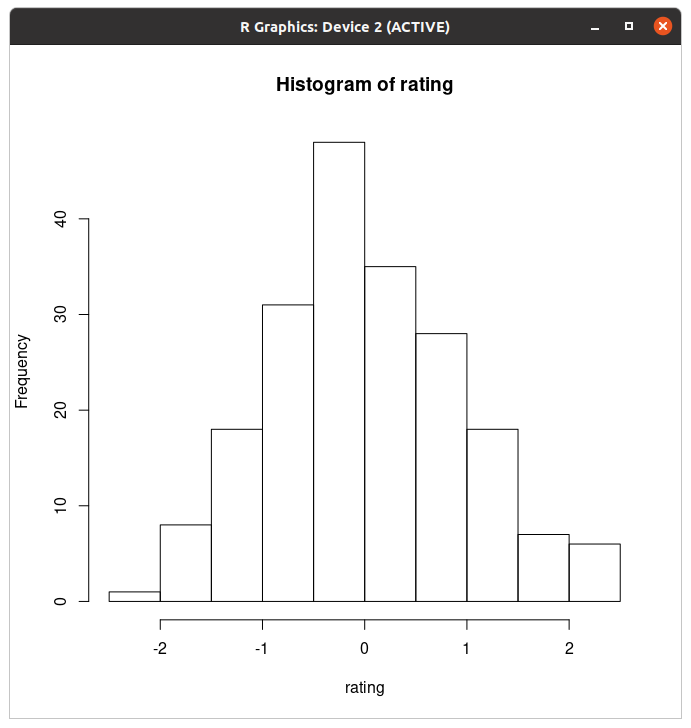
기본적인 히스토그램은 이렇게 생겼다.
> hist(rating,breaks=8,col="#ccccff",freq=FALSE)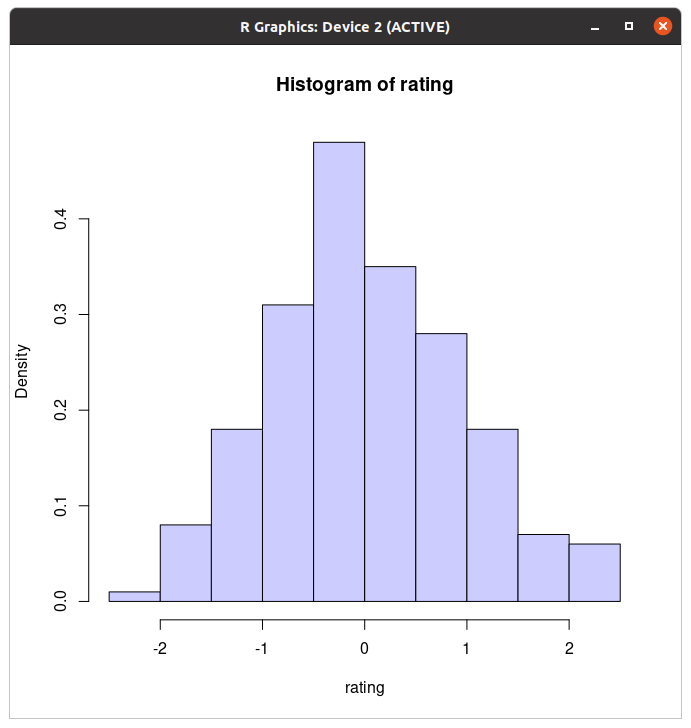
색깔 말고 다를게 없는디?
> boundaries=seq(-3,3.6,by=.6)
> boundaries
 [1] -3.0 -2.4 -1.8 -1.2 -0.6  0.0  0.6  1.2  1.8  2.4  3.0  3.6
> hist(rating,breaks=boundaries)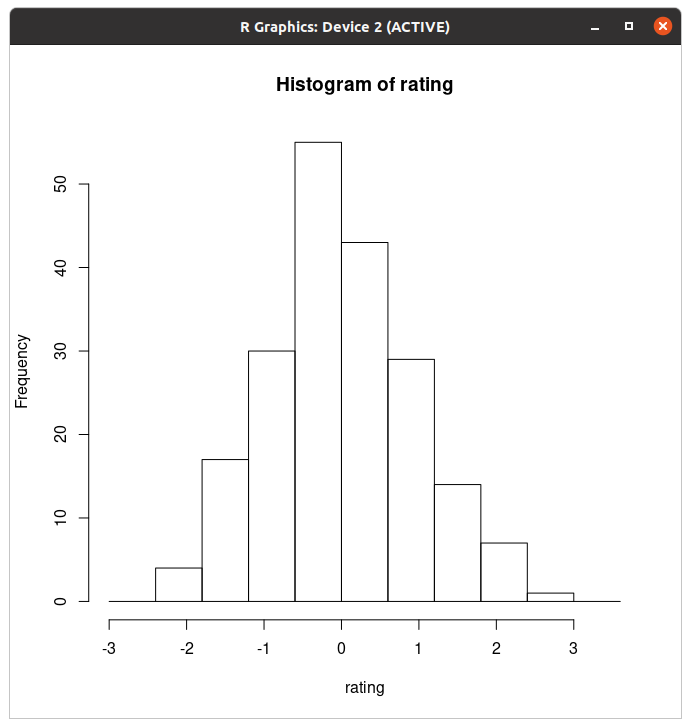
밀도? 아 그 빈도 간격 간격
아무튼 그것도 조절 가능함..
밀도 곡선
> plot(density(rating))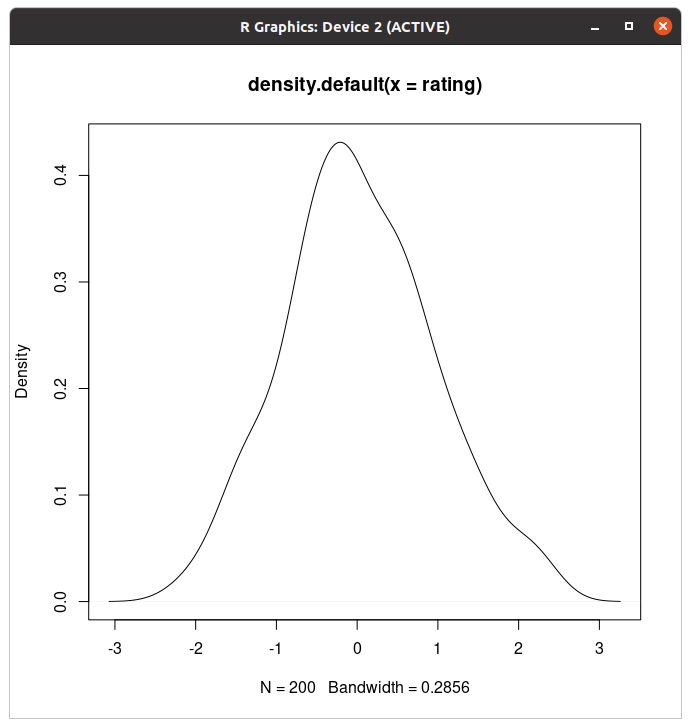
밀도 곡선도 된다.
plot.multi.dens <- function(s)
{
    junk.x = NULL
    junk.y = NULL
    for(i in 1:length(s)) {
        junk.x = c(junk.x, density(s[[i]])$x)
        junk.y = c(junk.y, density(s[[i]])$y)
    }
    xr <- range(junk.x)
    yr <- range(junk.y)
    plot(density(s[[1]]), xlim = xr, ylim = yr, main = "")
    for(i in 1:length(s)) {
        lines(density(s[[i]]), xlim = xr, ylim = yr, col = i)
    }
}
사전에 함수 정의하면
> plot.multi.dens( list(rating, rating2))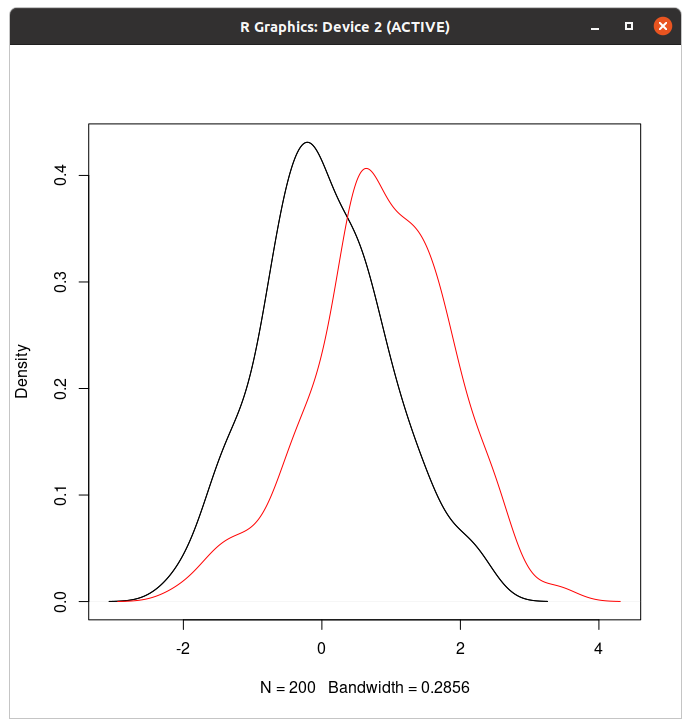
이거 그럼 함수 정의 안하면 두개 안된다는 얘기 아니냐...
> library(sm)
Package 'sm', version 2.2-5.7: type help(sm) for summary information
> sm.density.compare(data$rating,data$cond)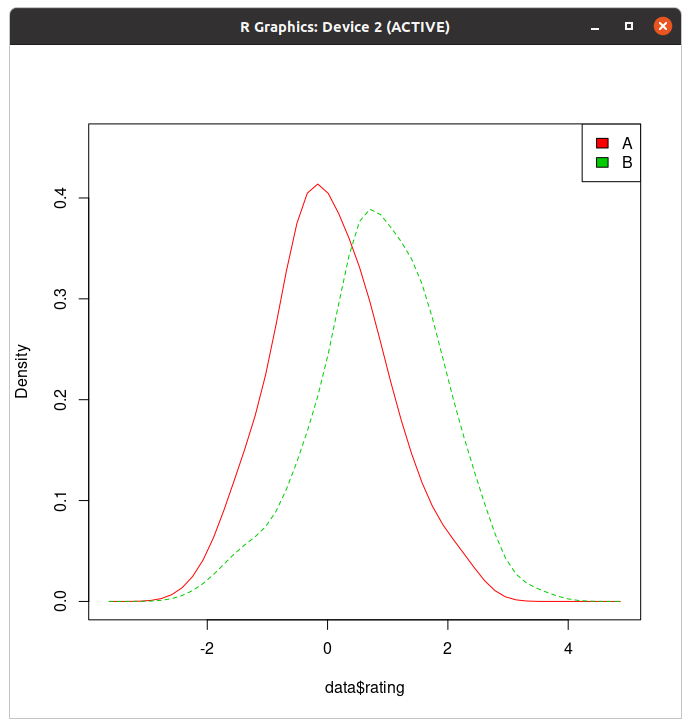
sm 라이브러리 불러온게 훨 낫네.
산점도
> set.seed(2)
> dat <- data.frame(xvar = 1:20 + rnorm(20,sd=3),
+                   yvar = 1:20 + rnorm(20,sd=3),
+                   zvar = 1:20 + rnorm(20,sd=3))
(대충 난수 만들었다는 얘기)
> plot(dat$xvar,dat$yvar)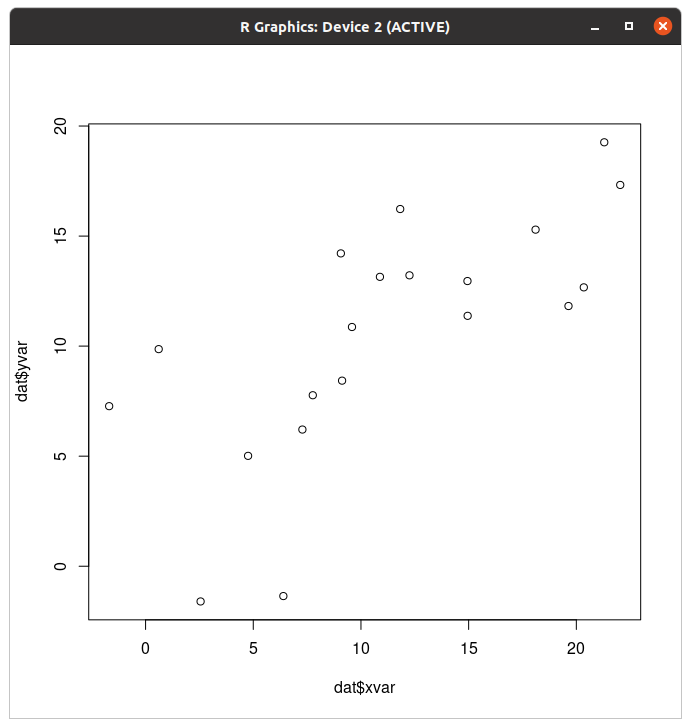
평범한 산점도는 이렇게 생겼다. 그럼 회귀곡선 되나요?
> fitline=lm(dat$xvar~dat$yvar)
> abline(fitline)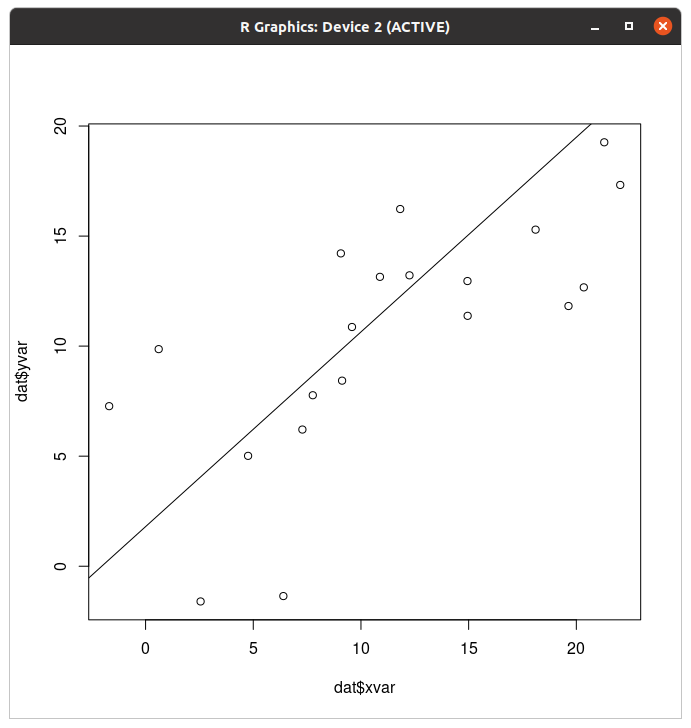
예 됩니다. 아 참고로 산점도 그리는 코드가 두 가지인데 하나는 위에 있고 다른 하나가
> plot(xvar~zvar,dat)이거다.
산점도 매트릭스
아누형 나올 것 같잖아 산점도에서 키아누 리브스 나오냐고
> plot(dat[,1:3])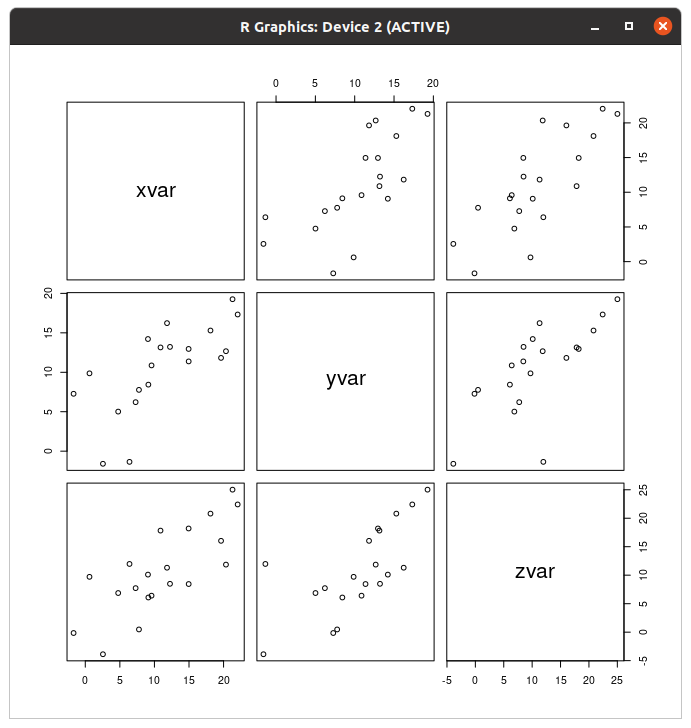
아니 근데 이거 어케 해석하는겨 ㄷㄷ
> library(car)
필요한 패키지를 로딩중입니다: carData
> scatterplotMatrix(dat[,1:3],diagonal="histogram",smooth=FALSE)
경고메시지(들):
In applyDefaults(diagonal, defaults = list(method = "adaptiveDensity"),  :
  unnamed diag arguments, will be ignored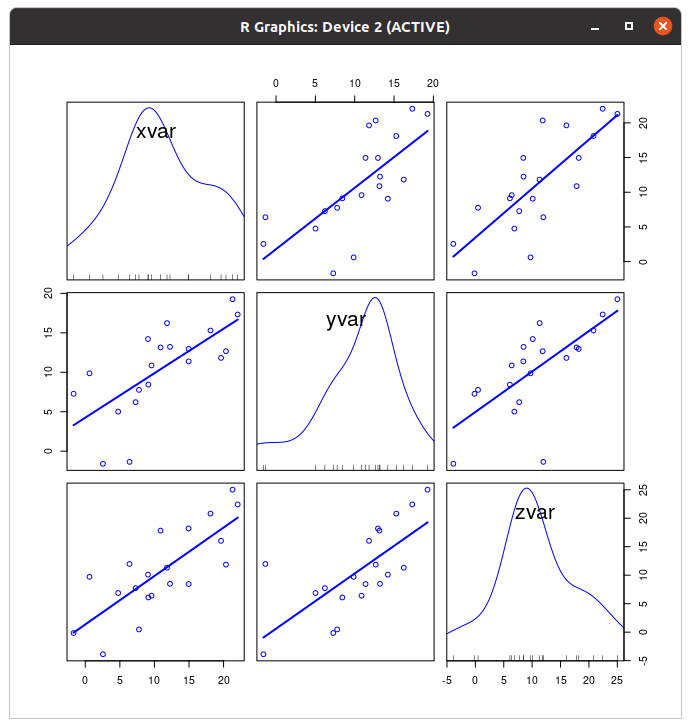
car 라이브러리 불러오면 이런것도 된다. ...뭐야 내 히스토그램 돌려줘요!
박스 그래프
> boxplot(len~supp,data=ToothGrowth)내장 데이터인 ToothGrowth를 써 볼건데...
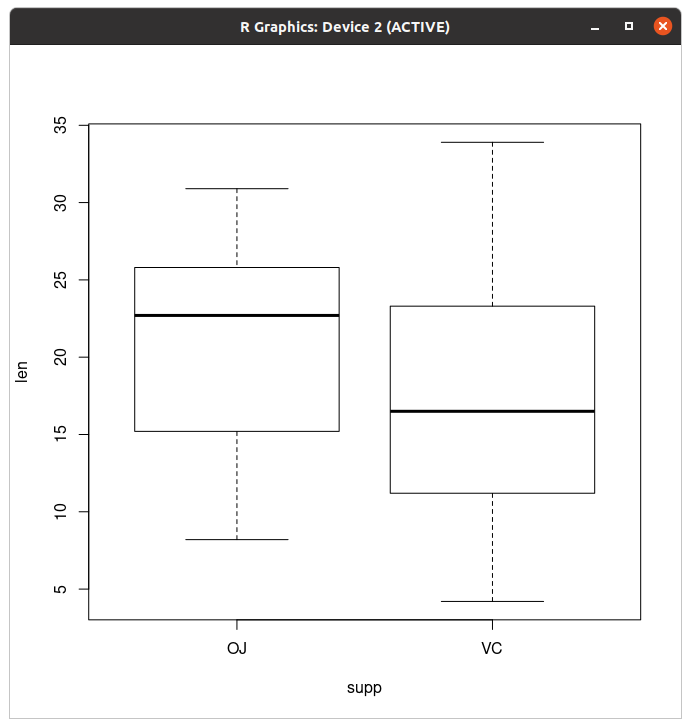
이게 len/supp boxplot이고
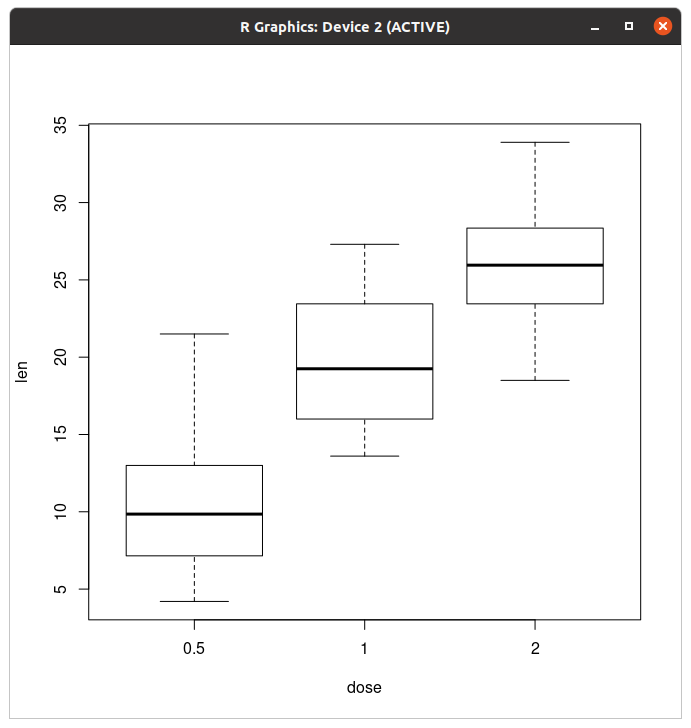
이건 len/dose 그래프이다. 근데 아니 이거 일일이 그리기 귀찮은데 한번에 안돼요?
> boxplot(len~interaction(dose,supp),data=ToothGrowth)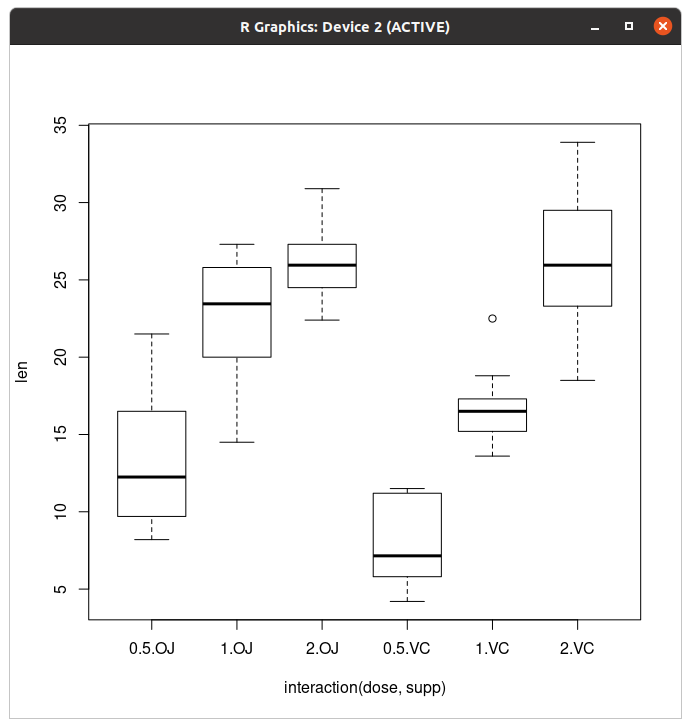
야 이럴거면 ggplot은 왜 까냐... 색깔 입히려고
> plot(len~interaction(dose,supp),data=ToothGrowth)참고로 이것도 같은 코드다.
Q-Q plot
이거 근데 뭐 하는 그래프냐...
> set.seed(3)
> x=rnorm(80,mean=50,sd=5)
> z=runif(80)
일단 난수부터 만들고 시작해보자.
> qqnorm(x)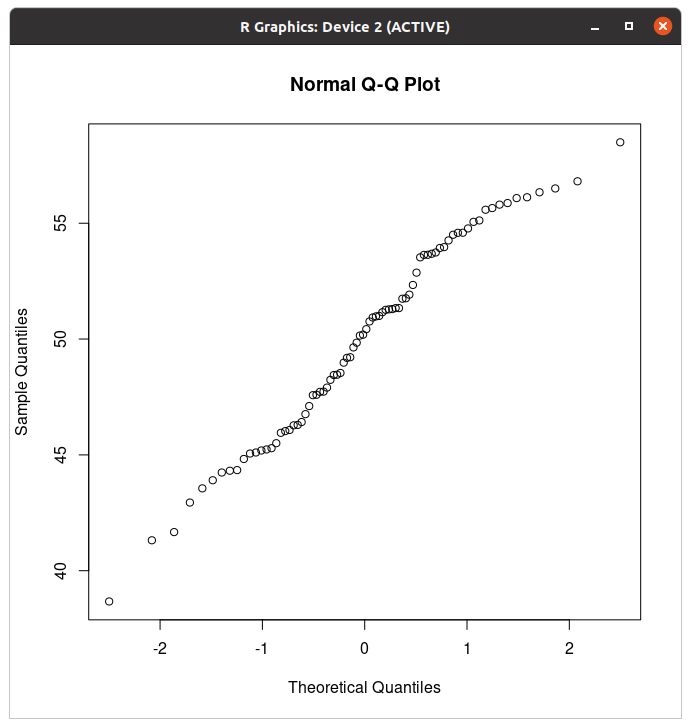
이렇게 하면 qqplot이 나온다.
> qqline(x)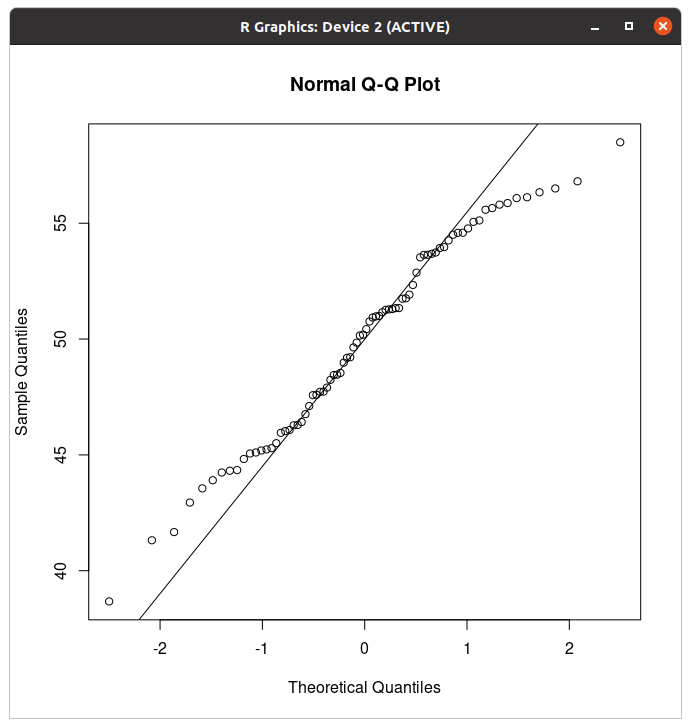
얘까지 하면 선이 보인다.
> qqnorm(x^4)
> qqline(x^4)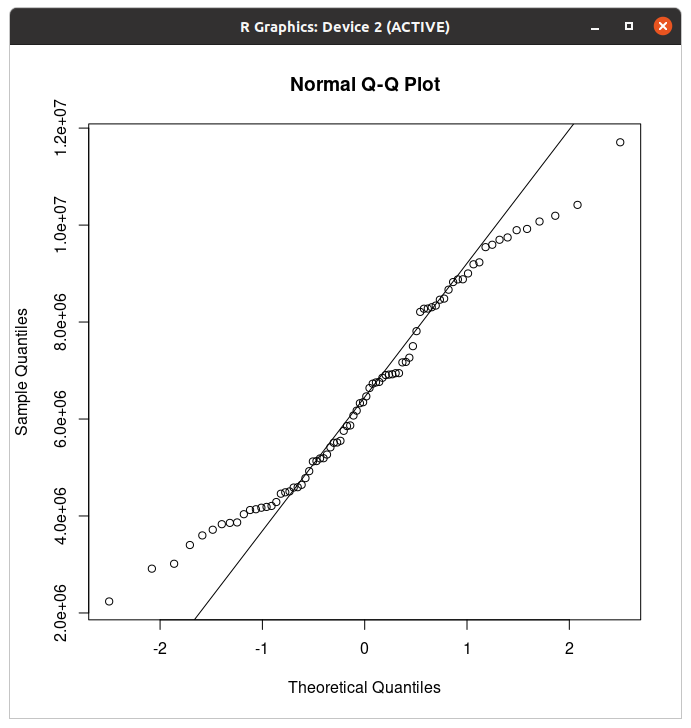
(같은 그래프 우려먹기 아님)
> qqnorm(z)
> qqline(z)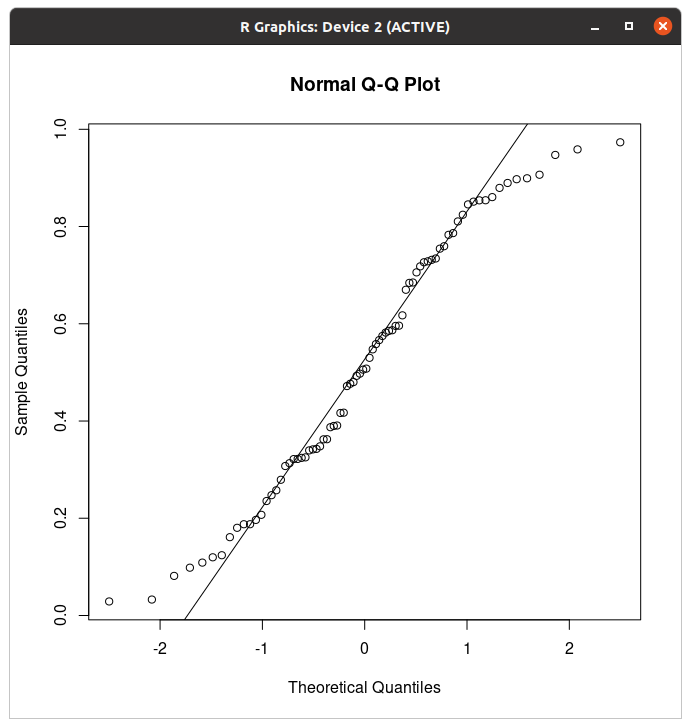
(변수 바꿨음)
'Coding > R' 카테고리의 다른 글
| 포켓몬 이로치가 나올 확률로 이항분포를 때려보자 (0) | 2025.10.14 |
|---|---|
| R 배워보기-8.4. Other interesting graphs (0) | 2022.08.23 |
| R 배워보기-8.2. Miscellaneous (0) | 2022.08.23 |
| R 배워보기-번외편: R로 standard curve 그리기 (0) | 2022.08.22 |
| R의 내장 데이터 (부제: 공공데이터 어떻게 받아요?) (0) | 2022.08.22 |
이거는 솔직히 8.1에 비하면 분량은 짧아요...
근데 ggplot은 불러야됨
그래프를 저⭐장
그래프 두갠가 그리긴 했음... 제주도 야채 서브셋으로...
> pdf("plots.pdf")
> plot(plot)
50건 이상의 경고들을 발견되었습니다 (이들 중 처음 50건을 확인하기 위해서는 warnings()를 이용하시길 바랍니다).
> dev.off()
pdf("파일명.pdf")만 쓰면 빈 pdf파일이 나오고 밑에 저장할 그래프를 하나씩 쓰면 페이지당 하나씩 저장된다.
> pdf("plots.pdf")
> plot(plot)
50건 이상의 경고들을 발견되었습니다 (이들 중 처음 50건을 확인하기 위해서는 warnings()를 이용하시길 바랍니다).
> plot(plot2)
50건 이상의 경고들을 발견되었습니다 (이들 중 처음 50건을 확인하기 위해서는 warnings()를 이용하시길 바랍니다).
> dev.off()
X11cairo
       2
그게 무슨말이냐면 여러개도 된다는 소리지.
# 6x3 inches
pdf("plots.pdf", width=6, height=3)

# 10x6 cm
pdf("plots.pdf", width=10/2.54, height=6/2.54)
아니 새기들아 미터법 안쓰냐고
> svg("plot.svg")
> plot(plot)
> dev.off()
X11cairo
       2
svg는 이거
> png("plot.png")
> plot(plot)
> dev.off()
X11cairo
       2
png는 이거
> png("plot.tiff")
> plot(plot2)
> dev.off()
X11cairo
       2
tiff는 이거다.
png("plot.png", width=480, height=240, res=120)
plot(...)
dev.off()
얘는 픽셀로 받는갑다.
점과 선 모양
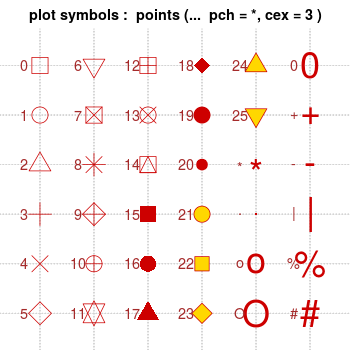
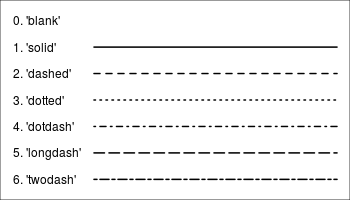
이렇다고 합니다.
글꼴

(진짜 짤 제조기 만드신 분 복받으세요)
글꼴 바꿀 수 있더라...
> plot2=ggplot(data=data_carrot,aes(x=연산,y=조수입.백만원.,fill=연산))+geom_bar(stat="identity")+geom_text(y=70000,label="Carrot",family="Courier")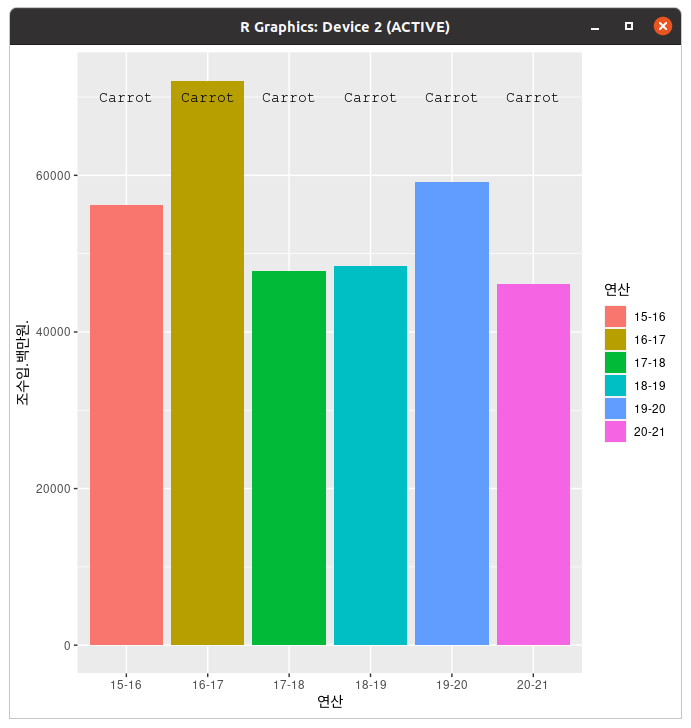
대충 이런 식으로 바꿉니다. Courier는 courier new같은데 저 폰트 시퀀스 파일 저장할 때 많이 써먹음. 고정폭이라 일정 bp가 한 줄을 차지해서 좋습니다. 아무튼...
> plot2=ggplot(data=data_carrot,aes(x=연산,y=조수입.백만원.,fill=연산))+geom_bar(stat="identity")+geom_text(y=70000,label="Carrot",family="나눔손글씨 바른히피")
> plot2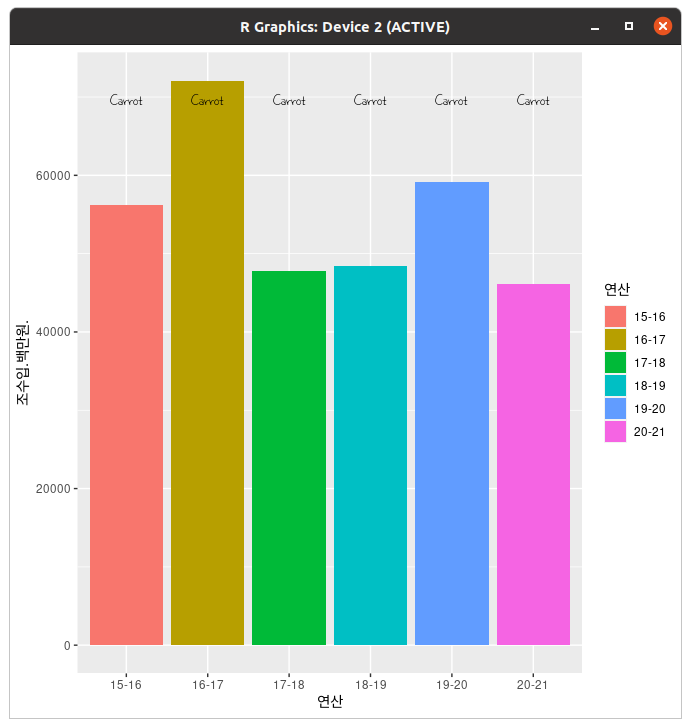
근데 이건 왜 되는거임?
> plot2=ggplot(data=data_carrot,aes(x=연산,y=조수입.백만원.,fill=연산))+geom_bar(stat="identity")+geom_text(y=70000,label="Carrot",family="나눔손글씨 바른히피")+ggtitle("제주도 당근 현황")+theme(plot.title=element_text(family="나눔손글씨 바른히피",face="bold",size=18))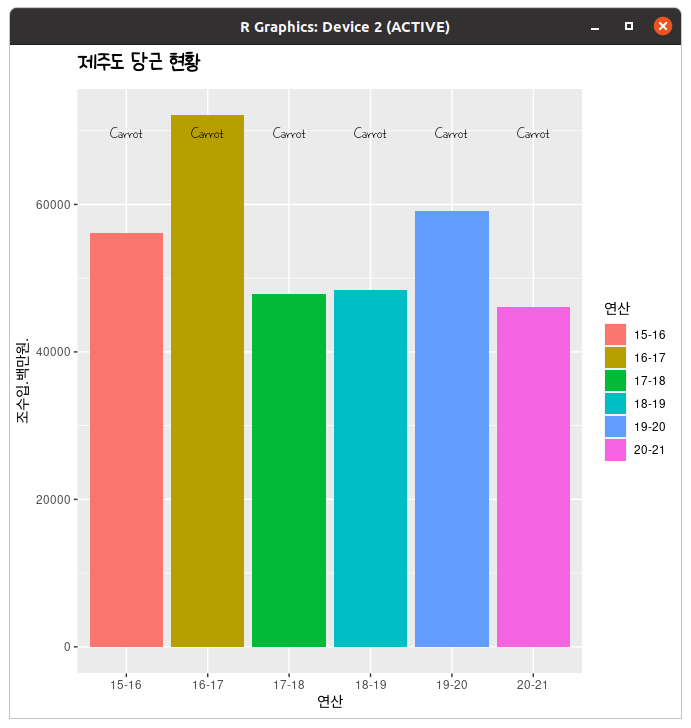
아니 왜 돼요?
> plot=ggplot(data=data_cabbage,aes(x=연산,y=조수입.백만원.,fill=연산))+geom_bar(stat="identity")+geom_text(x=2,y=110000,label="Cabbage",family="나눔손글씨 바른히피")+ggtitle("제주도 당근 현황")+theme(plot.title=element_text(family="나눔손글씨 바른히피",face="bold",size=18))+theme(axis.title.x=element_text(family="나눔손글씨 바른히피"))+theme(axis.title.y=element_text(family="나눔손글씨 바른히피"))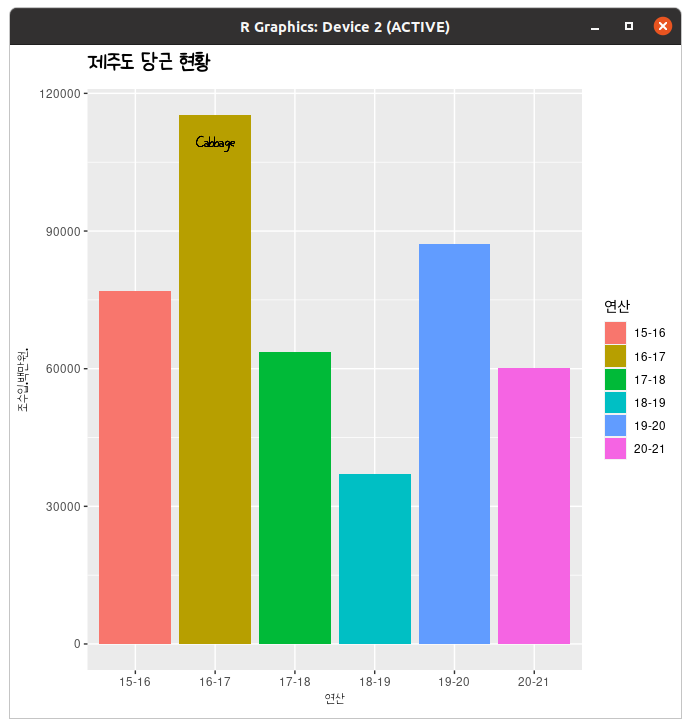
궁서체로 왜 됨???
ggplot(data=data_cabbage,aes(x=연산,y=조수입.백만원.,fill=연산))+geom_bar(stat="identity")+geom_text(x=2,y=110000,label="Cabbage",family="나눔손글씨 바른히피")+ggtitle("제주도 당근 현황")+theme(plot.title=element_text(family="나눔손글씨 바른히피",face="bold",size=18))+theme(axis.title.x=element_text(family="나눔손글씨 바른히피"))+theme(axis.title.y=element_text(family="나눔손글씨 바른히피"))+theme(legend.title=element_text(family="나눔손글씨 바른히피"))+theme(legend.text=element_text(family="나눔손글씨 바른히피"))+theme(axis.text.x=element_text(family="나눔손글씨 바른히피"))+theme(axis.text.y=element_text(family="나눔손글씨 바른히피"))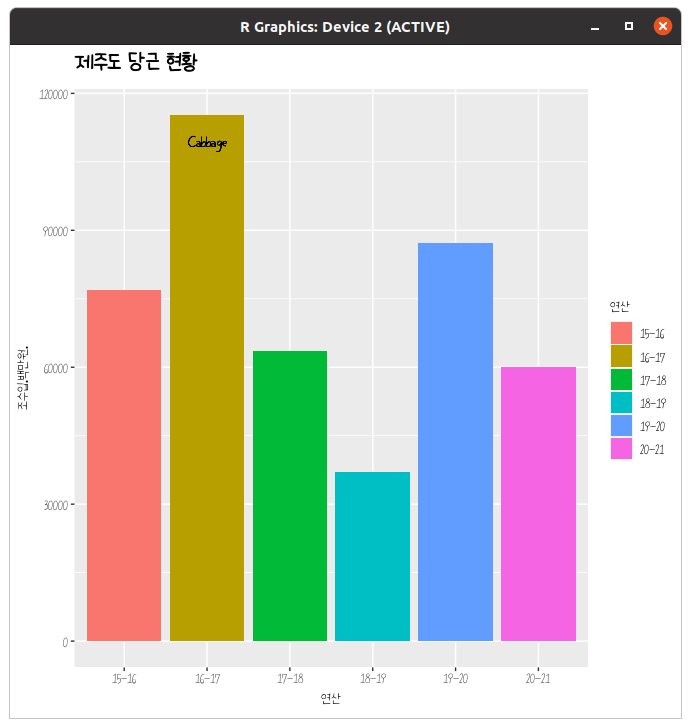
아니 진짜 이렇게 된다고?????? 아니 실화냐고
'Coding > R' 카테고리의 다른 글
| R 배워보기-8.4. Other interesting graphs (0) | 2022.08.23 |
|---|---|
| R 배워보기-8.3. Basic graphs with standard graphics (0) | 2022.08.23 |
| R 배워보기-번외편: R로 standard curve 그리기 (0) | 2022.08.22 |
| R의 내장 데이터 (부제: 공공데이터 어떻게 받아요?) (0) | 2022.08.22 |
| R 배워보기-8.1. ggplot2로 그래프 그리기 (하) (0) | 2022.08.22 |
https://blog.naver.com/pokemonms/222606583751
Bradford assay
이게 뭐 하는거냐면 단백질 농도 보는 실험이다. 1. 뭐야 이거 어케해요 이게 Bradford assay용 시약이다....
blog.naver.com
Bradford assay는 단백질의 무게를 확인하기 위해 진행하는 실험이다. Bradford assay용 시약을 섞고 OD595를 재면 되는데, 그러기 위해서 Standard curve가 필요하다. 일정한 무게의 단백질(BSA; Bovine serum albumin)을 용해한 다음 Bradford assay용 시약을 섞고 OD595를 측정하고,
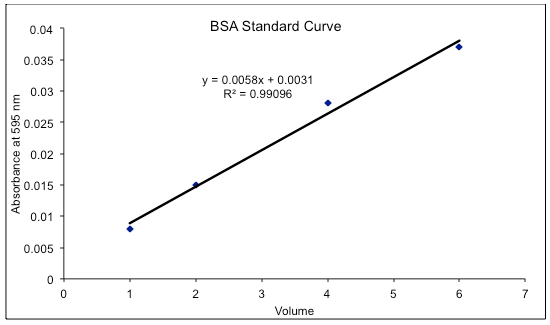
이런 식으로 standard curve를 그린다. 이게 없으면 OD595를 재도 무게가 어느 정도인지 모른다.
실험수업을 듣는 제육쌈밥(대짱이)군, 이번 주 실험 주제는 Bradford assay였다. standard curve를 그리고 미지 시료의 단백질 농도까지 정량하는 게 이번 과제였다. 그런데 양을 측정하려면 먼저 standard curve를 그리고, 선형 회귀분석을 통해(엑셀에서는 추세선) R^2와 일차식을 구해야 하지 않겠는가? 하지만 제육쌈밥군의 컴퓨터는 리눅스였고, 하필 그날따라 리브레오피스가 버벅거리는 것이었다. (이거 생각보다 버벅거림)
그리고 이걸로도 어떻게든 되겠지, 하면서 제육쌈밥군은 R을 켰다. 근데 왜 이름이 제육쌈밥이죠 아니 그냥 그게 생각나서요 이름 진짜 막 지으시네
그래프 그리기 전단계
> library(ggplot2)
> setwd('/home/koreanraichu/')
어디가요 ggplot2 불러야지
setwd는 working directory 설정하는건데, 본인은 저기에 파일이 있어서 저기로 고정해두고 쓴다. 고정 안 해두면 '/home/koreanraichu/파일.csv'로 열어야 하지만, 고정하게 되면 '파일명.csv' 한방이면 끝.
> data=read.csv('bradford.csv')
> data
  BSA OD595_1 OD595_2 OD595_3
1   0   0.001   0.000   0.000
2  10   0.005   0.006   0.004
3  50   0.035   0.030   0.027
4 100   0.050   0.051   0.055
5 200   0.089   0.091   0.095
불러서 일단 평균부터 구해야 한다.
> data$AVR=rowMeans(data[,c('OD595_1','OD595_2','OD595_3')])
> data
  BSA OD595_1 OD595_2 OD595_3          AVR
1   0   0.001   0.000   0.000 0.0003333333
2  10   0.005   0.006   0.004 0.0050000000
3  50   0.035   0.030   0.027 0.0306666667
4 100   0.050   0.051   0.055 0.0520000000
5 200   0.089   0.091   0.095 0.0916666667
(마른세수)
> data$AVR=round(rowMeans(data[,c('OD595_1','OD595_2','OD595_3')]),3)
> data
  BSA OD595_1 OD595_2 OD595_3   AVR
1   0   0.001   0.000   0.000 0.000
2  10   0.005   0.006   0.004 0.005
3  50   0.035   0.030   0.027 0.031
4 100   0.050   0.051   0.055 0.052
5 200   0.089   0.091   0.095 0.092
(대충 개비스콘 아저씨 편안 짤)
꺾은선그래프
> ggplot(data=data,aes(x=BSA,y=AVR,group=1))+geom_line()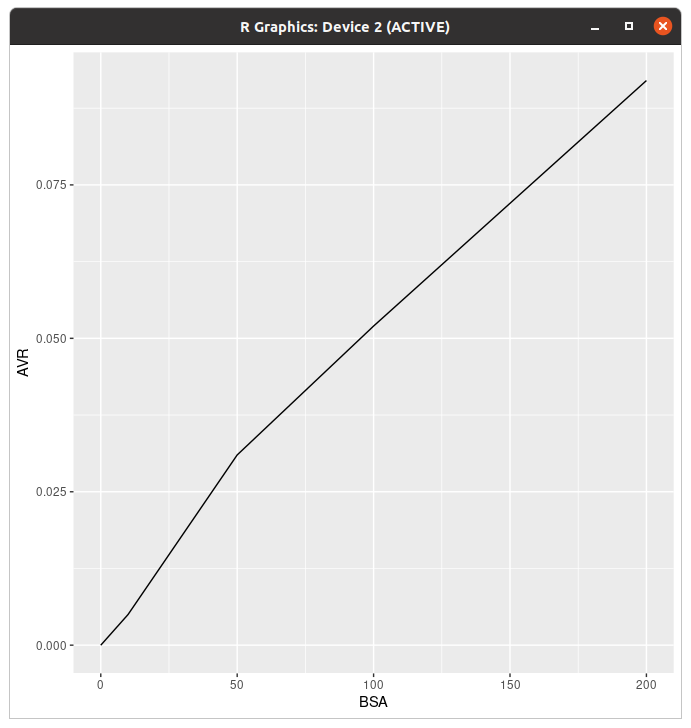
씁 근데 색이 좀 그래...
> ggplot(data=data,aes(x=BSA,y=AVR,group=1))+geom_line(colour="#939597")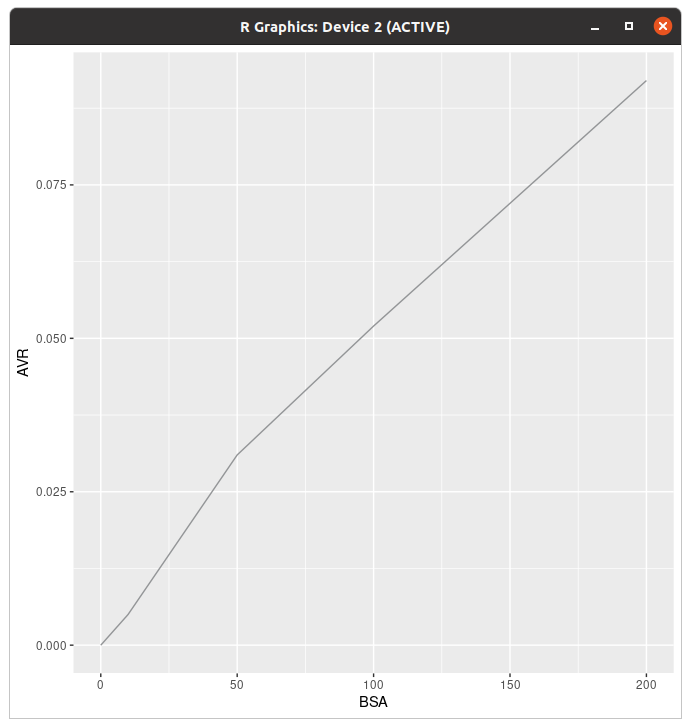
아 얼티메이트 그레이는 킹정이죠
이모 여기 추세선 1인분!
> ggplot(data=data,aes(x=BSA,y=AVR,group=1))+geom_line(colour="#939597")+geom_smooth(method=lm,se=FALSE)
`geom_smooth()` using formula 'y ~ x'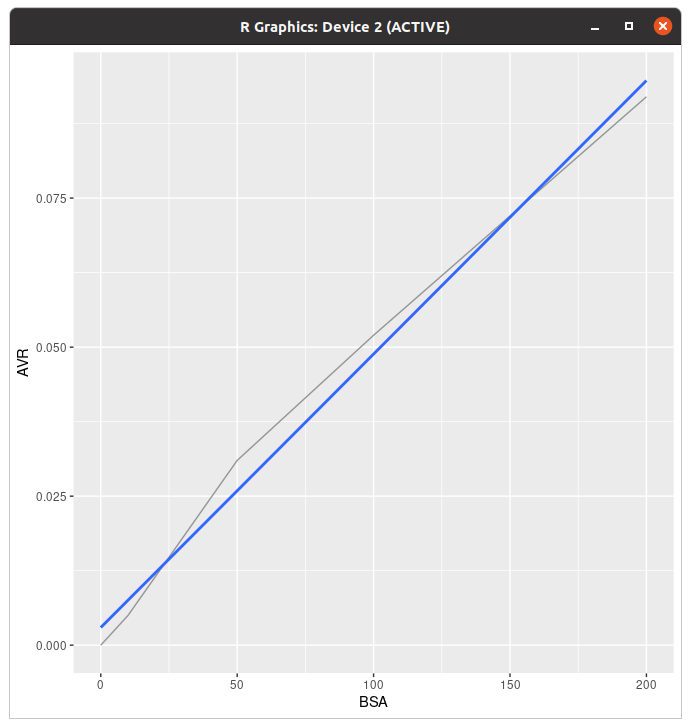
method=lm으로 하면 직선형이 나온다. 아무튼 그렸으면 봅시다...
> ggplot(data=data,aes(x=BSA,y=AVR,group=1))+geom_line(colour="#939597")+geom_smooth(method=lm,se=FALSE,colour="#000000")
`geom_smooth()` using formula 'y ~ x'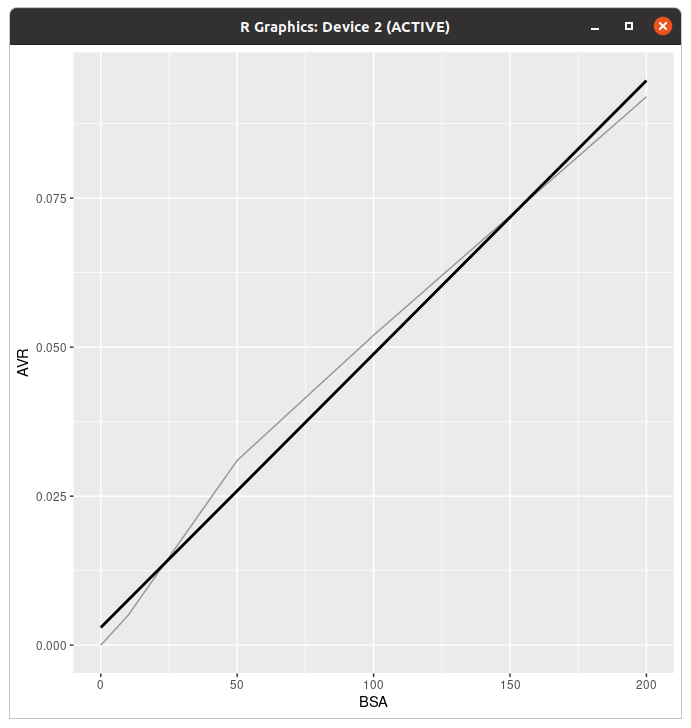
뭐야 이거 왜 돼요
추세선 식과 R^2
> summary(lm(AVR~BSA,data))

Call:
lm(formula = AVR ~ BSA, data = data)

Residuals:
        1         2         3         4         5
-0.002969 -0.002556  0.005093  0.003154 -0.002723

Coefficients:
             Estimate Std. Error t value Pr(>|t|)
(Intercept) 2.969e-03  2.776e-03   1.069 0.363366
BSA         4.588e-04  2.707e-05  16.948 0.000447 ***
---
Signif. codes:  0 ‘***’ 0.001 ‘**’ 0.01 ‘*’ 0.05 ‘.’ 0.1 ‘ ’ 1

Residual standard error: 0.004421 on 3 degrees of freedom
Multiple R-squared:  0.9897,	Adjusted R-squared:  0.9862
F-statistic: 287.2 on 1 and 3 DF,  p-value: 0.0004474
BSA가 X축, Intercept는 절편(Y절편)이다. R^2는 Multiple R-squared에 있다.
> 4.588e-04
[1] 0.0004588
> 2.969e-03
[1] 0.002969
표시형식 왜저래요... 아무튼 이 추세선의 식은 y=0.0004588x+0.002969 되시겠다.
> ggplot(data=data,aes(x=BSA,y=AVR,group=1))+geom_line(colour="#939597")+geom_smooth(method=lm,se=FALSE,colour="#000000")+geom_text(x=100,y=0.08,label="y=0.0004588x+0.002969")+geom_text(x=100,y=0.077,label="R^2=0.9897")
`geom_smooth()` using formula 'y ~ x'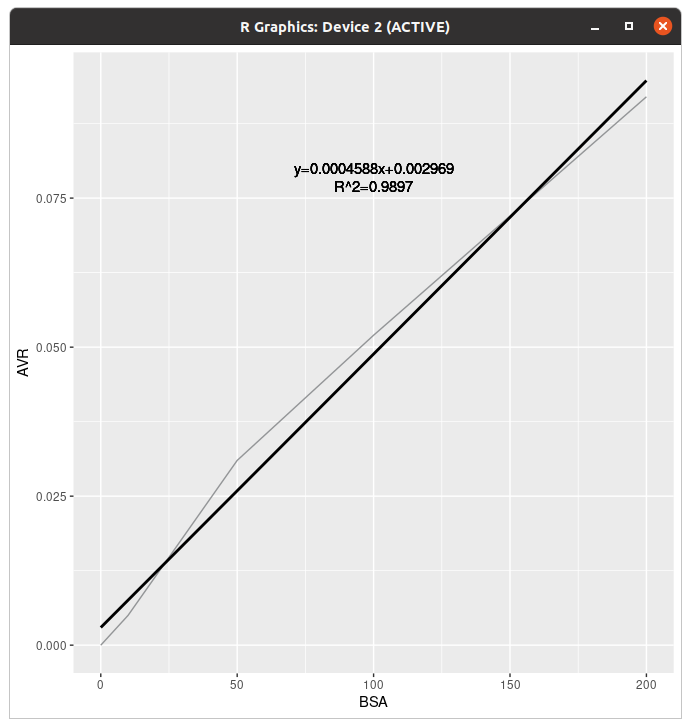
그래프에 넣을거면 geom_text()를 쓰자. ...아니 자꾸 점으로 읽어...
축 제목과 그래프 제목
여기까지 다 그린 제육쌈밥군. 됐다! 하고 그래프를 저장하고 R을 끄려다가 생각해보니, 축 제목이 좀 그렇다?
> ggplot(data=data,aes(x=BSA,y=AVR,group=1))+geom_line(colour="#939597")+geom_smooth(method=lm,se=FALSE,colour="#000000")+geom_text(x=100,y=0.08,label="y=0.0004588x+0.002969")+geom_text(x=100,y=0.077,label="R^2=0.9897")+xlab("BSA conc. (ug/ul)")+ylab("OD 595")+ggtitle("Standard curve")
`geom_smooth()` using formula 'y ~ x'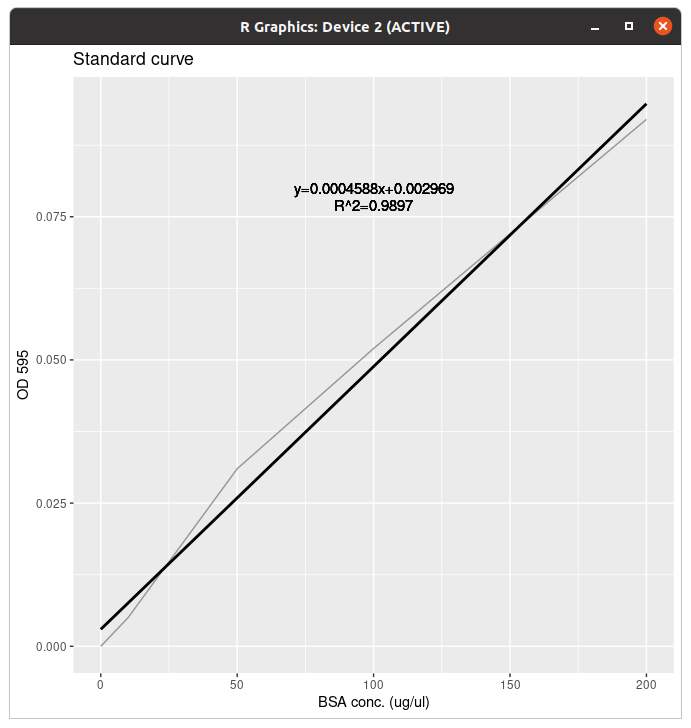
축 제목을 바꿔주고 그래프 제목을 추가했다.
'Coding > R' 카테고리의 다른 글
| R 배워보기-8.3. Basic graphs with standard graphics (0) | 2022.08.23 |
|---|---|
| R 배워보기-8.2. Miscellaneous (0) | 2022.08.23 |
| R의 내장 데이터 (부제: 공공데이터 어떻게 받아요?) (0) | 2022.08.22 |
| R 배워보기-8.1. ggplot2로 그래프 그리기 (하) (0) | 2022.08.22 |
| R 배워보기-8.1. ggplot2로 그래프 그리기 (상) (0) | 2022.08.22 |
실습용 데이터는 어지간하면 가상으로 만드는 편이지만, R에는 내장데이터가 겁나 풍부하다. 무슨 패키지 깔면 데이터 드리는 수준...
오늘은 그래서 본인 컴퓨터에 있는 R 내장 데이터 목록을 싹 털었다. 덤으로 ggplot편에 나온 데이터 출처 가르쳐드림.
들어가기 전에
소환하고 싶은 내장 데이터가 있다면
> dat=data(BJsales)걍 이렇게 부르면 된다.
> data(baseball)
경고메시지(들):
In data(baseball) : 데이터셋 ‘baseball’을 찾을 수 없습니다
# 라이브러리가 필요한 건 그냥 부르면 에러뜬다
> library(plyr)
> data(baseball)
# 라이브러리를 부르고 부르자
라이브러리가 있어야 하는 건 라이브러리 부르고 불러야된다..
Q. 그 데이터 으데서 받습니까?
A. 공공데이터포털이라고 있음.
공공데이터 포털
국가에서 보유하고 있는 다양한 데이터를『공공데이터의 제공 및 이용 활성화에 관한 법률(제11956호)』에 따라 개방하여 국민들이 보다 쉽고 용이하게 공유•활용할 수 있도록 공공데이터(Datase
www.data.go.kr
여기서 데이터 찾기 들어가시면 세상천지 대한민국 데이터는 다 있음. (제주도 야채 데이터도 저기서 받음)
근데 csv파일로 제공되는 데이터 중에 한글이 깨지는게 좀 있어서 그건 조심해야 합니다. 다른 인코딩은 모르겠고 UTF-8로 했는데 꺠지는건 문제 아니냐...
R 내장 데이터 목록
boot
Data sets in package ‘boot’:

acme                    Monthly Excess Returns
aids                    Delay in AIDS Reporting in England and Wales
aircondit               Failures of Air-conditioning Equipment
aircondit7              Failures of Air-conditioning Equipment
amis                    Car Speeding and Warning Signs
aml                     Remission Times for Acute Myelogenous Leukaemia
beaver                  Beaver Body Temperature Data
bigcity                 Population of U.S. Cities
brambles                Spatial Location of Bramble Canes
breslow                 Smoking Deaths Among Doctors
calcium                 Calcium Uptake Data
cane                    Sugar-cane Disease Data
capability              Simulated Manufacturing Process Data
catsM                   Weight Data for Domestic Cats
cav                     Position of Muscle Caveolae
cd4                     CD4 Counts for HIV-Positive Patients
cd4.nested              Nested Bootstrap of cd4 data
channing                Channing House Data
city                    Population of U.S. Cities
claridge                Genetic Links to Left-handedness
cloth                   Number of Flaws in Cloth
co.transfer             Carbon Monoxide Transfer
coal                    Dates of Coal Mining Disasters
darwin                  Darwin's Plant Height Differences
dogs                    Cardiac Data for Domestic Dogs
downs.bc                Incidence of Down's Syndrome in British
                        Columbia
ducks                   Behavioral and Plumage Characteristics of
                        Hybrid Ducks
fir                     Counts of Balsam-fir Seedlings
frets                   Head Dimensions in Brothers
grav                    Acceleration Due to Gravity
gravity                 Acceleration Due to Gravity
hirose                  Failure Time of PET Film
islay                   Jura Quartzite Azimuths on Islay
manaus                  Average Heights of the Rio Negro river at
                        Manaus
melanoma                Survival from Malignant Melanoma
motor                   Data from a Simulated Motorcycle Accident
neuro                   Neurophysiological Point Process Data
nitrofen                Toxicity of Nitrofen in Aquatic Systems
nodal                   Nodal Involvement in Prostate Cancer
nuclear                 Nuclear Power Station Construction Data
paulsen                 Neurotransmission in Guinea Pig Brains
poisons                 Animal Survival Times
polar                   Pole Positions of New Caledonian Laterites
remission               Cancer Remission and Cell Activity
salinity                Water Salinity and River Discharge
survival                Survival of Rats after Radiation Doses
tau                     Tau Particle Decay Modes
tuna                    Tuna Sighting Data
urine                   Urine Analysis Data
wool                    Australian Relative Wool Prices
carData
Data sets in package ‘carData’:

AMSsurvey               American Math Society Survey Data
Adler                   Experimenter Expectations
Angell                  Moral Integration of American Cities
Anscombe                U. S. State Public-School Expenditures
Arrests                 Arrests for Marijuana Possession
BEPS                    British Election Panel Study
Baumann                 Methods of Teaching Reading Comprehension
Bfox                    Canadian Women's Labour-Force Participation
Blackmore               Exercise Histories of Eating-Disordered and
                        Control Subjects
Burt                    Fraudulent Data on IQs of Twins Raised Apart
CES11                   2011 Canadian National Election Study, With
                        Attitude Toward Abortion
CanPop                  Canadian Population Data
Chile                   Voting Intentions in the 1988 Chilean
                        Plebiscite
Chirot                  The 1907 Romanian Peasant Rebellion
Cowles                  Cowles and Davis's Data on Volunteering
Davis                   Self-Reports of Height and Weight
DavisThin               Davis's Data on Drive for Thinness
Depredations            Minnesota Wolf Depredation Data
Duncan                  Duncan's Occupational Prestige Data
Ericksen                The 1980 U.S. Census Undercount
Florida                 Florida County Voting
Freedman                Crowding and Crime in U. S. Metropolitan Areas
Friendly                Format Effects on Recall
GSSvocab                Data from the General Social Survey (GSS) from
                        the National Opinion Research Center of the
                        University of Chicago.
Ginzberg                Data on Depression
Greene                  Refugee Appeals
Guyer                   Anonymity and Cooperation
Hartnagel               Canadian Crime-Rates Time Series
Highway1                Highway Accidents
KosteckiDillon          Treatment of Migraine Headaches
Leinhardt               Data on Infant-Mortality
LoBD                    Cancer drug data use to provide an example of
                        the use of the skew power distributions.
Mandel                  Contrived Collinear Data
Migration               Canadian Interprovincial Migration Data
Moore                   Status, Authoritarianism, and Conformity
MplsDemo                Minneapolis Demographic Data 2015, by
                        Neighborhood
MplsStops               Minneapolis Police Department 2017 Stop Data
Mroz                    U.S. Women's Labor-Force Participation
OBrienKaiser            O'Brien and Kaiser's Repeated-Measures Data
OBrienKaiserLong        O'Brien and Kaiser's Repeated-Measures Data in
                        "Long" Format
Ornstein                Interlocking Directorates Among Major Canadian
                        Firms
Pottery                 Chemical Composition of Pottery
Prestige                Prestige of Canadian Occupations
Quartet                 Four Regression Datasets
Robey                   Fertility and Contraception
Rossi                   Rossi et al.'s Criminal Recidivism Data
SLID                    Survey of Labour and Income Dynamics
Sahlins                 Agricultural Production in Mazulu Village
Salaries                Salaries for Professors
Soils                   Soil Compositions of Physical and Chemical
                        Characteristics
States                  Education and Related Statistics for the U.S.
                        States
TitanicSurvival         Survival of Passengers on the Titanic
Transact                Transaction data
UN                      National Statistics from the United Nations,
                        Mostly From 2009-2011
UN98                    United Nations Social Indicators Data 1998]
USPop                   Population of the United States
Vocab                   Vocabulary and Education
WVS                     World Values Surveys
WeightLoss              Weight Loss Data
Wells                   Well Switching in Bangladesh
Womenlf                 Canadian Women's Labour-Force Participation
Wong                    Post-Coma Recovery of IQ
Wool                    Wool data
caret
Data sets in package ‘caret’:

GermanCredit            German Credit Data
Sacramento              Sacramento CA Home Prices
absorp (tecator)        Fat, Water and Protein Content of Meat Samples
bbbDescr (BloodBrain)   Blood Brain Barrier Data
cars                    Kelly Blue Book resale data for 2005 model year
                        GM cars
cox2Class (cox2)        COX-2 Activity Data
cox2Descr (cox2)        COX-2 Activity Data
cox2IC50 (cox2)         COX-2 Activity Data
dhfr                    Dihydrofolate Reductase Inhibitors Data
endpoints (tecator)     Fat, Water and Protein Content of Meat Samples
fattyAcids (oil)        Fatty acid composition of commercial oils
logBBB (BloodBrain)     Blood Brain Barrier Data
mdrrClass (mdrr)        Multidrug Resistance Reversal (MDRR) Agent Data
mdrrDescr (mdrr)        Multidrug Resistance Reversal (MDRR) Agent Data
oilType (oil)           Fatty acid composition of commercial oils
potteryClass (pottery)
                        Pottery from Pre-Classical Sites in Italy
scat                    Morphometric Data on Scat
scat_orig (scat)        Morphometric Data on Scat
segmentationData        Cell Body Segmentation
cluster
Data sets in package ‘cluster’:

agriculture             European Union Agricultural Workforces
animals                 Attributes of Animals
chorSub                 Subset of C-horizon of Kola Data
flower                  Flower Characteristics
plantTraits             Plant Species Traits Data
pluton                  Isotopic Composition Plutonium Batches
ruspini                 Ruspini Data
votes.repub             Votes for Republican Candidate in Presidential
                        Elections
xclara                  Bivariate Data Set with 3 Clusters
colorspace
Data sets in package ‘colorspace’:

USSouthPolygon          Polygon for County Map of US South States:
                        Alabama, Georgia, and South Carolina
max_chroma_table        Compute Maximum Chroma for Given Hue and
                        Luminance in HCL
datasets
Data sets in package ‘datasets’:

AirPassengers           Monthly Airline Passenger Numbers 1949-1960
BJsales                 Sales Data with Leading Indicator
BJsales.lead (BJsales)
                        Sales Data with Leading Indicator
BOD                     Biochemical Oxygen Demand
CO2                     Carbon Dioxide Uptake in Grass Plants
ChickWeight             Weight versus age of chicks on different diets
DNase                   Elisa assay of DNase
EuStockMarkets          Daily Closing Prices of Major European Stock
                        Indices, 1991-1998
Formaldehyde            Determination of Formaldehyde
HairEyeColor            Hair and Eye Color of Statistics Students
Harman23.cor            Harman Example 2.3
Harman74.cor            Harman Example 7.4
Indometh                Pharmacokinetics of Indomethacin
InsectSprays            Effectiveness of Insect Sprays
JohnsonJohnson          Quarterly Earnings per Johnson & Johnson Share
LakeHuron               Level of Lake Huron 1875-1972
LifeCycleSavings        Intercountry Life-Cycle Savings Data
Loblolly                Growth of Loblolly pine trees
Nile                    Flow of the River Nile
Orange                  Growth of Orange Trees
OrchardSprays           Potency of Orchard Sprays
PlantGrowth             Results from an Experiment on Plant Growth
Puromycin               Reaction Velocity of an Enzymatic Reaction
Seatbelts               Road Casualties in Great Britain 1969-84
Theoph                  Pharmacokinetics of Theophylline
Titanic                 Survival of passengers on the Titanic
ToothGrowth             The Effect of Vitamin C on Tooth Growth in
                        Guinea Pigs
UCBAdmissions           Student Admissions at UC Berkeley
UKDriverDeaths          Road Casualties in Great Britain 1969-84
UKgas                   UK Quarterly Gas Consumption
USAccDeaths             Accidental Deaths in the US 1973-1978
USArrests               Violent Crime Rates by US State
USJudgeRatings          Lawyers' Ratings of State Judges in the US
                        Superior Court
USPersonalExpenditure   Personal Expenditure Data
UScitiesD               Distances Between European Cities and Between
                        US Cities
VADeaths                Death Rates in Virginia (1940)
WWWusage                Internet Usage per Minute
WorldPhones             The World's Telephones
ability.cov             Ability and Intelligence Tests
airmiles                Passenger Miles on Commercial US Airlines,
                        1937-1960
airquality              New York Air Quality Measurements
anscombe                Anscombe's Quartet of 'Identical' Simple Linear
                        Regressions
attenu                  The Joyner-Boore Attenuation Data
attitude                The Chatterjee-Price Attitude Data
austres                 Quarterly Time Series of the Number of
                        Australian Residents
beaver1 (beavers)       Body Temperature Series of Two Beavers
beaver2 (beavers)       Body Temperature Series of Two Beavers
cars                    Speed and Stopping Distances of Cars
chickwts                Chicken Weights by Feed Type
co2                     Mauna Loa Atmospheric CO2 Concentration
crimtab                 Student's 3000 Criminals Data
discoveries             Yearly Numbers of Important Discoveries
esoph                   Smoking, Alcohol and (O)esophageal Cancer
euro                    Conversion Rates of Euro Currencies
euro.cross (euro)       Conversion Rates of Euro Currencies
eurodist                Distances Between European Cities and Between
                        US Cities
faithful                Old Faithful Geyser Data
fdeaths (UKLungDeaths)
                        Monthly Deaths from Lung Diseases in the UK
freeny                  Freeny's Revenue Data
freeny.x (freeny)       Freeny's Revenue Data
freeny.y (freeny)       Freeny's Revenue Data
infert                  Infertility after Spontaneous and Induced
                        Abortion
iris                    Edgar Anderson's Iris Data
iris3                   Edgar Anderson's Iris Data
islands                 Areas of the World's Major Landmasses
ldeaths (UKLungDeaths)
                        Monthly Deaths from Lung Diseases in the UK
lh                      Luteinizing Hormone in Blood Samples
longley                 Longley's Economic Regression Data
lynx                    Annual Canadian Lynx trappings 1821-1934
mdeaths (UKLungDeaths)
                        Monthly Deaths from Lung Diseases in the UK
morley                  Michelson Speed of Light Data
mtcars                  Motor Trend Car Road Tests
nhtemp                  Average Yearly Temperatures in New Haven
nottem                  Average Monthly Temperatures at Nottingham,
                        1920-1939
npk                     Classical N, P, K Factorial Experiment
occupationalStatus      Occupational Status of Fathers and their Sons
precip                  Annual Precipitation in US Cities
presidents              Quarterly Approval Ratings of US Presidents
pressure                Vapor Pressure of Mercury as a Function of
                        Temperature
quakes                  Locations of Earthquakes off Fiji
randu                   Random Numbers from Congruential Generator
                        RANDU
rivers                  Lengths of Major North American Rivers
rock                    Measurements on Petroleum Rock Samples
sleep                   Student's Sleep Data
stack.loss (stackloss)
                        Brownlee's Stack Loss Plant Data
stack.x (stackloss)     Brownlee's Stack Loss Plant Data
stackloss               Brownlee's Stack Loss Plant Data
state.abb (state)       US State Facts and Figures
state.area (state)      US State Facts and Figures
state.center (state)    US State Facts and Figures
state.division (state)
                        US State Facts and Figures
state.name (state)      US State Facts and Figures
state.region (state)    US State Facts and Figures
state.x77 (state)       US State Facts and Figures
sunspot.month           Monthly Sunspot Data, from 1749 to "Present"
sunspot.year            Yearly Sunspot Data, 1700-1988
sunspots                Monthly Sunspot Numbers, 1749-1983
swiss                   Swiss Fertility and Socioeconomic Indicators
                        (1888) Data
treering                Yearly Treering Data, -6000-1979
trees                   Diameter, Height and Volume for Black Cherry
                        Trees
uspop                   Populations Recorded by the US Census
volcano                 Topographic Information on Auckland's Maunga
                        Whau Volcano
warpbreaks              The Number of Breaks in Yarn during Weaving
women                   Average Heights and Weights for American Women
doBy
Data sets in package ‘doBy’:

NIRmilk                 NIRmilk
beets                   beets data
breastcancer            Gene expression signatures for p53 mutation
                        status in 250 breast cancer samples
budworm                 budworm data
carcass                 Lean meat contents of 344 pig carcasses
carcassall              Lean meat contents of 344 pig carcasses
codstom                 Diet of Atlantic cod in the Gulf of St.
                        Lawrence (Canada)
crimeRate               crimeRate
cropyield               Yield from Danish agricultural production of
                        grain and root crop.
dietox                  Growth curves of pigs in a 3x3 factorial
                        experiment
fatacid                 Fish oil in pig food
fev                     Forced expiratory volume in children
haldCement              Heat development in cement under hardening.
math                    Mathematics marks for students
mathmark                Mathematics marks for students
milkman                 Milk yield data for manually milked cows.
milkman_rdm1            Milk yield data for manually milked cows.
potatoes                Weight and size of 20 potatoes
dplyr
Data sets in package ‘dplyr’:

band_instruments        Band membership
band_instruments2       Band membership
band_members            Band membership
starwars                Starwars characters
storms                  Storm tracks data
ggplot2
Data sets in package ‘ggplot2’:

diamonds                Prices of over 50,000 round cut diamonds
economics               US economic time series
economics_long          US economic time series
faithfuld               2d density estimate of Old Faithful data
luv_colours             'colors()' in Luv space
midwest                 Midwest demographics
mpg                     Fuel economy data from 1999 to 2008 for 38
                        popular models of cars
msleep                  An updated and expanded version of the mammals
                        sleep dataset
presidential            Terms of 11 presidents from Eisenhower to Obama
seals                   Vector field of seal movements
txhousing               Housing sales in TX
ipred
Data sets in package ‘ipred’:

DLBCL                   Diffuse Large B-Cell Lymphoma
GlaucomaMVF             Glaucoma Database
Smoking                 Smoking Styles
dystrophy               Detection of muscular dystrophy carriers.
irr
Data sets in package ‘irr’:

anxiety                 Anxiety ratings by different raters
diagnoses               Psychiatric diagnoses provided by different
                        raters
video                   Different raters judging the credibility of
                        videotaped testimonies
vision                  Eye-testing case records
lattice
Data sets in package ‘lattice’:

USMortality             Mortality Rates in US by Cause and Gender
USRegionalMortality     Mortality Rates in US by Cause and Gender
barley                  Yield data from a Minnesota barley trial
environmental           Atmospheric environmental conditions in New
                        York City
ethanol                 Engine exhaust fumes from burning ethanol
melanoma                Melanoma skin cancer incidence
singer                  Heights of New York Choral Society singers
lava
Data sets in package ‘lava’:

bmd                     Longitudinal Bone Mineral Density Data (Wide
                        format)
bmidata                 Data
brisa                   Simulated data
calcium                 Longitudinal Bone Mineral Density Data
hubble                  Hubble data
hubble2                 Hubble data
indoorenv               Data
missingdata             Missing data example
nldata                  Example data (nonlinear model)
nsem                    Example SEM data (nonlinear)
semdata                 Example SEM data
serotonin               Serotonin data
serotonin2              Data
twindata                Twin menarche data
lme4
Data sets in package ‘lme4’:

Arabidopsis             Arabidopsis clipping/fertilization data
Dyestuff                Yield of dyestuff by batch
Dyestuff2               Yield of dyestuff by batch
InstEval                University Lecture/Instructor Evaluations by
                        Students at ETH
Pastes                  Paste strength by batch and cask
Penicillin              Variation in penicillin testing
VerbAgg                 Verbal Aggression item responses
cake                    Breakage Angle of Chocolate Cakes
cbpp                    Contagious bovine pleuropneumonia
grouseticks             Data on red grouse ticks from Elston et al.
                        2001
grouseticks_agg (grouseticks)
                        Data on red grouse ticks from Elston et al.
                        2001
sleepstudy              Reaction times in a sleep deprivation study
lubridate
Data sets in package ‘lubridate’:

lakers                  Lakers 2008-2009 basketball data set

Data sets in package ‘maptools’:

SplashDams              Data for Splash Dams in western Oregon
h1pl (gpcholes)         Hisaji Ono's lake/hole problem
h2pl (gpcholes)         Hisaji Ono's lake/hole problem
state.vbm               US State Visibility Based Map
wrld_simpl              Simplified world country polygons
MASS
Data sets in package ‘MASS’:

Aids2                   Australian AIDS Survival Data
Animals                 Brain and Body Weights for 28 Species
Boston                  Housing Values in Suburbs of Boston
Cars93                  Data from 93 Cars on Sale in the USA in 1993
Cushings                Diagnostic Tests on Patients with Cushing's
                        Syndrome
DDT                     DDT in Kale
GAGurine                Level of GAG in Urine of Children
Insurance               Numbers of Car Insurance claims
Melanoma                Survival from Malignant Melanoma
OME                     Tests of Auditory Perception in Children with
                        OME
Pima.te                 Diabetes in Pima Indian Women
Pima.tr                 Diabetes in Pima Indian Women
Pima.tr2                Diabetes in Pima Indian Women
Rabbit                  Blood Pressure in Rabbits
Rubber                  Accelerated Testing of Tyre Rubber
SP500                   Returns of the Standard and Poors 500
Sitka                   Growth Curves for Sitka Spruce Trees in 1988
Sitka89                 Growth Curves for Sitka Spruce Trees in 1989
Skye                    AFM Compositions of Aphyric Skye Lavas
Traffic                 Effect of Swedish Speed Limits on Accidents
UScereal                Nutritional and Marketing Information on US
                        Cereals
UScrime                 The Effect of Punishment Regimes on Crime Rates
VA                      Veteran's Administration Lung Cancer Trial
abbey                   Determinations of Nickel Content
accdeaths               Accidental Deaths in the US 1973-1978
anorexia                Anorexia Data on Weight Change
bacteria                Presence of Bacteria after Drug Treatments
beav1                   Body Temperature Series of Beaver 1
beav2                   Body Temperature Series of Beaver 2
biopsy                  Biopsy Data on Breast Cancer Patients
birthwt                 Risk Factors Associated with Low Infant Birth
                        Weight
cabbages                Data from a cabbage field trial
caith                   Colours of Eyes and Hair of People in Caithness
cats                    Anatomical Data from Domestic Cats
cement                  Heat Evolved by Setting Cements
chem                    Copper in Wholemeal Flour
coop                    Co-operative Trial in Analytical Chemistry
cpus                    Performance of Computer CPUs
crabs                   Morphological Measurements on Leptograpsus
                        Crabs
deaths                  Monthly Deaths from Lung Diseases in the UK
drivers                 Deaths of Car Drivers in Great Britain 1969-84
eagles                  Foraging Ecology of Bald Eagles
epil                    Seizure Counts for Epileptics
farms                   Ecological Factors in Farm Management
fgl                     Measurements of Forensic Glass Fragments
forbes                  Forbes' Data on Boiling Points in the Alps
galaxies                Velocities for 82 Galaxies
gehan                   Remission Times of Leukaemia Patients
genotype                Rat Genotype Data
geyser                  Old Faithful Geyser Data
gilgais                 Line Transect of Soil in Gilgai Territory
hills                   Record Times in Scottish Hill Races
housing                 Frequency Table from a Copenhagen Housing
                        Conditions Survey
immer                   Yields from a Barley Field Trial
leuk                    Survival Times and White Blood Counts for
                        Leukaemia Patients
mammals                 Brain and Body Weights for 62 Species of Land
                        Mammals
mcycle                  Data from a Simulated Motorcycle Accident
menarche                Age of Menarche in Warsaw
michelson               Michelson's Speed of Light Data
minn38                  Minnesota High School Graduates of 1938
motors                  Accelerated Life Testing of Motorettes
muscle                  Effect of Calcium Chloride on Muscle
                        Contraction in Rat Hearts
newcomb                 Newcomb's Measurements of the Passage Time of
                        Light
nlschools               Eighth-Grade Pupils in the Netherlands
npk                     Classical N, P, K Factorial Experiment
npr1                    US Naval Petroleum Reserve No. 1 data
oats                    Data from an Oats Field Trial
painters                The Painter's Data of de Piles
petrol                  N. L. Prater's Petrol Refinery Data
phones                  Belgium Phone Calls 1950-1973
quine                   Absenteeism from School in Rural New South
                        Wales
road                    Road Accident Deaths in US States
rotifer                 Numbers of Rotifers by Fluid Density
ships                   Ships Damage Data
shoes                   Shoe wear data of Box, Hunter and Hunter
shrimp                  Percentage of Shrimp in Shrimp Cocktail
shuttle                 Space Shuttle Autolander Problem
snails                  Snail Mortality Data
steam                   The Saturated Steam Pressure Data
stormer                 The Stormer Viscometer Data
survey                  Student Survey Data
synth.te                Synthetic Classification Problem
synth.tr                Synthetic Classification Problem
topo                    Spatial Topographic Data
waders                  Counts of Waders at 15 Sites in South Africa
whiteside               House Insulation: Whiteside's Data
wtloss                  Weight Loss Data from an Obese Patient
Matrix
Data sets in package ‘Matrix’:

CAex                    Albers' example Matrix with "Difficult" Eigen
                        Factorization
KNex                    Koenker-Ng Example Sparse Model Matrix and
                        Response Vector
USCounties              USCounties Contiguity Matrix
wrld_1deg               World 1-degree grid contiguity matrix
mgcv
Data sets in package ‘mgcv’:

columb                  Reduced version of Columbus OH crime data
columb.polys            Reduced version of Columbus OH crime data
ModelMetrices
Data sets in package ‘ModelMetrics’:

testDF                  Test data
nlme
Data sets in package ‘nlme’:

Alfalfa                 Split-Plot Experiment on Varieties of Alfalfa
Assay                   Bioassay on Cell Culture Plate
BodyWeight              Rat weight over time for different diets
Cefamandole             Pharmacokinetics of Cefamandole
Dialyzer                High-Flux Hemodialyzer
Earthquake              Earthquake Intensity
Fatigue                 Cracks caused by metal fatigue
Gasoline                Refinery yield of gasoline
Glucose                 Glucose levels over time
Glucose2                Glucose Levels Following Alcohol Ingestion
Gun                     Methods for firing naval guns
IGF                     Radioimmunoassay of IGF-I Protein
Machines                Productivity Scores for Machines and Workers
MathAchSchool           School demographic data for MathAchieve
MathAchieve             Mathematics achievement scores
Meat                    Tenderness of meat
Milk                    Protein content of cows' milk
Muscle                  Contraction of heart muscle sections
Nitrendipene            Assay of nitrendipene
Oats                    Split-plot Experiment on Varieties of Oats
Orthodont               Growth curve data on an orthdontic measurement
Ovary                   Counts of Ovarian Follicles
Oxboys                  Heights of Boys in Oxford
Oxide                   Variability in Semiconductor Manufacturing
PBG                     Effect of Phenylbiguanide on Blood Pressure
Phenobarb               Phenobarbitol Kinetics
Pixel                   X-ray pixel intensities over time
Quinidine               Quinidine Kinetics
Rail                    Evaluation of Stress in Railway Rails
RatPupWeight            The weight of rat pups
Relaxin                 Assay for Relaxin
Remifentanil            Pharmacokinetics of Remifentanil
Soybean                 Growth of soybean plants
Spruce                  Growth of Spruce Trees
Tetracycline1           Pharmacokinetics of tetracycline
Tetracycline2           Pharmacokinetics of tetracycline
Wafer                   Modeling of Analog MOS Circuits
Wheat                   Yields by growing conditions
Wheat2                  Wheat Yield Trials
bdf                     Language scores
ergoStool               Ergometrics experiment with stool types
pbkrtest
Data sets in package ‘pbkrtest’:

beets                   Sugar beets data
budworm                 budworm data
plyr
Data sets in package ‘plyr’:

baseball                Yearly batting records for all major league
                        baseball players
ozone                   Monthly ozone measurements over Central
                        America.
pROC
Data sets in package ‘pROC’:

aSAH                    Subarachnoid hemorrhage data
quantreg
Data sets in package ‘quantreg’:

Bosco                   Boscovich Data
CobarOre                Cobar Ore data
Mammals                 Garland(1983) Data on Running Speed of Mammals
Peirce                  C.S. Peirce's Auditory Response Data
barro                   Barro Data
engel                   Engel Data
gasprice                Time Series of US Gasoline Prices
uis                     UIS Drug Treatment study data
reshape
Data sets in package ‘reshape’:

french_fries            Sensory data from a french fries experiment
smiths                  Demo data describing the Smiths
tips                    Tipping data
reshape2
Data sets in package ‘reshape2’:

french_fries            Sensory data from a french fries experiment.
smiths                  Demo data describing the Smiths.
tips                    Tipping data
rpart
Data sets in package ‘rpart’:

car.test.frame          Automobile Data from 'Consumer Reports' 1990
car90                   Automobile Data from 'Consumer Reports' 1990
cu.summary              Automobile Data from 'Consumer Reports' 1990
kyphosis                Data on Children who have had Corrective Spinal
                        Surgery
solder                  Soldering of Components on Printed-Circuit
                        Boards
solder.balance (solder)
                        Soldering of Components on Printed-Circuit
                        Boards
stagec                  Stage C Prostate Cancer
sp
Data sets in package ‘sp’:

Rlogo                   Rlogo jpeg image
gt (Rlogo)              Rlogo jpeg image
meuse                   Meuse river data set
meuse.area              River Meuse outline
meuse.grid              Prediction Grid for Meuse Data Set
meuse.grid_ll           Prediction Grid for Meuse Data Set,
                        geographical coordinates
meuse.riv               River Meuse outline
SparseM
Data sets in package ‘SparseM’:

X (triogramX)           A Design Matrix for a Triogram Problem
lsq                     Least Squares Problems in Surveying
ssanv
Data sets in package ‘ssanv’:

example.of.Fisher.exact
                        Object of class 'power.htest'
stringr
Data sets in package ‘stringr’:

fruit                   Sample character vectors for practicing string
                        manipulations.
sentences               Sample character vectors for practicing string
                        manipulations.
words                   Sample character vectors for practicing string
                        manipulations.
survival
Data sets in package ‘survival’:

aml (cancer)            Acute Myelogenous Leukemia survival data
bladder (cancer)        Bladder Cancer Recurrences
bladder1 (cancer)       Bladder Cancer Recurrences
bladder2 (cancer)       Bladder Cancer Recurrences
cancer                  NCCTG Lung Cancer Data
capacitor (reliability)
                        Reliability data sets
cgd                     Chronic Granulotamous Disease data
cgd0 (cgd)              Chronic Granulotomous Disease data
colon (cancer)          Chemotherapy for Stage B/C colon cancer
cracks (reliability)    Reliability data sets
diabetic                Ddiabetic retinopathy
flchain                 Assay of serum free light chain for 7874
                        subjects.
gbsg (cancer)           Breast cancer data sets used in Royston and
                        Altman (2013)
genfan (reliability)    Reliability data sets
heart                   Stanford Heart Transplant data
ifluid (reliability)    Reliability data sets
imotor (reliability)    Reliability data sets
jasa (heart)            Stanford Heart Transplant data
jasa1 (heart)           Stanford Heart Transplant data
kidney (cancer)         Kidney catheter data
leukemia (cancer)       Acute Myelogenous Leukemia survival data
logan                   Data from the 1972-78 GSS data used by Logan
lung (cancer)           NCCTG Lung Cancer Data
mgus (cancer)           Monoclonal gammopathy data
mgus1 (cancer)          Monoclonal gammopathy data
mgus2 (cancer)          Monoclonal gammopathy data
myeloid (cancer)        Acute myeloid leukemia
myeloma (cancer)        Survival times of patients with multiple
                        myeloma
nafld1 (nafld)          Non-alcohol fatty liver disease
nafld2 (nafld)          Non-alcohol fatty liver disease
nafld3 (nafld)          Non-alcohol fatty liver disease
nwtco                   Data from the National Wilm's Tumor Study
ovarian (cancer)        Ovarian Cancer Survival Data
pbc                     Mayo Clinic Primary Biliary Cholangitis Data
pbcseq (pbc)            Mayo Clinic Primary Biliary Cirrhosis,
                        sequential data
rats (cancer)           Rat treatment data from Mantel et al
rats2 (cancer)          Rat data from Gail et al.
retinopathy             Diabetic Retinopathy
rhDNase                 rhDNASE data set
rotterdam (cancer)      Breast cancer data set used in Royston and
                        Altman (2013)
solder                  Data from a soldering experiment
stanford2 (heart)       More Stanford Heart Transplant data
survexp.mn (survexp)    Census Data Sets for the Expected Survival and
                        Person Years Functions
survexp.us (survexp)    Census Data Sets for the Expected Survival and
                        Person Years Functions
survexp.usr (survexp)   Census Data Sets for the Expected Survival and
                        Person Years Functions
tobin                   Tobin's Tobit data
transplant              Liver transplant waiting list
turbine (reliability)   Reliability data sets
udca                    Data from a trial of usrodeoxycholic acid
udca1 (udca)            Data from a trial of usrodeoxycholic acid
udca2 (udca)            Data from a trial of usrodeoxycholic acid
uspop2 (survexp)        Projected US Population
valveSeat (reliability)
                        Reliability data sets
veteran (cancer)        Veterans' Administration Lung Cancer study
tidyr
Data sets in package ‘tidyr’:

billboard               Song rankings for Billboard top 100 in the year
                        2000
construction            Completed construction in the US in 2018
fish_encounters         Fish encounters
population              World Health Organization TB data
relig_income            Pew religion and income survey
smiths                  Some data about the Smith family
table1                  Example tabular representations
table2                  Example tabular representations
table3                  Example tabular representations
table4a                 Example tabular representations
table4b                 Example tabular representations
table5                  Example tabular representations
us_rent_income          US rent and income data
who                     World Health Organization TB data
world_bank_pop Population data from the world bank'Coding > R' 카테고리의 다른 글
| R 배워보기-8.2. Miscellaneous (0) | 2022.08.23 |
|---|---|
| R 배워보기-번외편: R로 standard curve 그리기 (0) | 2022.08.22 |
| R 배워보기-8.1. ggplot2로 그래프 그리기 (하) (0) | 2022.08.22 |
| R 배워보기-8.1. ggplot2로 그래프 그리기 (상) (0) | 2022.08.22 |
| R 배워보기-7. Statistical analysis (하) (0) | 2022.08.21 |
그래프 제목(ggtitle())
김후추씨의 조언대로 그래프를 만든 신입 데이터분석가. 그런데 문제가 하나 있다.
"그래프에 제목을 넣고 싶은데... 어떻게 해야 할까요? "
> ggplot(data=data_siseol,aes(x=채소구분소분류,y=생산량.톤.,fill=채소구분소분류))+geom_bar(stat="identity")+ggtitle("제주도 시설재배 야채 생산량")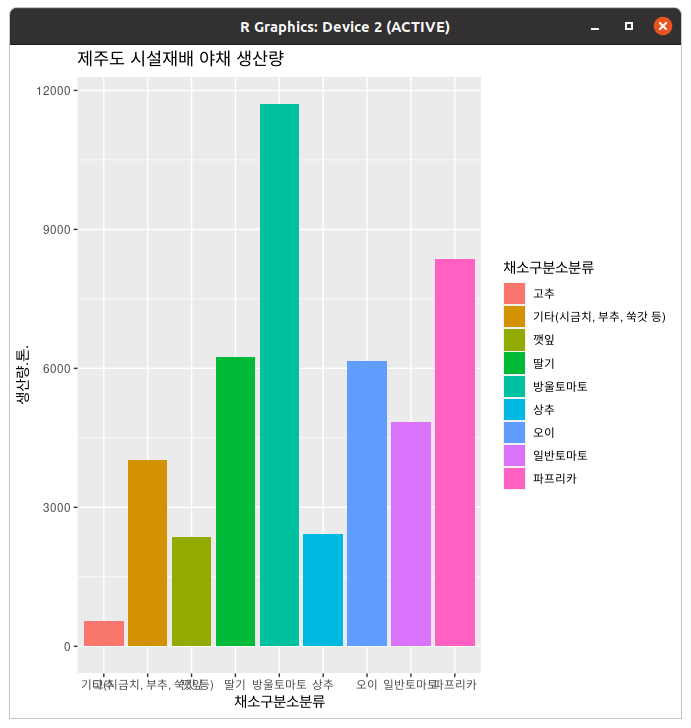
이렇게요.
> ggplot(data=data_siseol,aes(x=채소구분소분류,y=생산량.톤.,fill=채소구분소분류))+geom_bar(stat="identity")+ggtitle("제주도 시설재배 야채 생산량")+theme(plot.title=element_text(lineheight=1.5,face="bold"))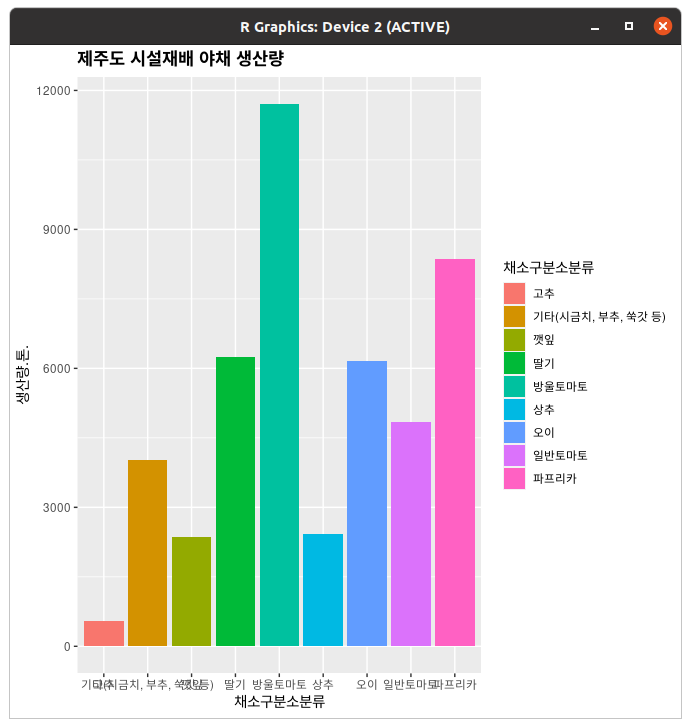
물론 제목 글자 크기를 키워줄 수도 있는데... 아니 글꼴 지원 안해주냐고... 이럴거면 그냥 matplotlib 쓰자
축
> ggplot(data=data_siseol,aes(x=채소구분소분류,y=생산량.톤.,fill=채소구분소분류))+geom_bar(stat="identity")+ggtitle("제주도 시설재배 야채 생산량")+theme(plot.title=element_text(lineheight=1.5,face="bold"))+coord_flip()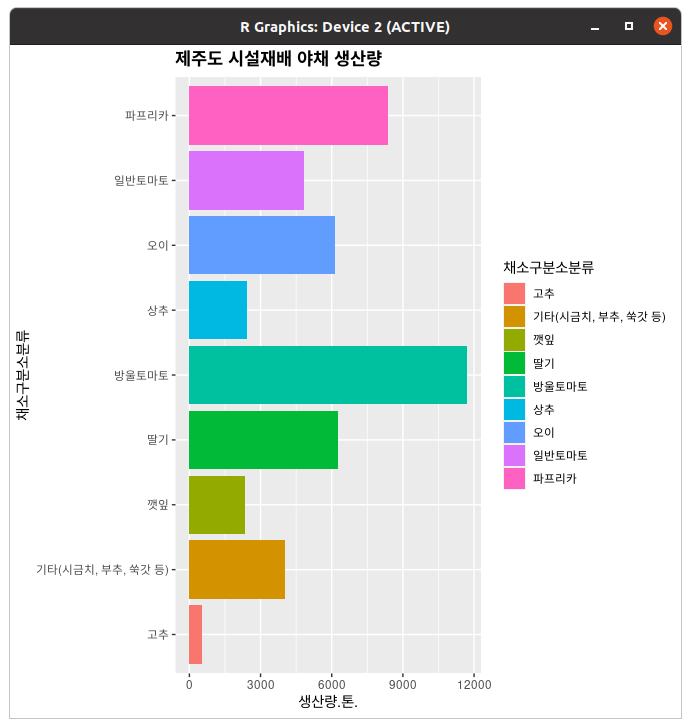
아까도 말했지만 cooord_flip()을 쓰면 그래프가 눕는다. 아 라벨 깔끔하다 그졍
> plot+scale_x_discrete(limits=c("딸기","방울토마토"))
경고메시지(들):
Removed 42 rows containing missing values (position_stack).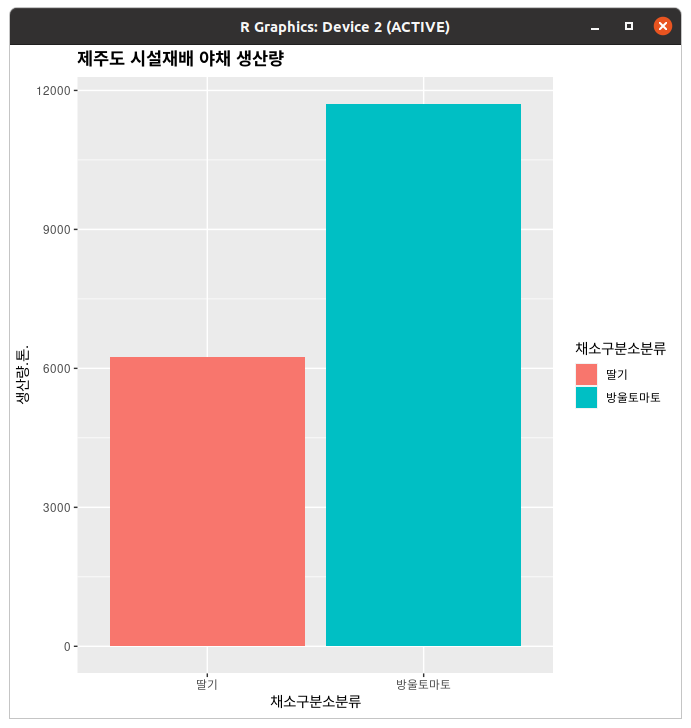
과채류만 빼고싶다고요? 예 빼세요
> plot+scale_x_discrete(limits=c("깻잎","상추"),labels=c("Lettuce","penilla leaf"))
경고메시지(들):
Removed 42 rows containing missing values (position_stack).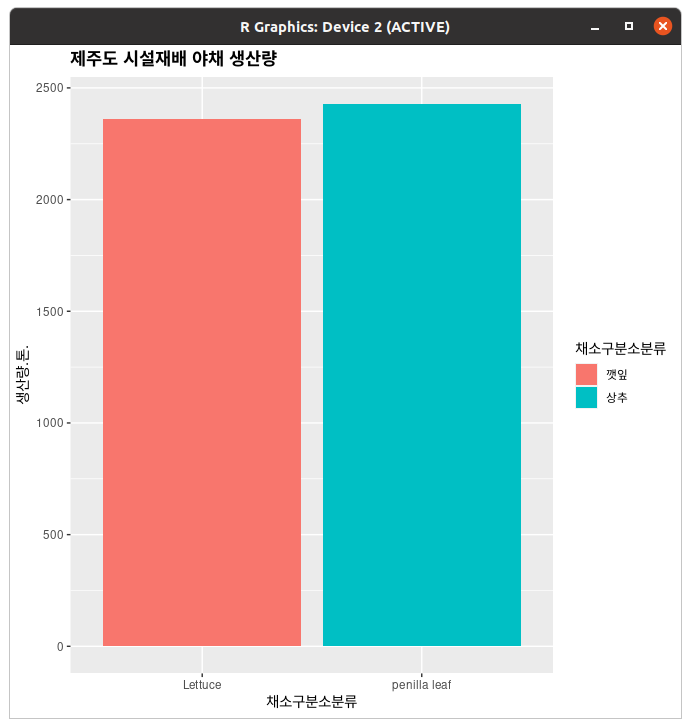
라벨도 바꿀 수 있다.
> plot+scale_x_discrete(breaks=NULL)
축 모눈이 거슬리신다고요? 아 빼드렸습니다^^
bp + theme(axis.ticks = element_blank(), axis.text.x = element_blank())이거는 선은 냅두고 축 라벨만 빼버린다.
> plot+expand_limits(y=0)세로축 한도를 바꾸고 싶으면 이걸로 하면 되고
> plot+expand_limits(y=c(0,1500,3000,4500,6000,7500,9000,10500,12000))이걸로 수동으로 간격 멕이거나
> plot+ylim(0,12000)이걸로 시작과 끝을 정해주되 등간격으로 먹일 수도 있다.
> plot+coord_cartesian(ylim=c(1500,12000))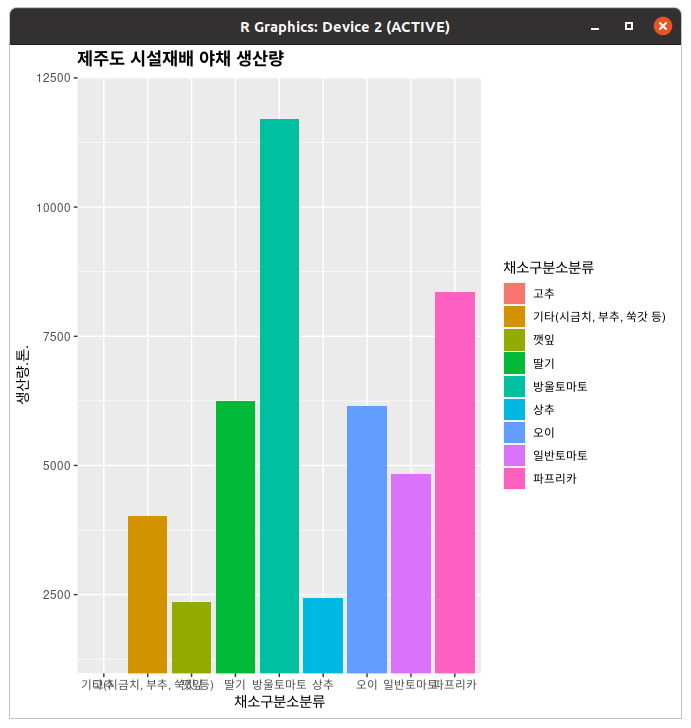
이렇게 표시 범위를 바꿀 수도 있다.
> plot+scale_y_reverse()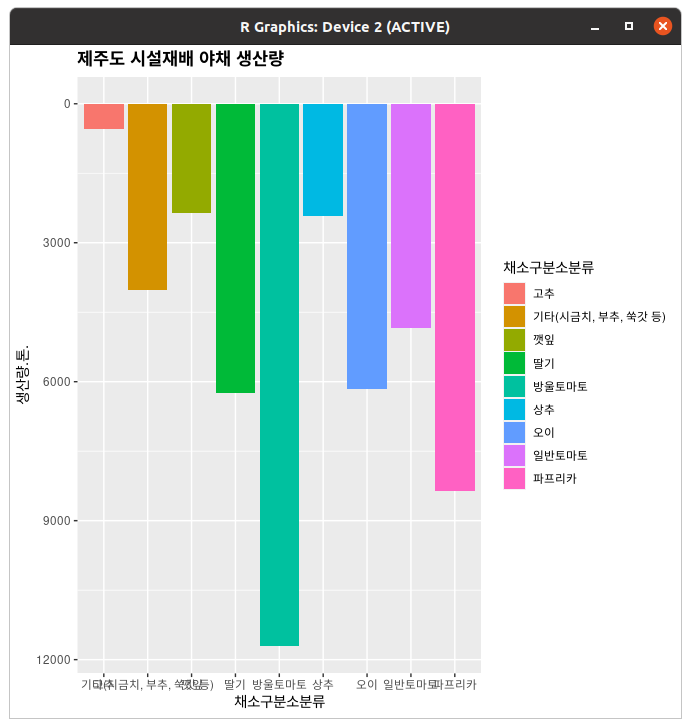
아, 물론 뒤집는것도 된다.
> sp=ggplot(dat,aes(xval,yval))+geom_point()# Setting the tick marks on an axis
# This will show tick marks on every 0.25 from 1 to 10
# The scale will show only the ones that are within range (3.50-6.25 in this case)
bp + scale_y_continuous(breaks=seq(1,10,1/4))

# The breaks can be spaced unevenly
bp + scale_y_continuous(breaks=c(4, 4.25, 4.5, 5, 6,8))

# Suppress ticks and gridlines
bp + scale_y_continuous(breaks=NULL)

# Hide tick marks and labels (on Y axis), but keep the gridlines
bp + theme(axis.ticks = element_blank(), axis.text.y = element_blank())
x축과 마찬가지로 y축도 눈금이나 라벨을 숨기는 게 된다.
축 스케일이 지수 or 로그일 때
우리의 제육쌈밥군... R로 깔끔하게 스탠다드 커브를 만들어서 냈던 게 교수님의 마음에 들었는지, 방학동안 랩에서 일해보지 않겠느냐는 제의를 받았다. 근데 왜 제육쌈밥이죠 그냥 마침 관심이 있던 분야였던 제육쌈밥군은 흔쾌히 수락했고, 첫 출근을 하게 됐는데... 실험실 선배가 그를 불러 넌지시 물어봤다.
"교수님께 얘기는 들었어. R로 standard curve를 그렸다고... 혹시... 나 좀 도와줄 수 있어? "
제육쌈밥군이 OK하자 선배는 그래프 하나를 보여줬다.
sorted(CLNSIG_dict.items())[n]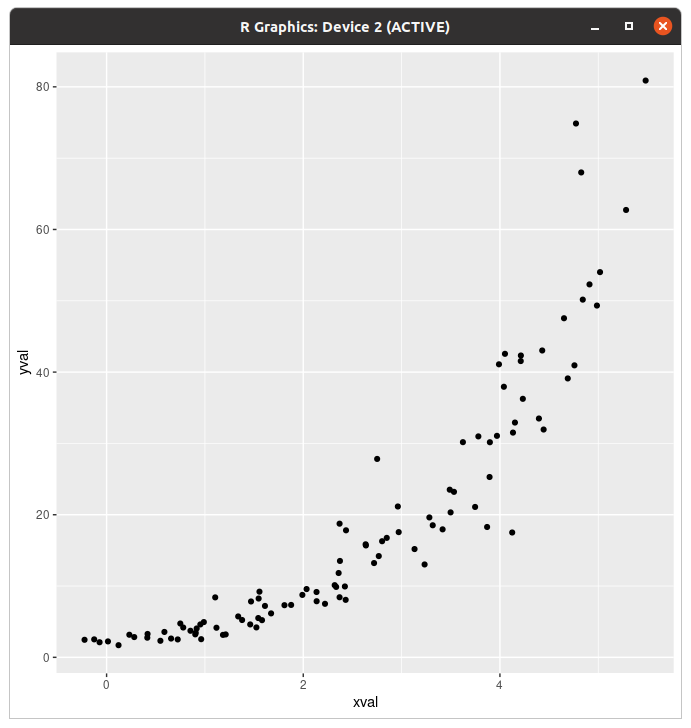
일본열도 아님 "교수님께서 좀 더 깔끔한 그래프를 보고 싶다고 하셨는데, 어떻게 해야 할 지 모르겠어. "
"어떻게 깔끔하게 바꾸고 싶으시대요? "
"데이터가 직선으로 보였으면 좋겠대. "
> library(scales)
> sp+scale_y_continuous(trans=log2_trans())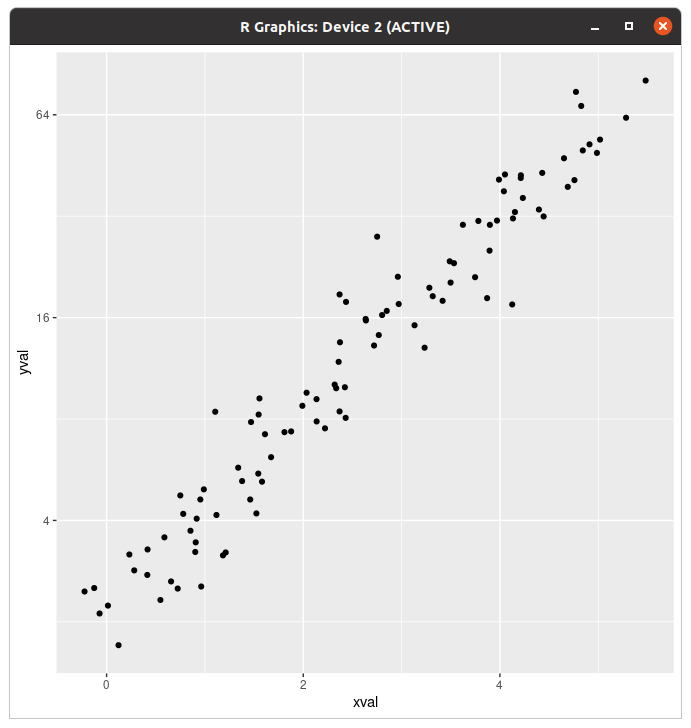
이렇게요?
sp + coord_trans(y="log2")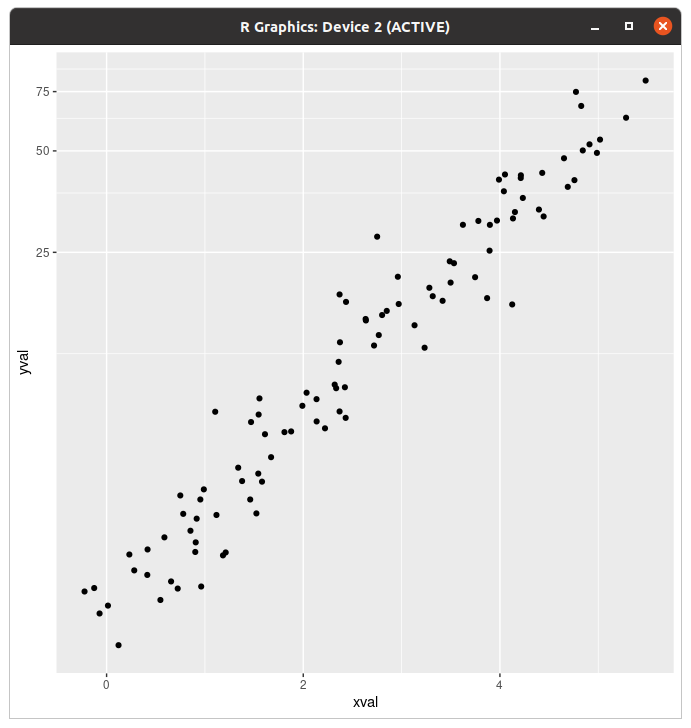
얘는 눈금이 이렇게 바뀐다.
"하는 김에 눈금도 바꾸면 좀 깔끔할 것 같은데... "
> sp + scale_y_continuous(trans = log2_trans(),
+                         breaks = trans_breaks("log2", function(x) 2^x),
+                         labels = trans_format("log2", math_format(2^.x)))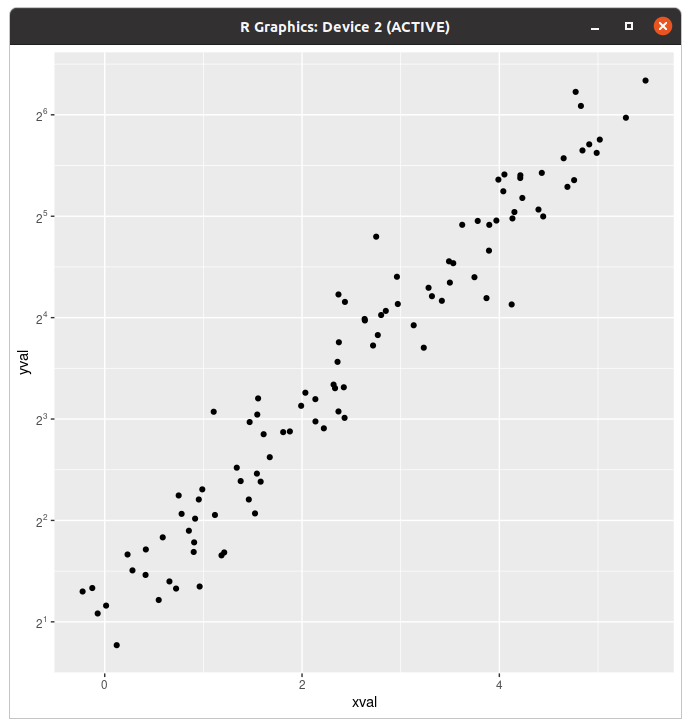
"제육쌈밥군! 덕분에 해결됐어! 이거 바로 논문에 넣어도 되겠대! "
축 비율과 축 라벨
> plot+coord_fixed(ratio=1/3)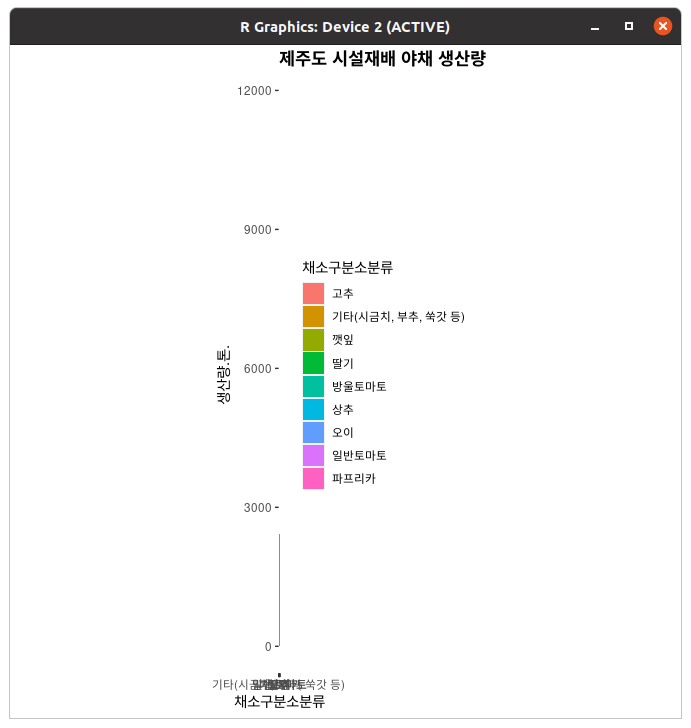
(마른세수) 이거 꼭 비율 이렇게 해야됨?
> plot+theme(axis.title.x=element_blank())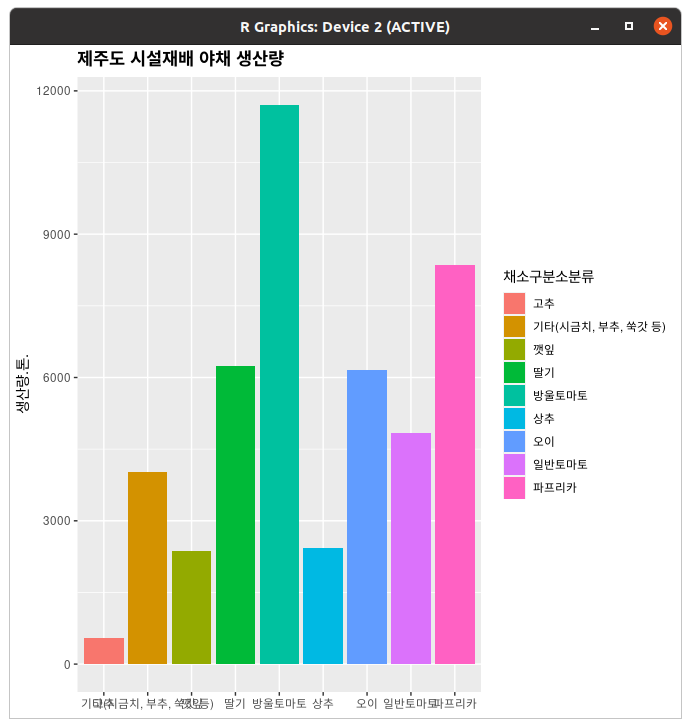
축 제목은 이렇게 빼버리면 된다. (라벨 말고 제목)
> plot+theme(axis.title.x=element_text(face="bold",size=18),axis.text.x=element_text(size=8))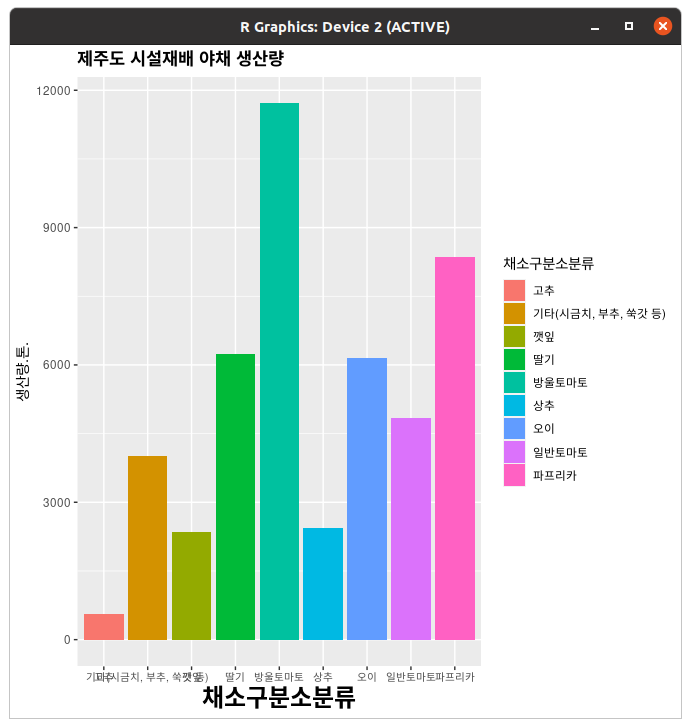
크기도 이렇게 바꿀 수 있다. 폰트만 바꾸면 되는데
> plot+scale_y_continuous(label=percent)
축 라벨이 퍼센트가 됐어요!
> plot+theme(panel.grid.minor=element_blank(),panel.grid.major=element_blank())얘는 아예 그래프의 모눈을 싹 치워버린다.
> plot+theme(panel.grid.minor.y=element_blank(),panel.grid.major.y=element_blank())위에도 썼지만 하나만 날리는것도 됨.
범례
> plot+guides(fill=FALSE)
경고메시지(들):
`guides(<scale> = FALSE)` is deprecated. Please use `guides(<scale> = "none")` instead.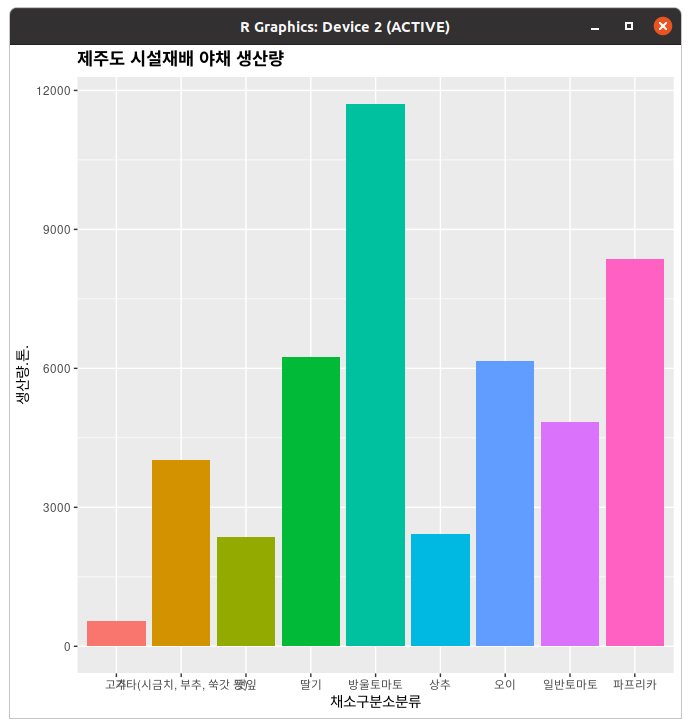
상여자는 범례를 넣지 않는다!!!
bp + scale_fill_discrete(breaks=c("trt1","ctrl","trt2"))상여자는 범례 순서를 수동으로 매긴다!!!
> plot+guides(fill=guide_legend(reverse=TRUE))이거는 수동으로 매기는 게 아니라 범례 순서가 반대가 된다.
> plot+guides(fill=guide_legend(title=NULL))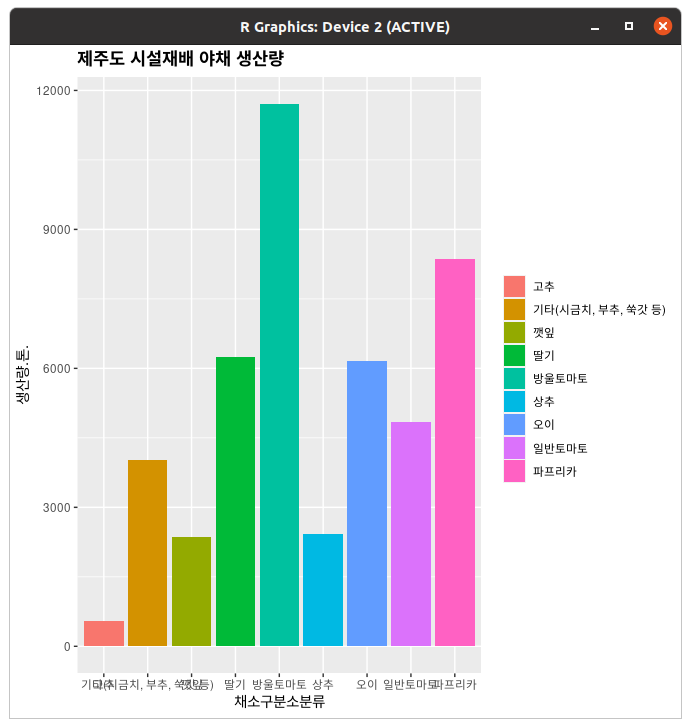
범례 제목은 이걸로 뺀다.
bp + scale_fill_discrete(name="Experimental\nCondition",
                         breaks=c("ctrl", "trt1", "trt2"),
                         labels=c("Control", "Treatment 1", "Treatment 2"))
범례 라벨만 바꾸거나(...)
# Specify both colour and shape
lp1 + scale_colour_discrete(name  ="Payer",
                            breaks=c("Female", "Male"),
                            labels=c("Woman", "Man")) +
      scale_shape_discrete(name  ="Payer",
                           breaks=c("Female", "Male"),
                           labels=c("Woman", "Man"))
데이터 바이 데이터지만 데이터 그룹별로 묶거나...
> plot+theme(legend.text=element_text(colour="#939597",size=16))범례 제목이나 내용물을 바꿀 수도 있다.
> plot+theme(legend.background=element_rect(fill="gray90"),legend.position="top")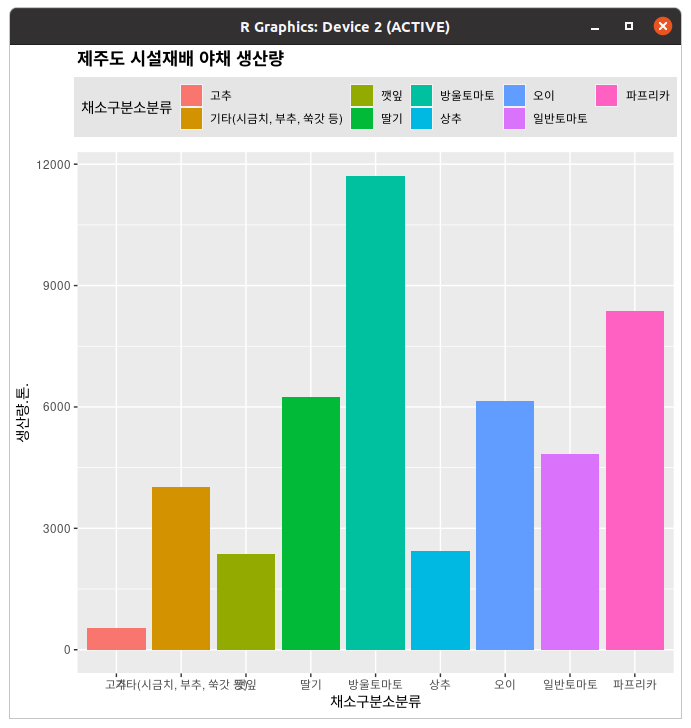
범레를 위로 치워드렸습니다^^
선이... 선이 보인다!
넣었응게 보이지.
> plot+geom_hline(aes(yintercept=100))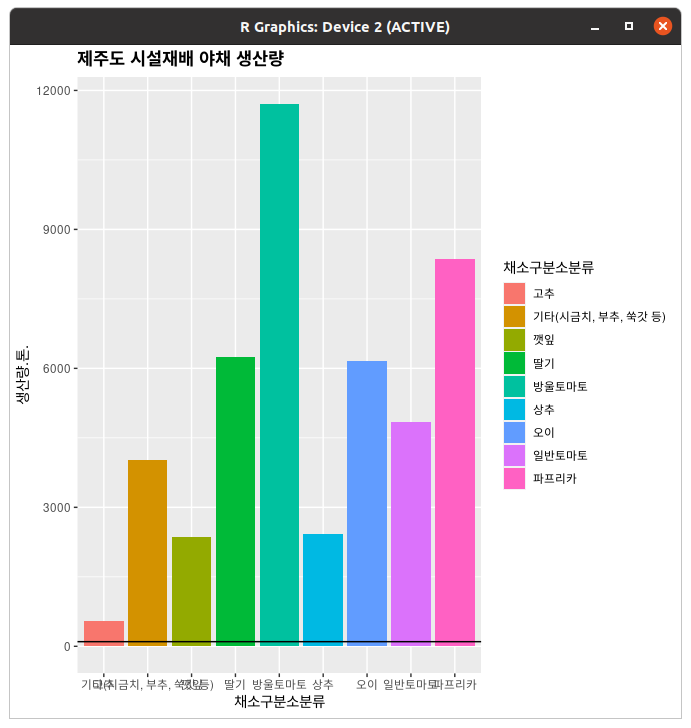
y절편을 설정해서 띄울 수 있다.
> sp+geom_hline(aes(yintercept=0))+geom_vline(aes(xintercept=0))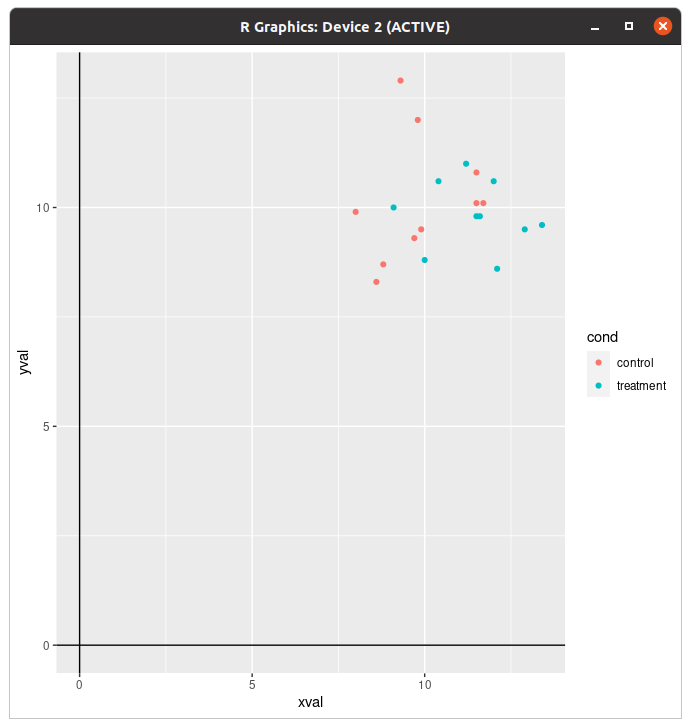
근데 이건 너무 갔는데?
library(dplyr)
> lines <- dat %>%
+   group_by(cond) %>%
+   summarise(
+     x = mean(xval),
+     ymin = min(yval),
+     ymax = max(yval)
+   )
sp + geom_hline(aes(yintercept=10)) +
     geom_linerange(aes(x=x, y=NULL, ymin=ymin, ymax=ymax), data=lines)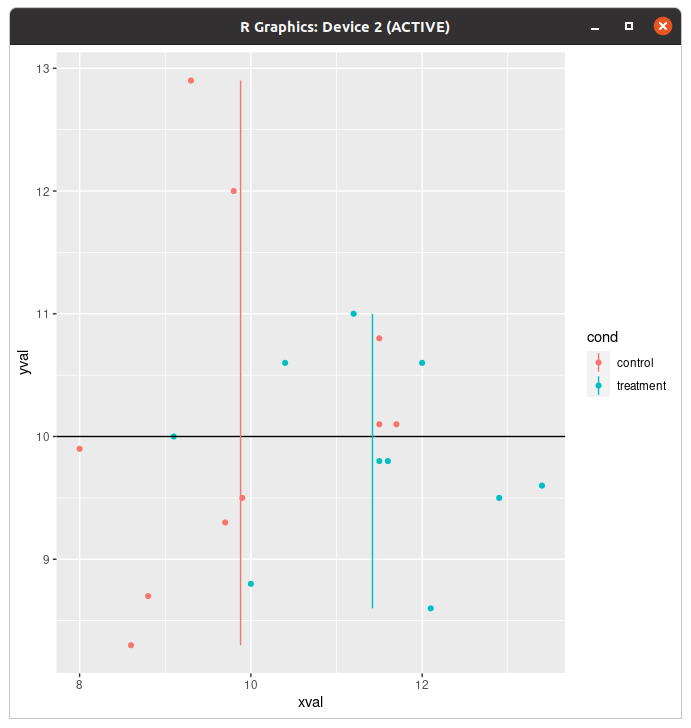
이런 것도 된다. ...저거 평균임?
dat_vlines <- data.frame(cond=levels(dat$cond), xval=c(10,11.5))
dat_vlines
#>        cond xval
#> 1   control 10.0
#> 2 treatment 11.5

spf + geom_hline(aes(yintercept=10)) +
      geom_vline(aes(xintercept=xval), data=dat_vlines,
                    colour="#990000", linetype="dashed")

spf + geom_hline(aes(yintercept=10)) +
     geom_linerange(aes(x=x, y=NULL, ymin=ymin, ymax=ymax), data=lines)
#> Warning: Ignoring unknown aesthetics: y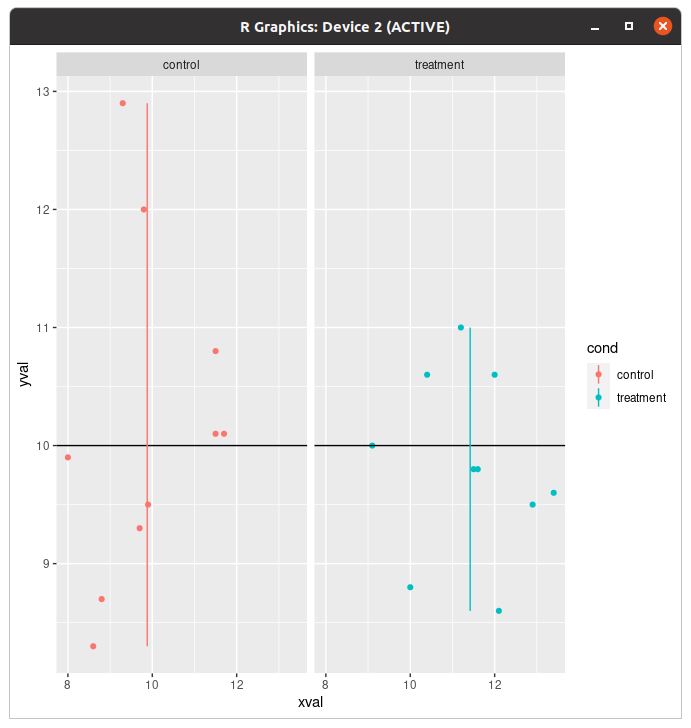
아 나눠드리겠습니다.
그것은 분할출력
이거랑 때깔까지만 보면 된다.
> sp <- ggplot(tips, aes(x=total_bill, y=tip/total_bill)) + geom_point(shape=1)
> sp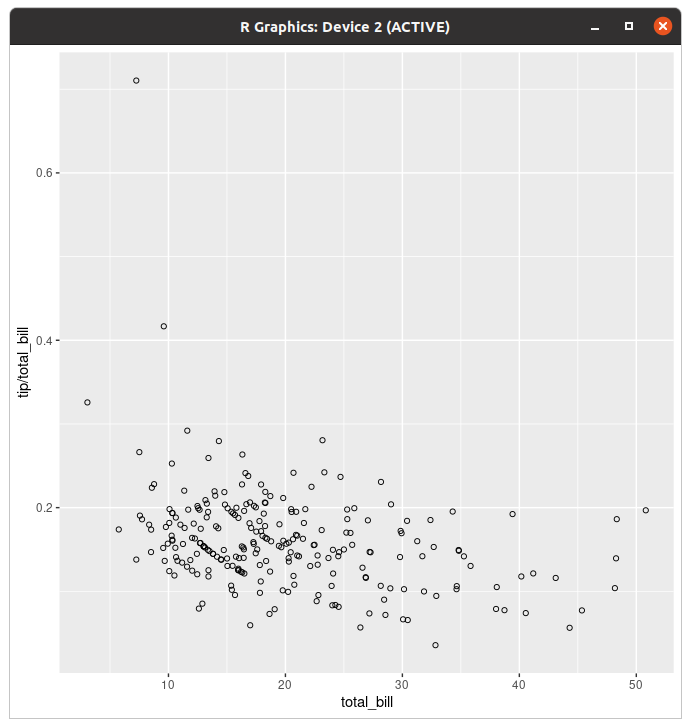
내장 데이터를 활용한 그래프. 근데 이걸 좀 분할해서 띄우고 싶다... 뭐 그럴 거 아님?
sp + facet_grid(sex ~ .)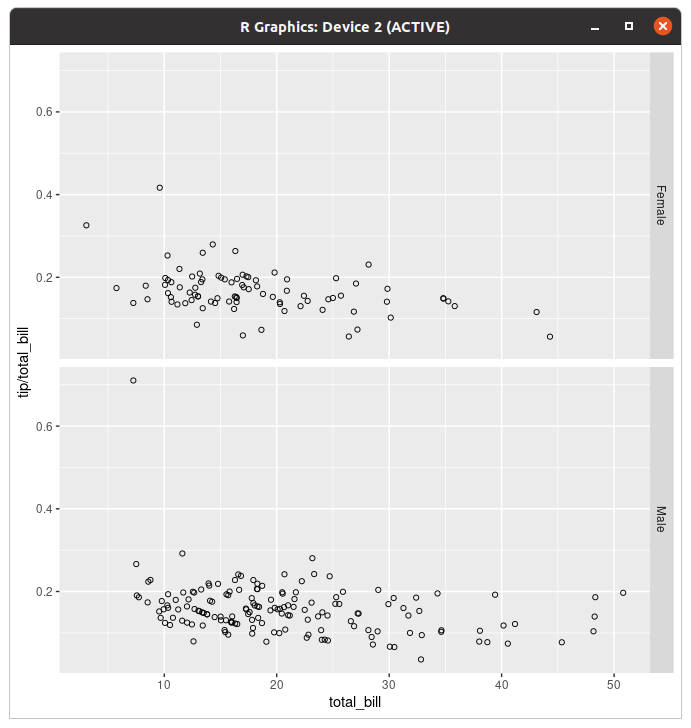
가로분열(성별)
> sp + facet_grid(. ~ time)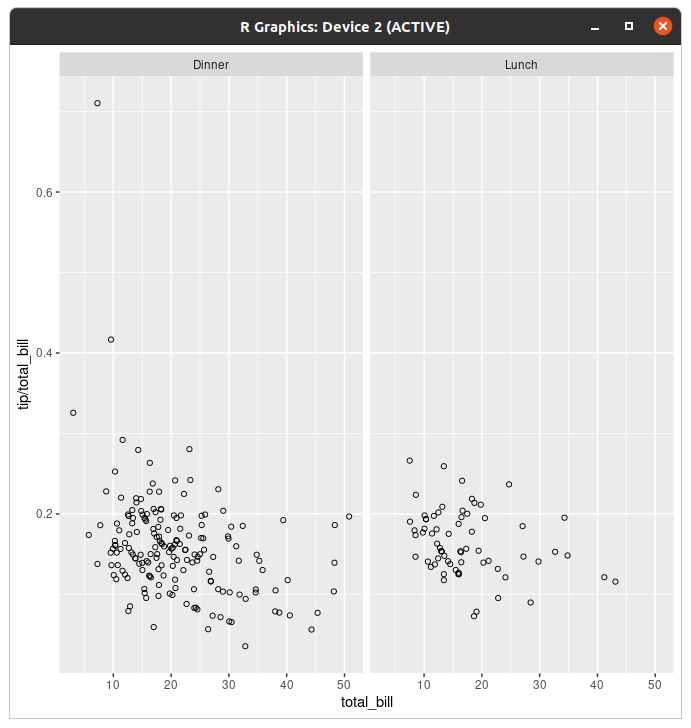
세로분열(시간대)
> sp + facet_grid(sex ~ time)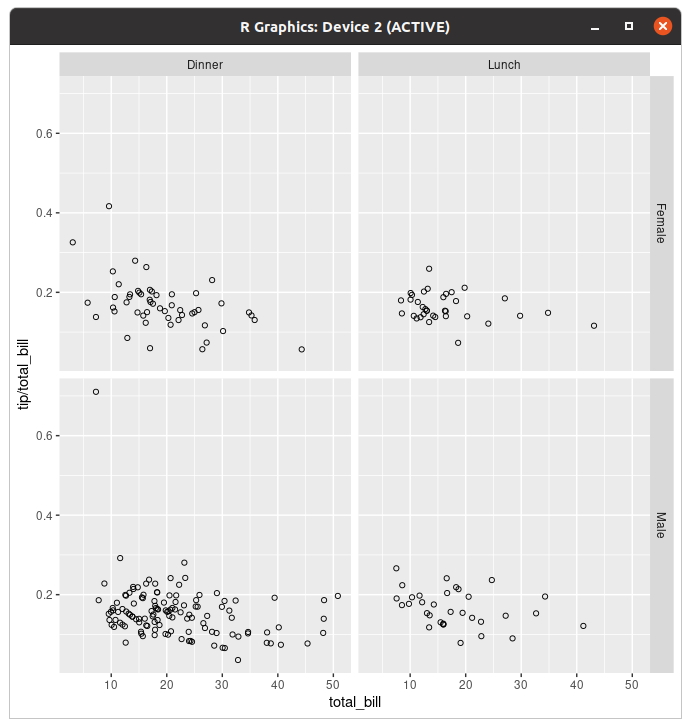
아, 이런 것도 된다. (성별+시간대)
> sp + facet_grid(sex ~ time)+theme(strip.text.x=element_text(size=6),strip.text.y=element_text(size=6),strip.background=element_rect(fill="#f5df4d"))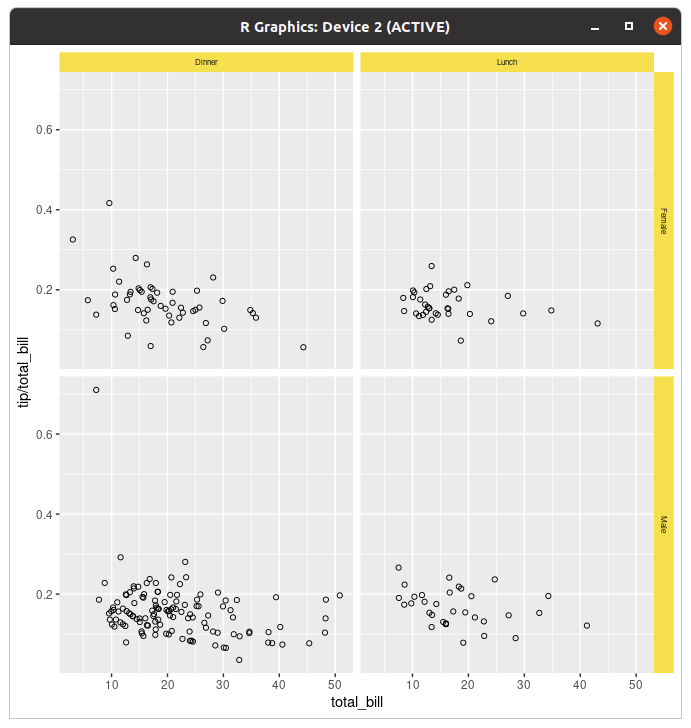
이렇게 정보가 표시되는 부분의 디자인도 바꿀 수 있다.
> labels=c(Female="Woman",Male="Man")
> sp+facet_grid(.~sex,labeller=labeller(sex=labels))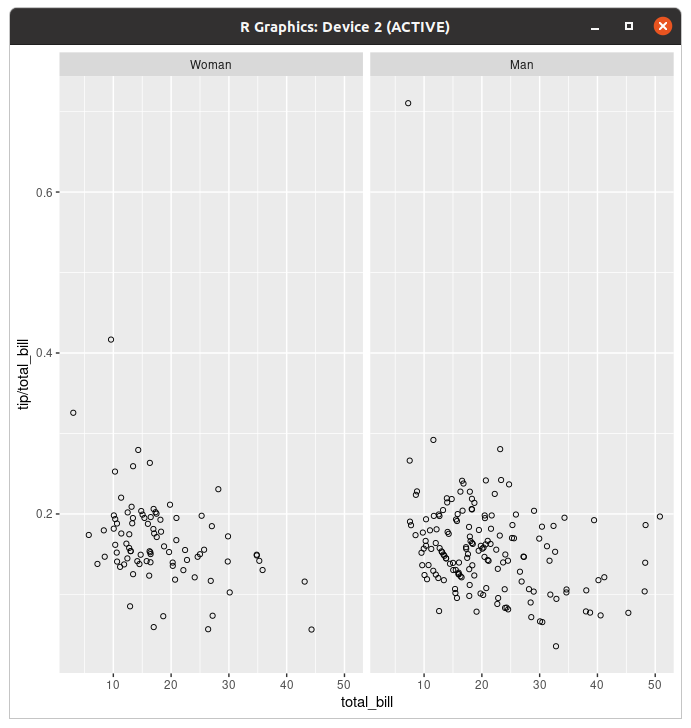
라벨이 Female이랑 Male인게 좀 거시기하면 바꾸면 된다.
색깔
먹고 죽은 귀신이 때깔도 고운데 그래프는 뭐 하면 때깔이 좋아지나...
> ggplot(data=data4_medium,aes(x=Product.name,y=Order))+geom_bar(stat="identity")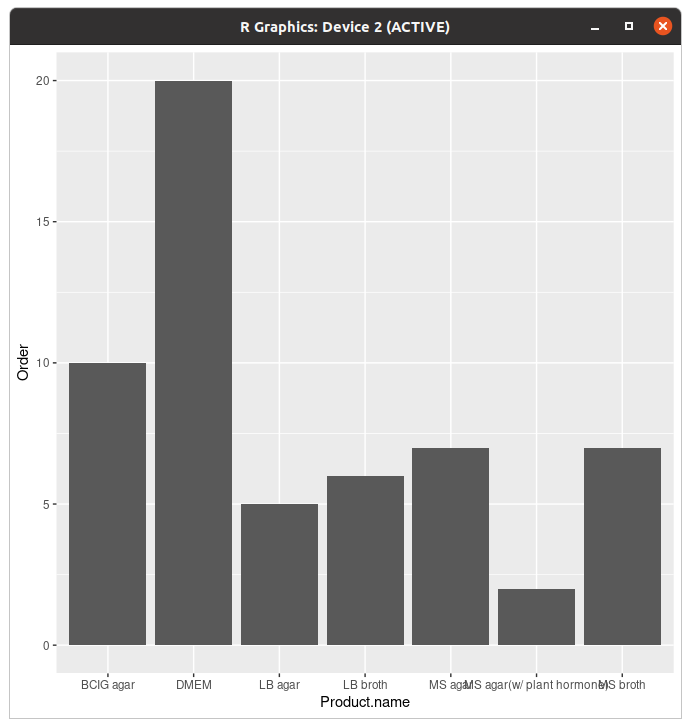
참고로 원래 그래프는 이렇게 단색이다.
> ggplot(data=data4_medium,aes(x=Product.name,y=Order))+geom_bar(stat="identity",fill="#f7cac9")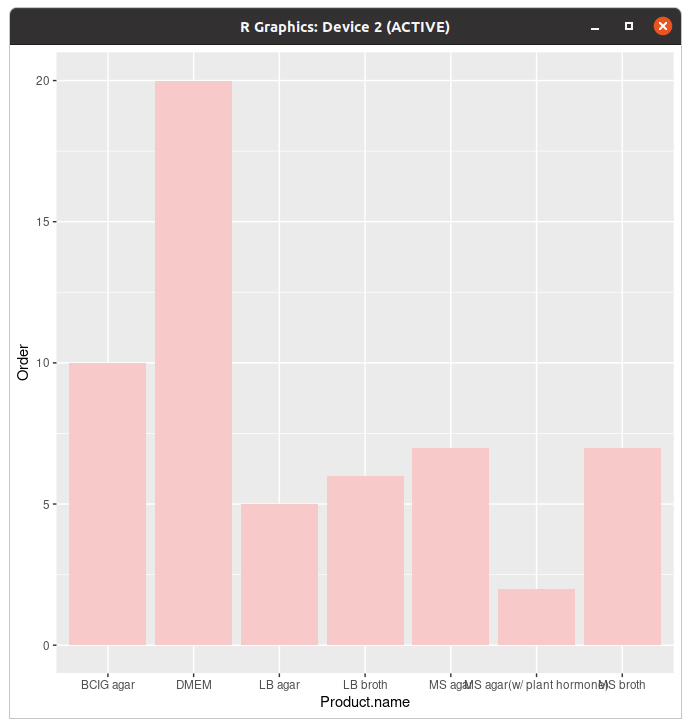
그래서 이렇게 단색으로만 변경이 된다.
> ggplot(data=data4_medium,aes(x=Product.name,y=Order,fill=Product.name))+geom_bar(stat="identity")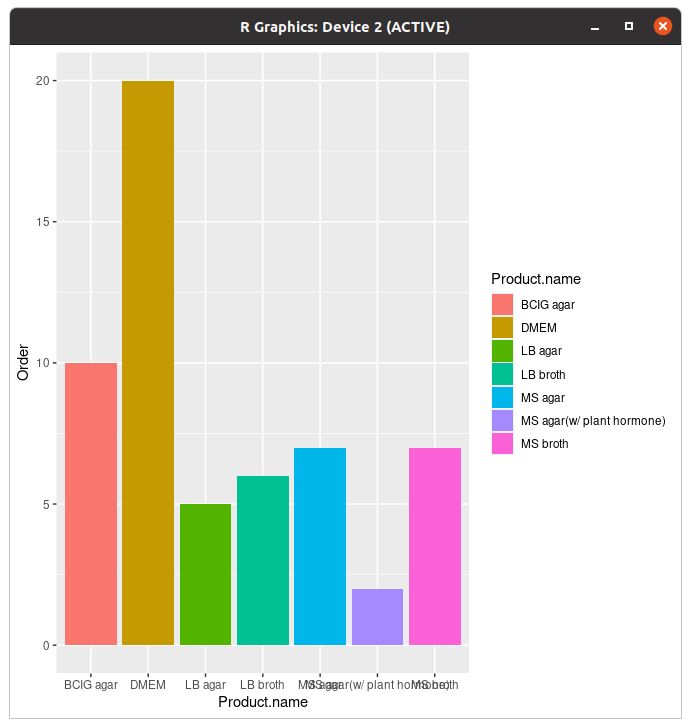
물론 데이터별로 먹이면 이런 화려한 그래프가 나를 감싼다. 근데 저거 파레트 못 바꾸냐고?
> cbPalette <- c("#999999", "#E69F00", "#56B4E9", "#009E73", "#F0E442", "#0072B2", "#D55E00", "#CC79A7")
> ggplot(data=data4_medium,aes(x=Product.name,y=Order,fill=Product.name))+geom_bar(stat="identity")+scale_fill_manual(values=cbPalette)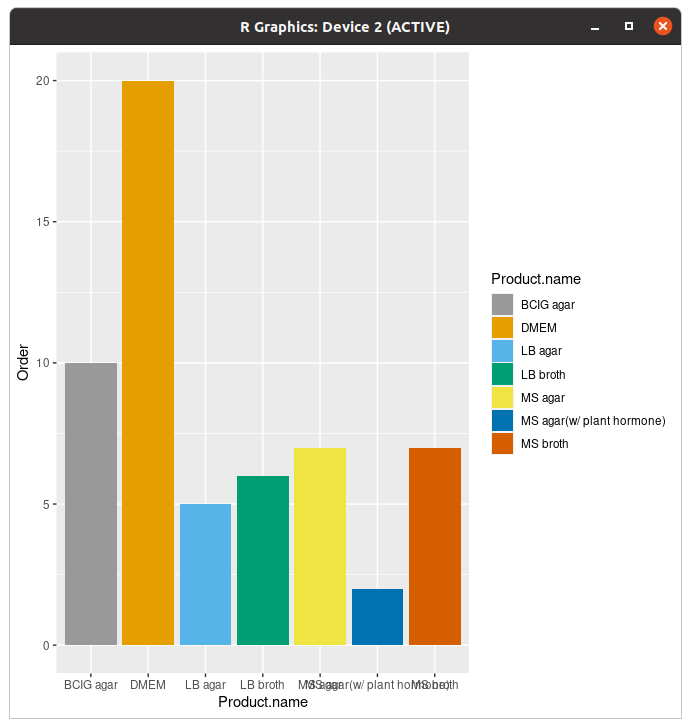
되는데요?
scale_colour_manual(values=cbPalette)선이나 점이면 이거 쓰자.
> ggplot(data=data4_medium,aes(x=Product.name,y=Order,fill=Product.name))+geom_bar(stat="identity")+scale_fill_hue(l=40)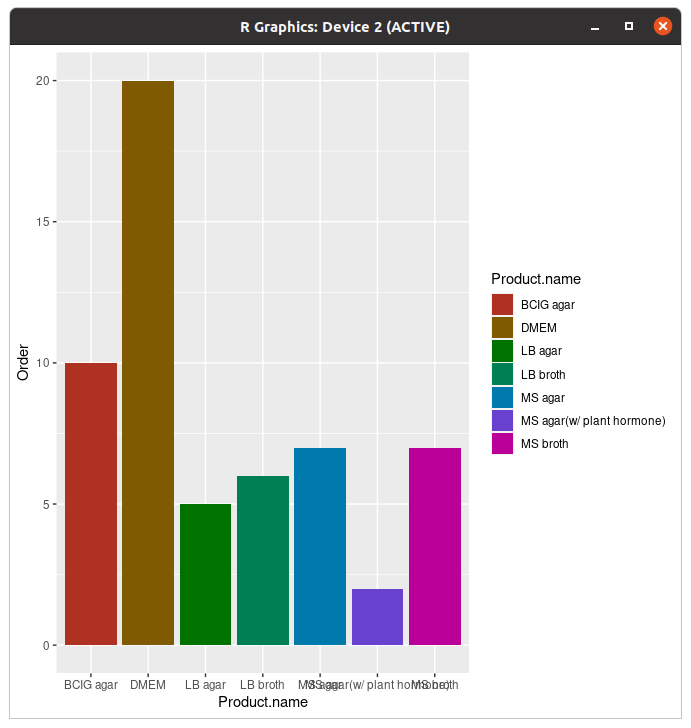
Hue를 바꾸면 밝기가 달라지고(default=65)
> ggplot(data=data4_medium,aes(x=Product.name,y=Order,fill=Product.name))+geom_bar(stat="identity")+scale_fill_hue(c=45)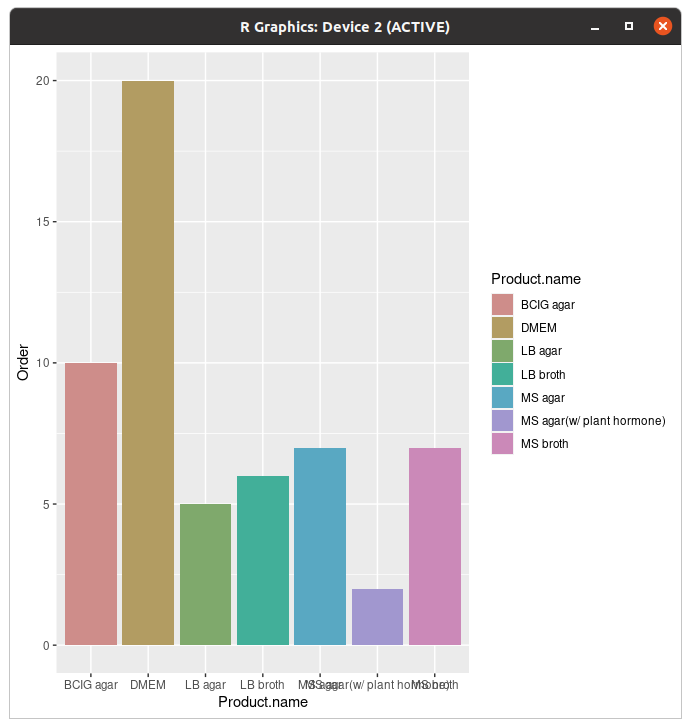
c를 바꾸면 채도가... 이건 근데 default가 얼마임?
> ggplot(data=data4_medium,aes(x=Product.name,y=Order,fill=Product.name))+geom_bar(stat="identity")+scale_fill_brewer()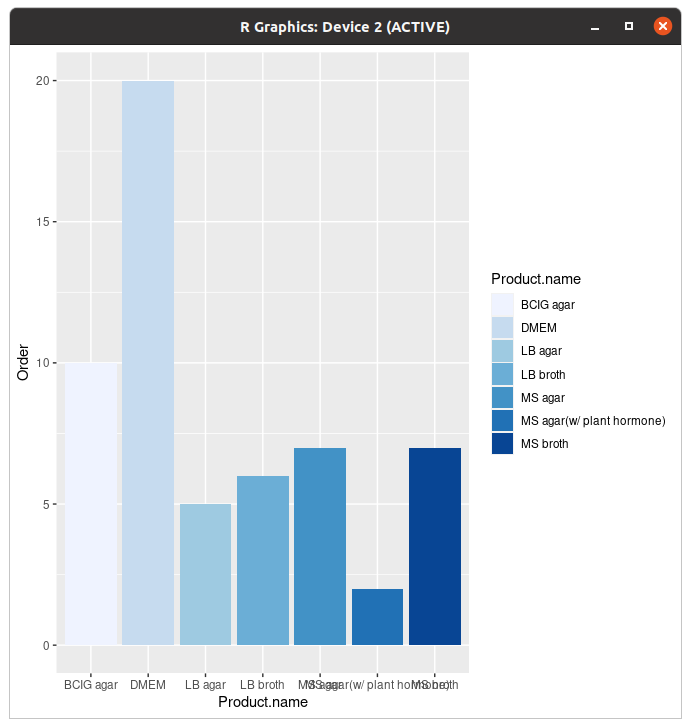
아, 파레트 자체를 바꾸는 것도 된다.
'Coding > R' 카테고리의 다른 글
| R 배워보기-번외편: R로 standard curve 그리기 (0) | 2022.08.22 |
|---|---|
| R의 내장 데이터 (부제: 공공데이터 어떻게 받아요?) (0) | 2022.08.22 |
| R 배워보기-8.1. ggplot2로 그래프 그리기 (상) (0) | 2022.08.22 |
| R 배워보기-7. Statistical analysis (하) (0) | 2022.08.21 |
| R 배워보기-7. Statistical analysis (상) (0) | 2022.08.21 |
참고로 말씀드리는거지만... 분량 ㄹㅇ 역대급임... 노션으로 거의 팔만대장경 나온 듯.
데이터 관련된 얘기는 다른 글에서 다루겠습니다.
들어가기 전에
install.packages("ggplot2")혹시나... ggplot2가 껄려있지 않다...
깔고 오세요...
> library(ggplot2)어디가요 깔았으면 불러여지.
본인은 저기다가 아예 디렉토리까지 고정으로 박고 시작했다.
막대그래프(geom_bar())
나 저 geom 자꾸 점으로 읽어... 클났음...
아무튼! 막대그래프를 그릴 때 쓸 공공데이터는 제주도의 야채 생산 현황에 대한 공공데이터이다.
연산 채소구분대분류 채소구분소분류 면적.ha. 생산량.톤. 조수입.백만원.
1 20-21       노지채소         월동무     5056     359575         106434
2 20-21       노지채소         양배추     1753     103222          60116
3 20-21       노지채소           당근     1357      49527          46108
4 20-21       노지채소         구마늘     1600      24427          85234
5 20-21       노지채소         잎마늘       65       2665           3212
6 20-21       노지채소      양파_조생      524      32735          32596
  데이터.기준일
1      20210809
2      20210809
3      20210809
4      20210809
5      20210809
6      20210809
이건데 한꺼번에 그래프 그리기는 힘들어서
> data_noji=subset(data,채소구분대분류=="노지채소")
> head(data_noji)
   연산 채소구분대분류 채소구분소분류 면적.ha. 생산량.톤. 조수입.백만원.
1 20-21       노지채소         월동무     5056     359575         106434
2 20-21       노지채소         양배추     1753     103222          60116
3 20-21       노지채소           당근     1357      49527          46108
4 20-21       노지채소         구마늘     1600      24427          85234
5 20-21       노지채소         잎마늘       65       2665           3212
6 20-21       노지채소      양파_조생      524      32735          32596
  데이터.기준일
1      20210809
2      20210809
3      20210809
4      20210809
5      20210809
6      20210809
> data_siseol=subset(data,채소구분대분류=="시설채소")
> head(data_siseol)
    연산 채소구분대분류 채소구분소분류 면적.ha. 생산량.톤. 조수입.백만원.
20 20-21       시설채소           상추       12        354           1593
21 20-21       시설채소           깻잎       16        478           3537
22 20-21       시설채소           오이       19        728           1165
23 20-21       시설채소     방울토마토       32       1201           4804
24 20-21       시설채소     일반토마토       19       1451           2903
25 20-21       시설채소           딸기       39       1385          14127
   데이터.기준일
20      20210809
21      20210809
22      20210809
23      20210809
24      20210809
25      20210809
노지채소와 시설재배로 세트 나눠서 했다.
데이터 받는 곳은 나중에 알려드림... 참고로 이거말고 세개 더 받았는데 언어가 깨져서 R에서 못 불러옵디다. 인코딩 다른거는 이해하겠는데 UTF-8에서 깨지는 건 좀 심한거 아니냐...
데이터 분석 일을 하고 있는 김후추씨. (전에도 말했지만 실제로 본인 포켓몬 이름임) 어느 날 출장을 갔던 김후추씨는 보스로라가 어떻게 출장을 가지 도청에서 일하던 신입 데이터 분석가의 고충을 듣게 된다.
"채소 데이터를 분석해서 그래프로 그려오라는데, 리브레오피스가 너무 버벅거려서 그래프를 그릴 수가 없어요. 어떻게 하죠? " (리브레오피스 실제로도 버벅거림 엄청나서 본인은 csv파일도 gedit으로 연다)
> ggplot(data=data_siseol,aes(x=채소구분소분류,y=생산량.톤.,fill=생산량.톤.))+geom_bar(stat="identity")뭘 고민해 R 쓰면 되지.
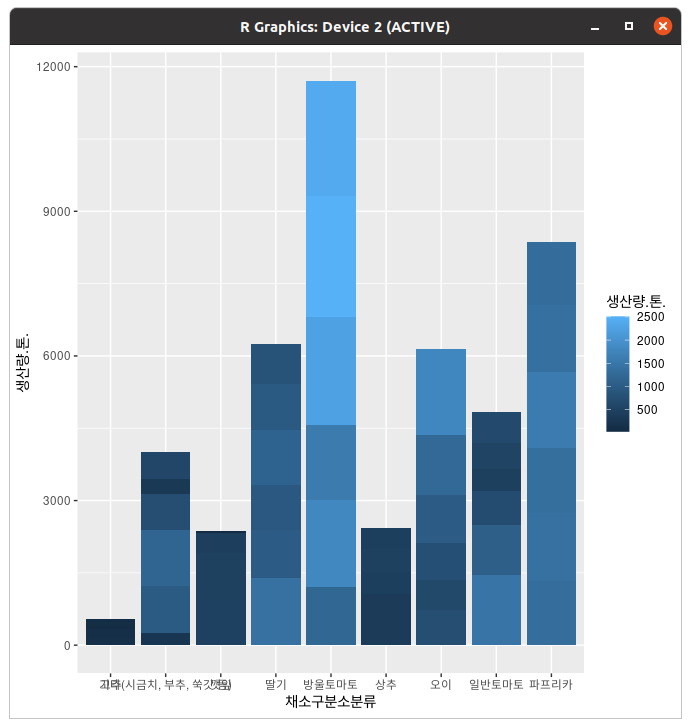
근데 그래프가 이렇게 돼 있으니까 좀 거시기하네.
> ggplot(data=data_siseol,aes(x=채소구분소분류,y=생산량.톤.,fill=채소구분소분류))+geom_bar(stat="identity")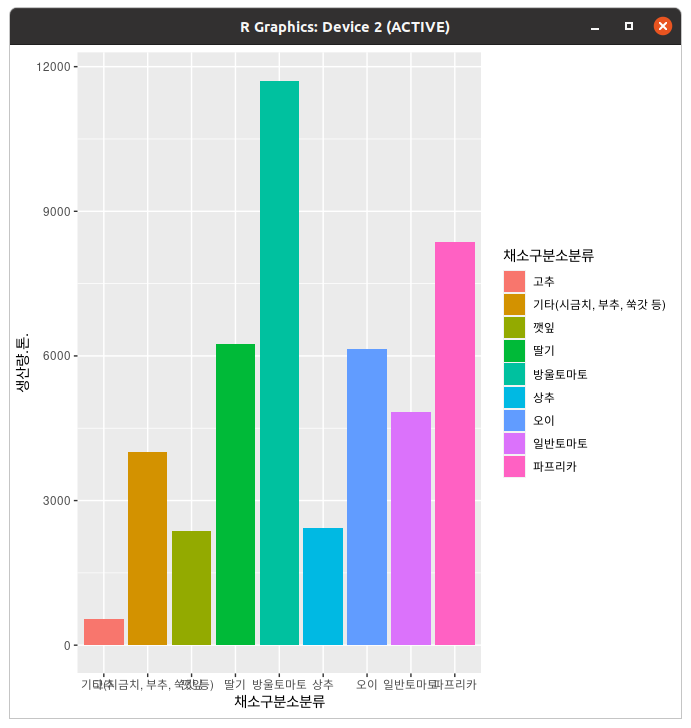
한결 낫다 그죠?
> ggplot(data=data_siseol,aes(x=채소구분소분류,y=생산량.톤.,fill=채소구분소분류))+geom_bar(colour="black",stat="identity")+ggtitle("제주도 시설재배 야채 생산량") + xlab("채소구분 소분류") + ylab("생산량(톤)")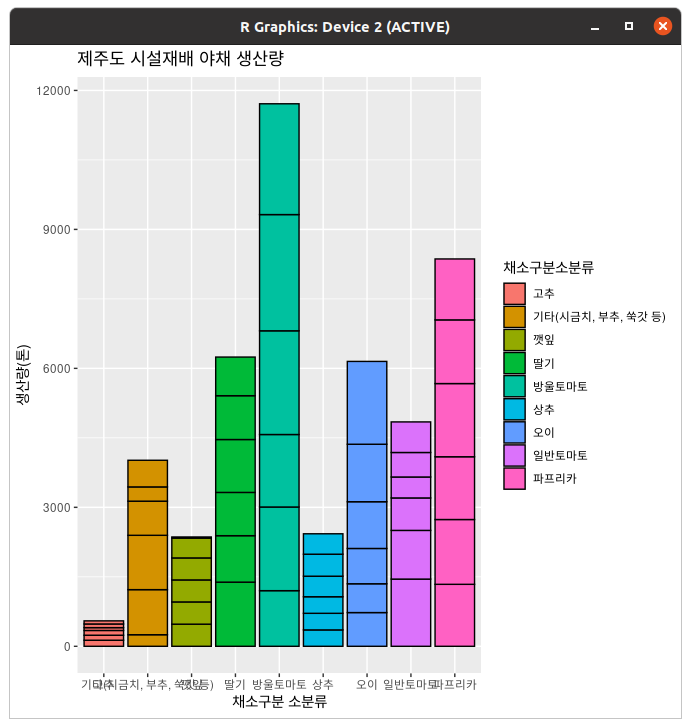
......테두리는 떼버리세요. 안이뻐요.
아, 참고로 막대그래프는 막대 포지션 옵션으로 닷지를 안 주면 누적된다. (막대가 누적된다)
꺾은선그래프(geom_line(), geom_point())
> data2=read.csv('bradford.csv')
> data2
  BSA.conc.mg. OD5951 OD5952 OD5953
1            0  0.001  0.000  0.000
2          200  0.250  0.255  0.241
3          400  0.359  0.400  0.354
4          600  0.550  0.600  0.601
5          800  0.770  0.780  0.755
가상의 Bradford assay 데이터이다. 이게 뭐 하는 분석인지는 나중에 알려드림. 아무튼 저걸로 꺾은선그래프를 그리려면 평균 데이터가 있어야 한다.
> data2$average=round(rowMeans(data2[,c('OD5951','OD5952','OD5953')]),3)
> data2
  BSA.conc.mg. OD5951 OD5952 OD5953 average
1            0  0.001  0.000  0.000   0.000
2          200  0.250  0.255  0.241   0.249
3          400  0.359  0.400  0.354   0.371
4          600  0.550  0.600  0.601   0.584
5          800  0.770  0.780  0.755   0.768
그냥 추가했더니 소수점 개판이라 Round 줘버림...
한참 실험수업을 듣고 있는 제육쌈밥(대짱이). 오늘의 실험은 Bradford assay였다. 조별로 Bardford assay 시약을 처리한 다음 OD595(컬럼이 좀 개판났는데 OD595가 맞음... 세 번 달아서 1, 2, 3이다.)를 측정하고 결과값을 받았다. 과제로 Standard curve를 그려오라는 과제를 받은 제육쌈밥군... 까짓거 후다닥 해치우자! 라고 생각했으나 문제가 생겼다.
제육쌈밥군의 컴퓨터는 리눅스였고, 리브레오피스가 그날따라 매우 버벅였다는 것... 돌릴 수 있는 것은 R밖에 없는데, 이를 어쩌지?
> ggplot(data=data2,aes(x=BSA.conc.mg.,y=average,group=1))+geom_line()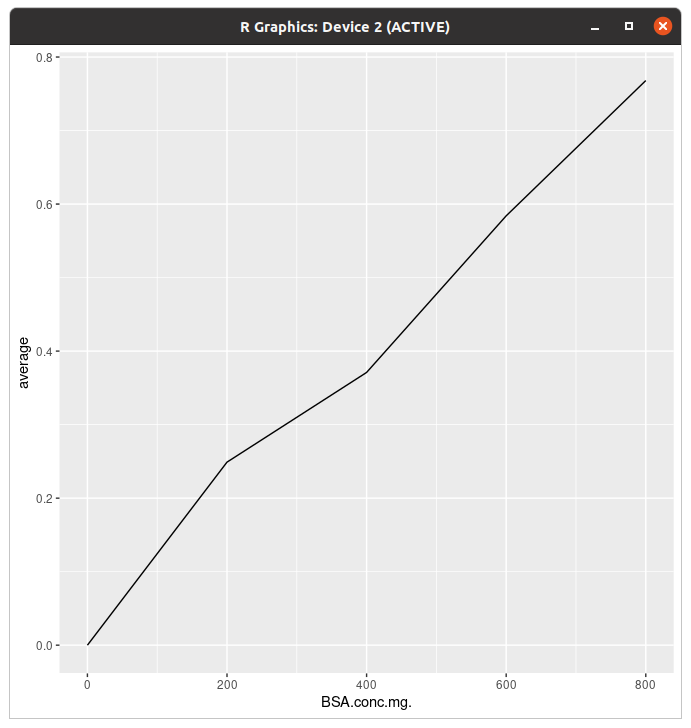
이렇게 하면 일단 그래프는 그려졌는데... 아 라벨 저거 뭐임?
> ggplot(data=data2,aes(x=BSA.conc.mg.,y=average,group=1))+geom_line(colour="#00418c")+geom_point()+xlab("BSA concentration")+ylab("OD595")+ggtitle("Standard curve")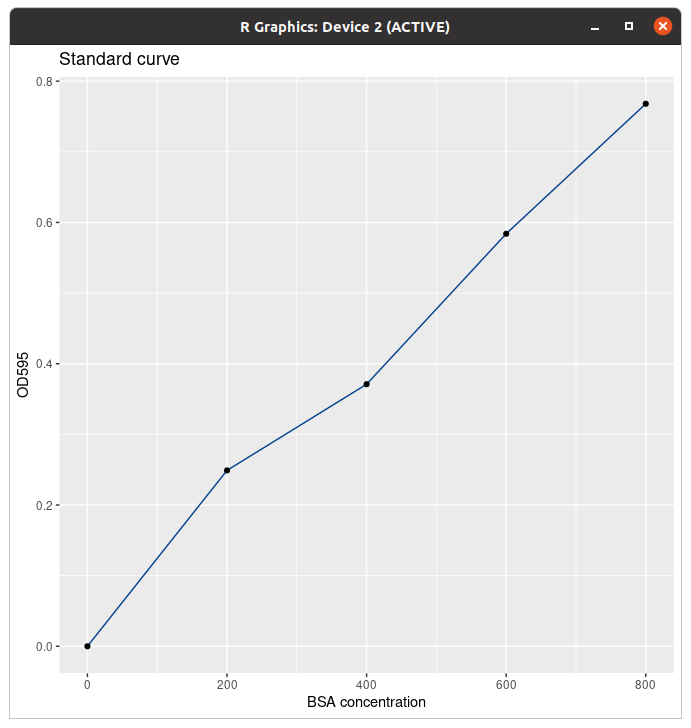
라벨을 바꾸고 제목 추가하고 점(...) 넣고 선을 바꿨다. 사실 저기에 R^2랑 식도 들어가는 게 맞는데 그것까지 하는 법은 나중에 알려드림. 근데 R에서 그게 되나
> ggplot(data=data3,aes(x=Date,y=price,group=time,colour=time,shape=time))+geom_line()+geom_point(size=4)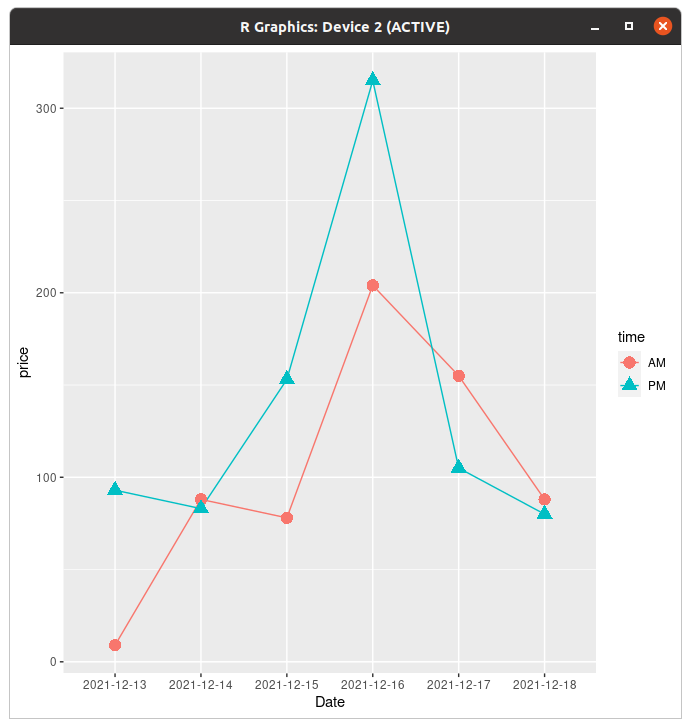
꺾은선그래프는 선별로 색깔을 다르게 주는 것과 동시에 점도 다르게 줄 수 있다.
> ggplot(data=data3,aes(x=Date,y=price,group=time,colour=Date,shape=time))+geom_line()+geom_point(size=4)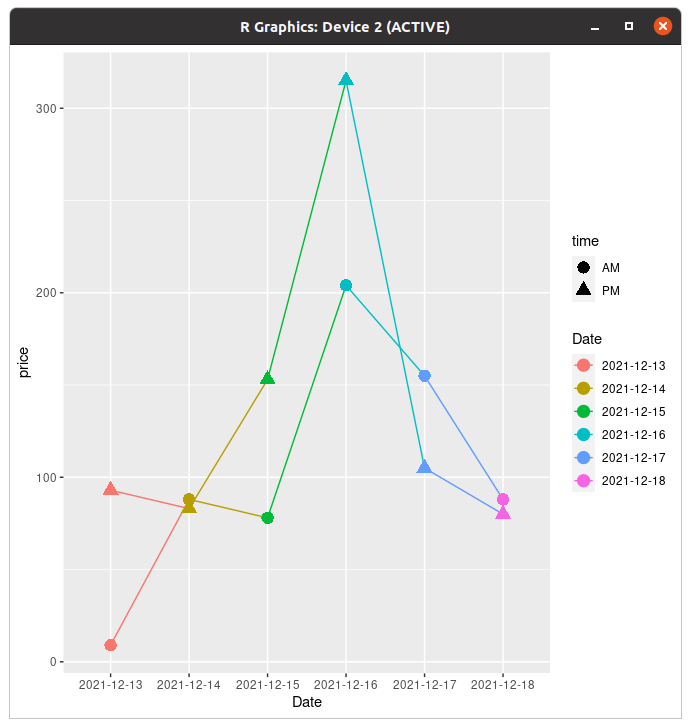
이건 왜 되는거지... (참고로 저 데이터 저번주 무트코인 차트임)
평균과 오차막대
논문에 있는 그래프를 보면 I자같이 생긴 게 있는데 그게 오차막대다. 보통은 표준편차 구해서 넣는다. (표준편차가 범위)
참고로 얘네 함수 정의해서 표준편차 구했는데 함수 없이 구할 수 있으면 그래도 된다. 여기서는 어떻게든 표준편차를 구했다는 전제 하에 진행한다. 안그러면 분량 길어져서 여러분들 스크롤하다 혈압오름...
> ggplot(data=tgc,aes(x=dose,y=len,colour=supp))+geom_line()+geom_point()이거는 단순히 그래프 그려주는 코드.
> ggplot(data=tgc,aes(x=dose,y=len,colour=supp))+geom_line()+geom_point()+geom_errorbar(aes(ymin=len-ci,ymax=len+ci),width=.1)
# Use 95% confidence interval instead of SEM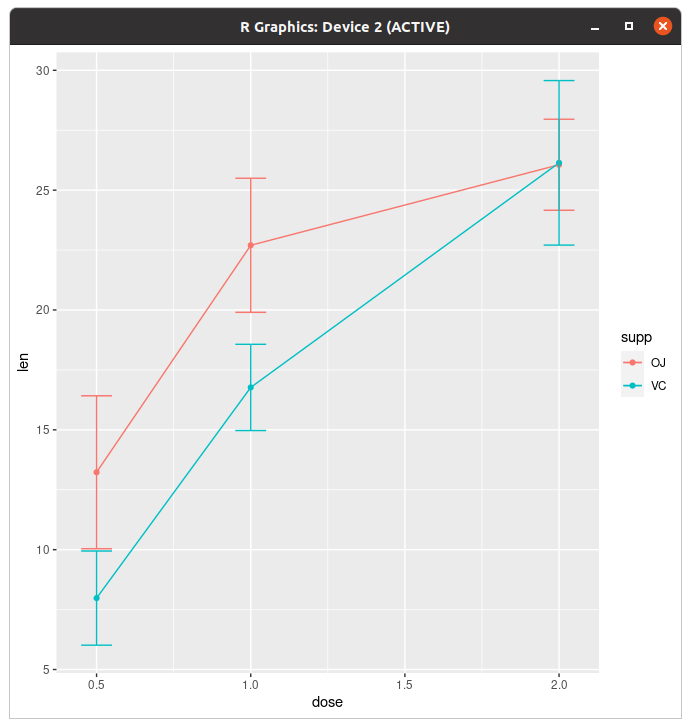
이게 에러바 그려주는 코드다. 코드에
aes(ymin=len-ci,ymax=len+ci)이 부분을 len-sd, len+sd로 해 주면 표준편차로 그릴 수 있다.
> ggplot(data=tgc,aes(x=dose,y=len,colour=supp))+geom_line()+geom_point()+geom_errorbar(aes(ymin=len-ci,ymax=len+ci),colour="black",width=.1)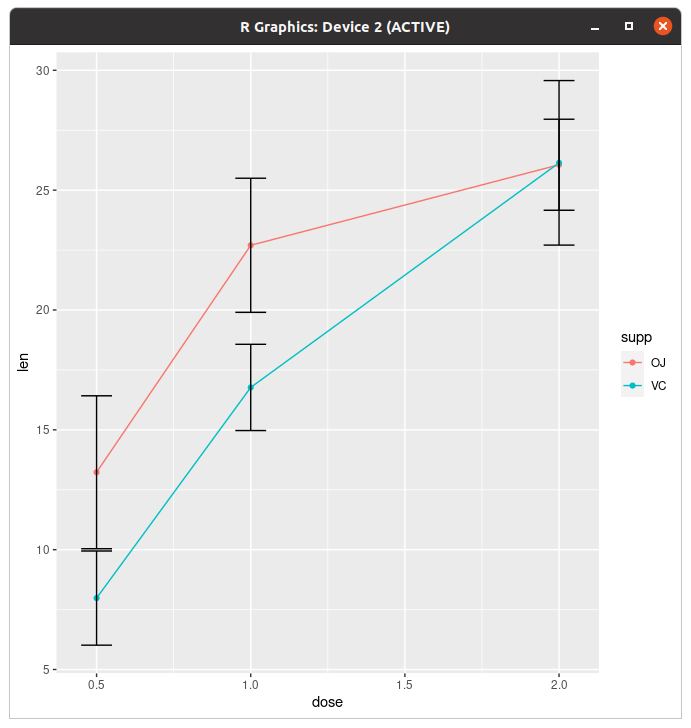
근데 에러바는 보통 깜장이죠?
> ggplot(data=tgc,aes(x=dose,y=len,colour=supp))+geom_line()+geom_point()+geom_errorbar(aes(ymin=len-se,ymax=len+se),colour="black",width=.1)+expand_limits(y=0)+scale_y_continuous(breaks=0:20*4)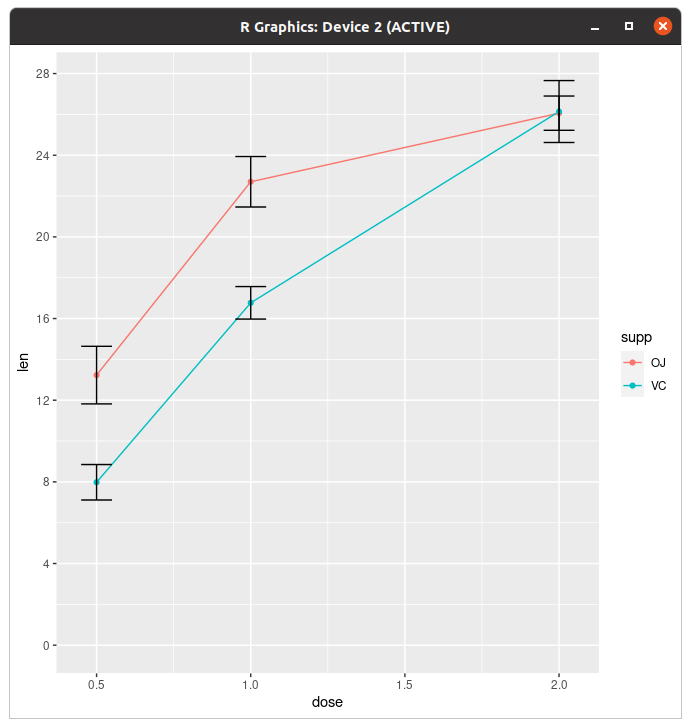
y축 범위 조절하면 에러바도 줄어든다.
막대그래프도 별로 다를 건 없다.
> ggplot(tgc2,aes(x=dose,y=len,fill=supp))+geom_bar(stat="identity",position=position_dodge())+geom_errorbar(aes(ymin=len-se,ymax=len+se),width=.2,position=position_dodge(.9))+scale_y_continuous(breaks=0:20*4)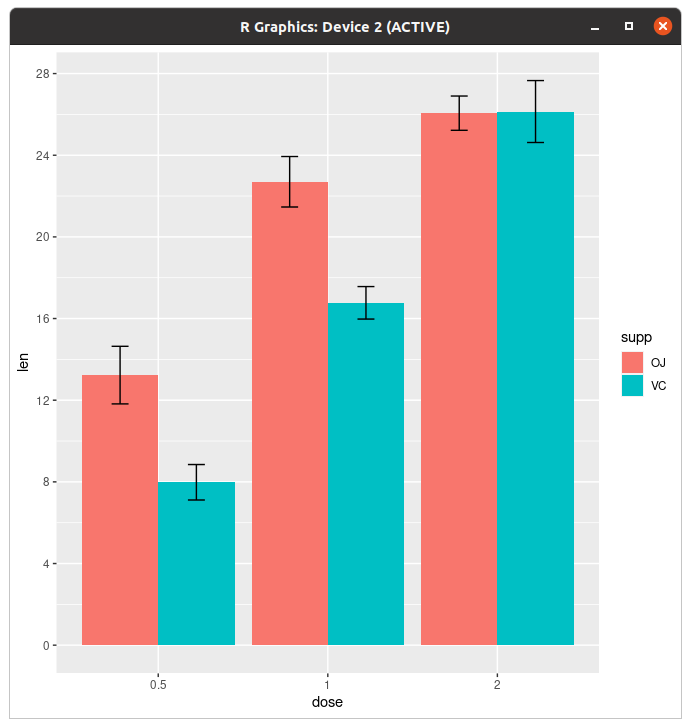
아, 저기서 position=dodge()를 안 주면
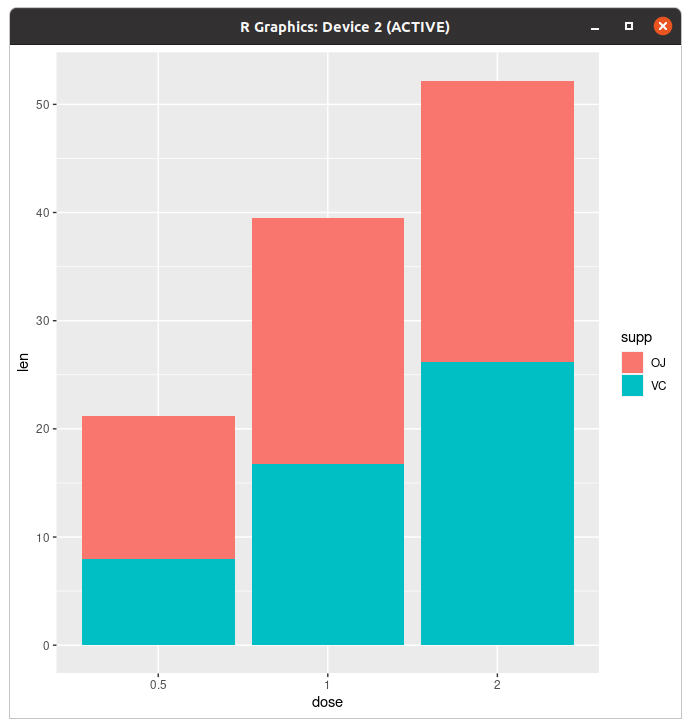
막대그래프가 이렇게 된다. 이게 무슨 저세상 누적이여... 아니 이런걸 일일이 해줘야되냐고
히스토그램과 밀도곡선(geom_histogram(), geom_density())
점_히스토그램 무엇... 아니 니네 약어 안쓰냐고...
> set.seed(1)
> dat=data.frame(comd=factor(rep(c("A","B"),each=200)),rating=c(rnorm(200),rnorm(200,mean=.8)))
역사와 전통에 의거, 히스토그램은 랜덤 데이터 만들어서 정규분포 곡선 그리는 게 국룰이다. 누가 그러디 내가
> ggplot(dat,aes(x=rating))+geom_histogram()
`stat_bin()` using `bins = 30`. Pick better value with `binwidth`.
아, 이게 디폴트다.
> ggplot(dat,aes(x=rating))+geom_density()
이건 평범한 밀도곡선.
> ggplot(dat,aes(x=rating))+geom_histogram(aes(y=..density..),binwidth=.5,colour="black",fill="#939597")+geom_density(alpha=.2,fill="#f5df4d")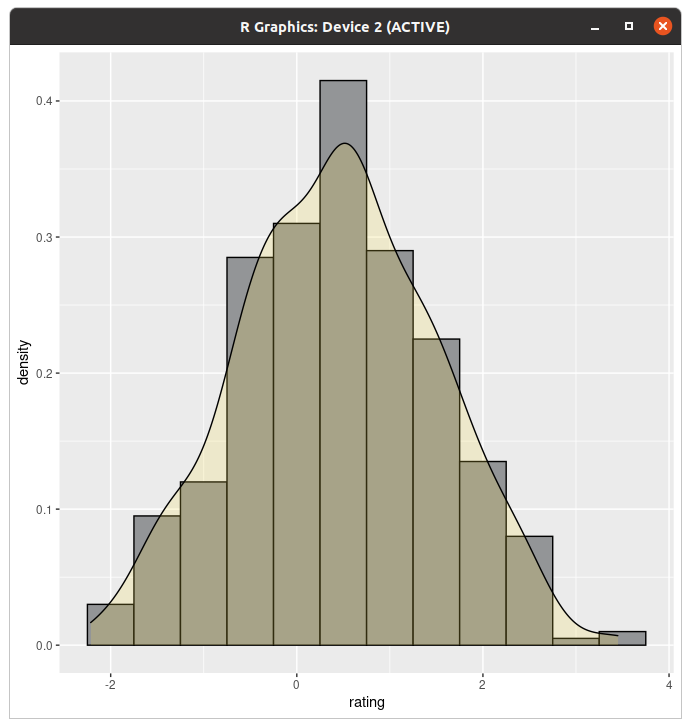
이렇게 하면 겹치는 것도 된다.
> ggplot(dat,aes(x=rating))+geom_histogram()+geom_vline(aes(xintercept=mean(rating,na.rm=TRUE)))
`stat_bin()` using `bins = 30`. Pick better value with `binwidth`.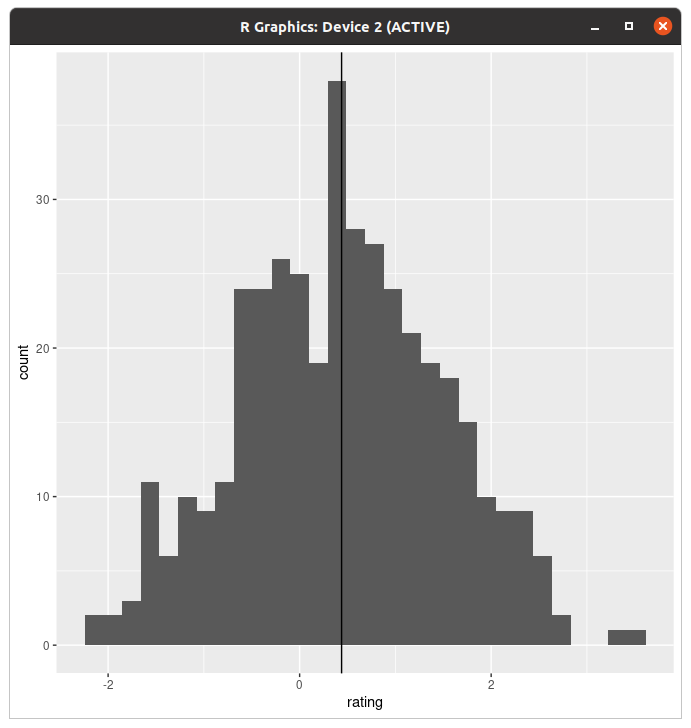
평균에 선도 그어준다. (밀도곡선도 된다)
근데 사람이 살다보면 복식 히스토그램 그릴 수도 있잖아요! 예 그렇죠.
> ggplot(dat,aes(x=rating,fill=comd))+geom_histogram(binwidth=.5,alpha=.5,position="identity")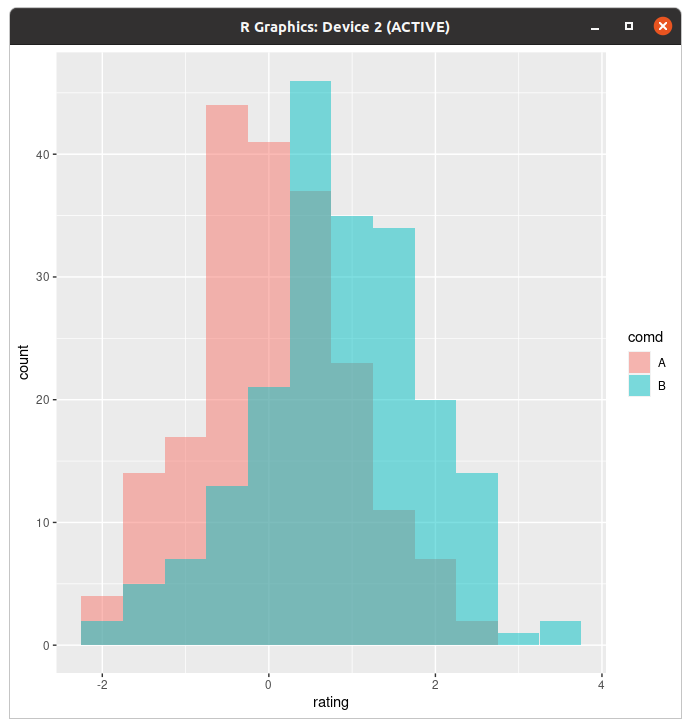
이렇게 투명도를 줘서 겹쳐 그리는 방법도 있고
> ggplot(dat,aes(x=rating,fill=comd))+geom_histogram(binwidth=.5,alpha=.5,position="dodge")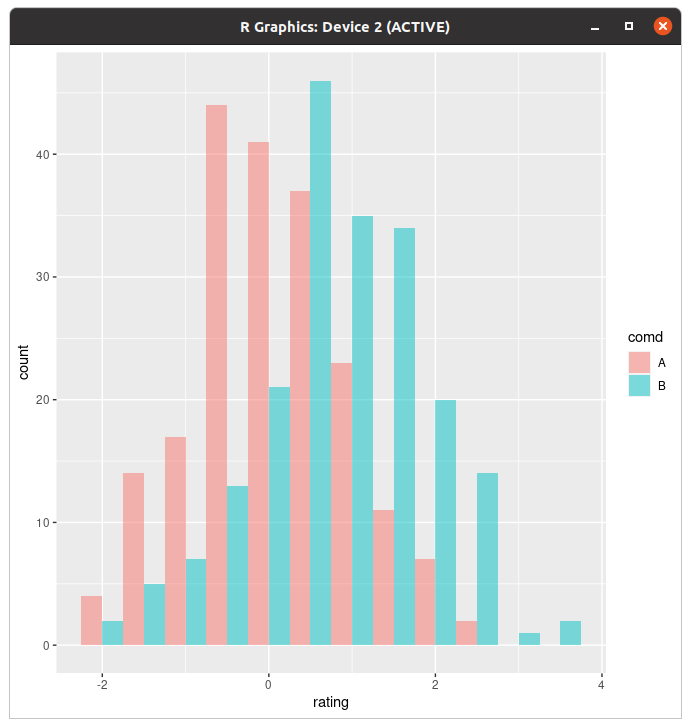
이렇게 닷지로 그리는 법도 있다. 개인적으로는 전자요.
> ggplot(dat, aes(x=rating, fill=comd)) + geom_density(alpha=.3)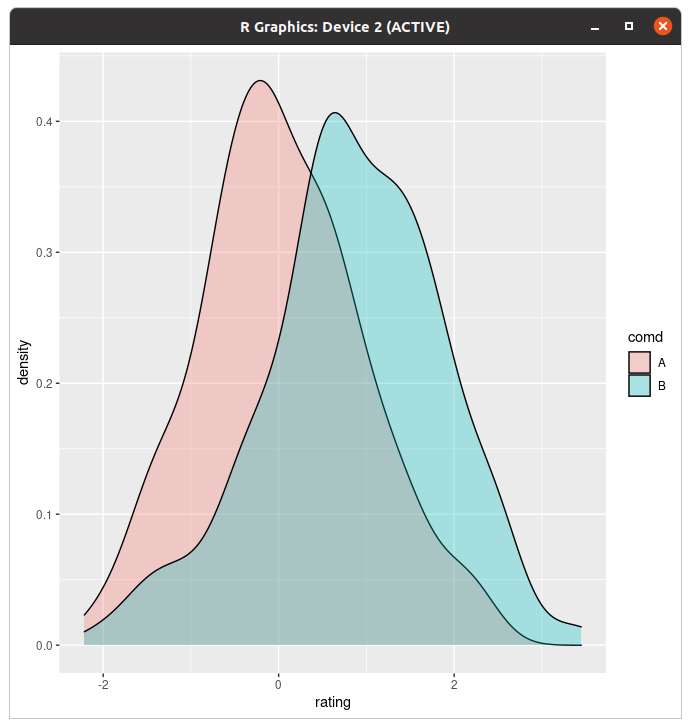
물론 밀도곡선도 된다.
> library(plyr)
> cdat=ddply(dat,"comd",summarise,rating.mean=mean(rating))
> ggplot(dat,aes(x=rating,fill=comd))+geom_histogram(binwidth=.5,alpha=.5,position="dodge")+geom_vline(data=cdat,aes(xintercept=rating.mean,colour=comd))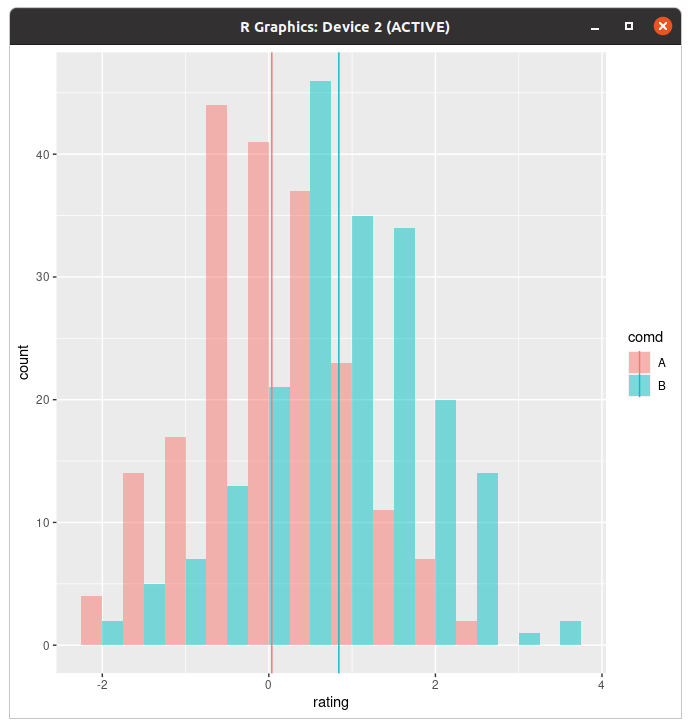
개별로 선 긋는것도 된다. (왜)
> ggplot(dat, aes(x=rating)) + geom_histogram(binwidth=.5, colour="black", fill="white") +
+     facet_grid(comd ~ .)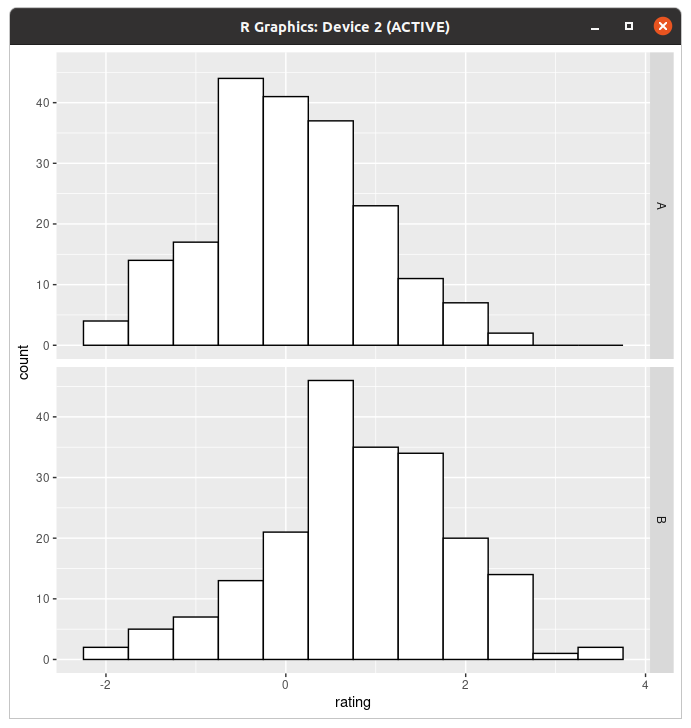
이거는 Facet 파트에서 자세하게 설명할건데 이것도 된다.
박스 그래프(geom_boxplot())
> ggplot(dat, aes(x=comd, y=rating)) + geom_boxplot()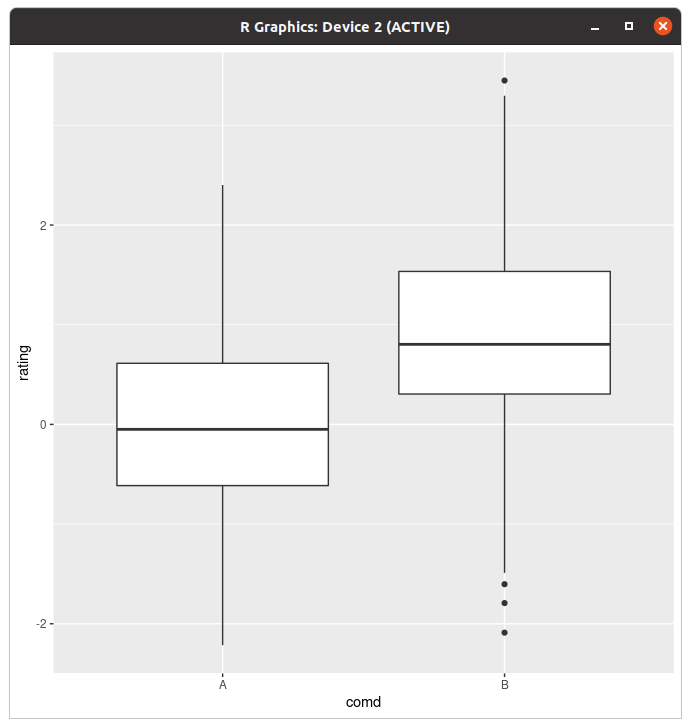
평범한 box plot은 이렇게 생겼다.
> ggplot(dat, aes(x=comd, y=rating,fill=comd)) + geom_boxplot()+coord_flip()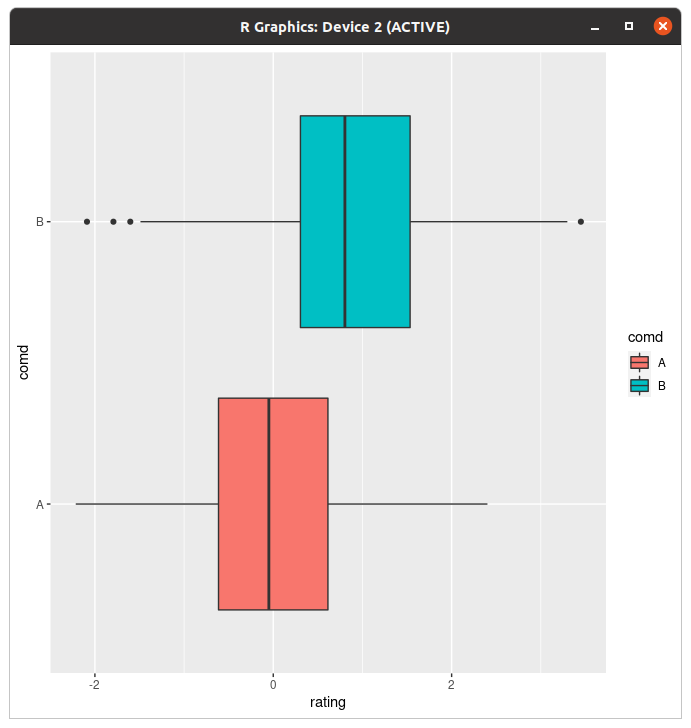
그래서 눕혀드렸습니다^^ (coord_flip=xv축 값을 바꾼다)
> ggplot(dat, aes(x=comd, y=rating,fill=comd)) + geom_boxplot()+stat_summary(fun.y=mean,geom="point",size=3,shape=5)
경고메시지(들):
`fun.y` is deprecated. Use `fun` instead.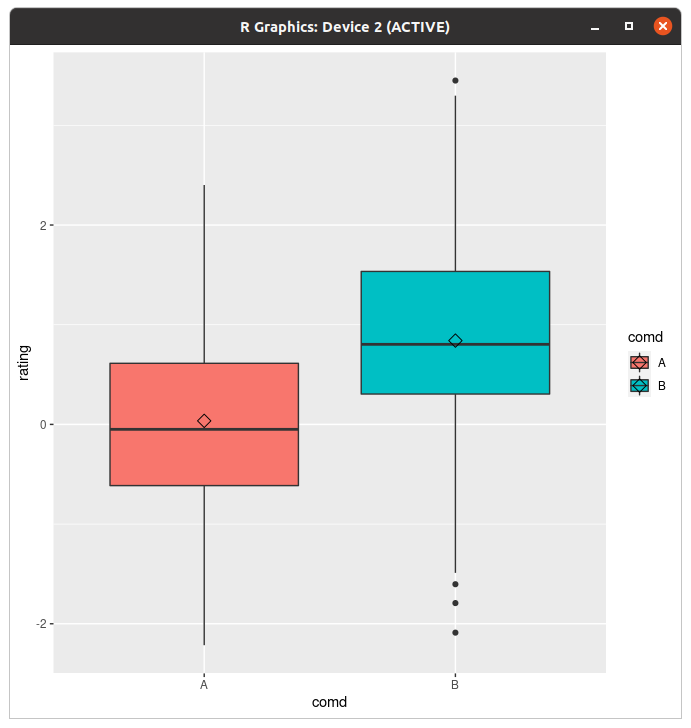
아 평균도 찍어준다니까요
scatter plot(geom_point())
저 포인트 꺾은선에서 본 것 같다고? 쟤는 라인이랑 둘이 쓰면 꺾은선 그래프에 점 찍어주고, 단독으로 쓰면 산점도다.
참고로 예전에 python 하면서도 설명했나 모르겠는데 산점도는 XY축 값이 다 있어야 한다.
> dat <- data.frame(cond = rep(c("A", "B"), each=10),
+                   xvar = 1:20 + rnorm(20,sd=3),
+                   yvar = 1:20 + rnorm(20,sd=3))
> dat
   cond         xvar         yvar
1     A -4.252354091  3.473157275
2     A  1.702317971  0.005939612
3     A  4.323053753 -0.094252427
4     A  1.780628408  2.072808278
5     A 11.537348371  1.215440358
6     A  6.672130388  3.608111411
7     A  0.004294848  7.529210289
8     A  9.971403007  6.156154355
9     A  9.007456032  8.935238147
10    A 11.766997972  8.928092187
11    B  8.840215645 13.202410972
12    B  5.974093783 17.644890794
13    B 15.034828849 10.485402010
14    B 10.985009895 10.138043066
15    B 13.543221961 18.681876114
16    B 11.435789493 19.143471805
17    B 16.977063388 18.832504955
18    B 17.220012698 18.939818864
19    B 17.793359218 19.718587761
20    B 19.319909163 19.647899863
그래서 난수가 1+1이 되었습니다.
> ggplot(dat,aes(x=xvar,y=yvar))+geom_point(shape=1)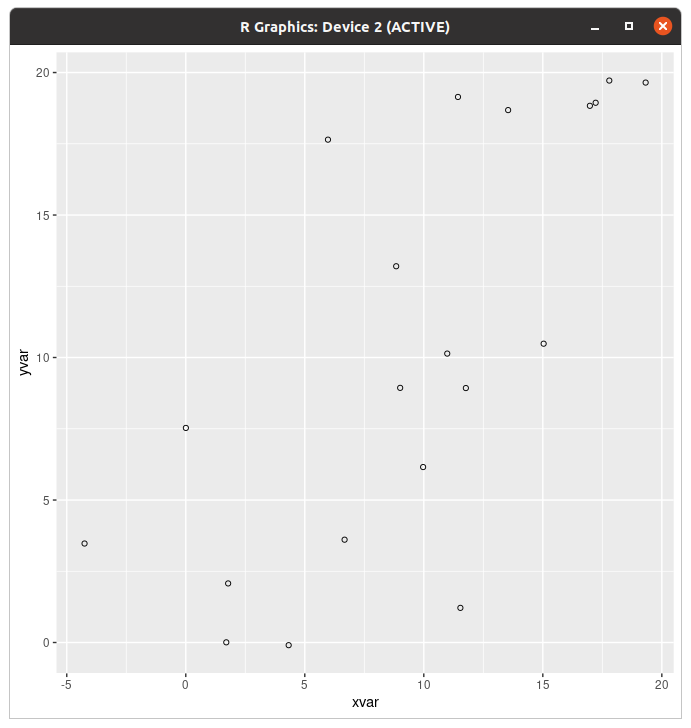
펑범한 산점도
> ggplot(dat,aes(x=xvar,y=yvar))+geom_point(shape=5)+geom_smooth(method=lm,se=FALSE)
`geom_smooth()` using formula 'y ~ x'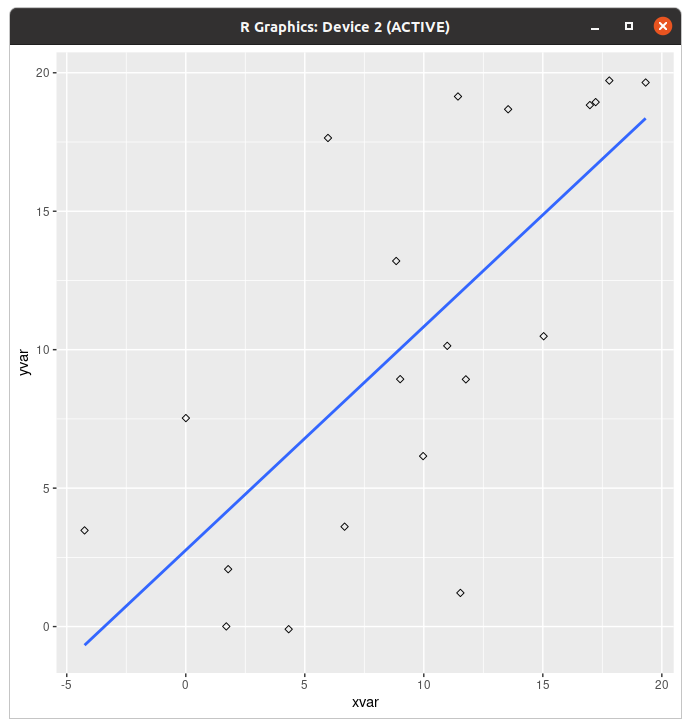
에 regression line을 얹어서 드셔보세요! 그거 먹는거 아냐
> ggplot(dat,aes(x=xvar,y=yvar))+geom_point(shape=5)+geom_smooth(method=lm)
`geom_smooth()` using formula 'y ~ x'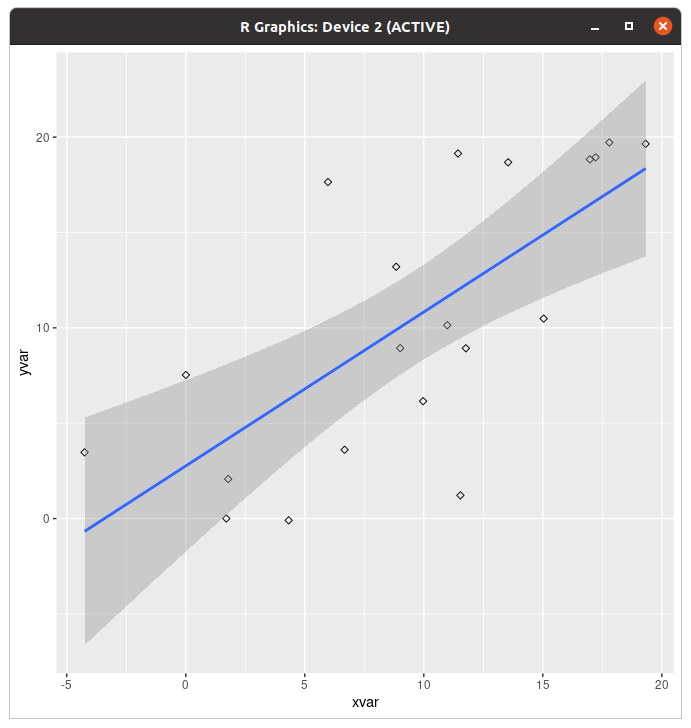
뭔지 모르겠는것도 같이 말아서 드셔보세요!
> ggplot(dat,aes(x=xvar,y=yvar))+geom_point(shape=5)+geom_smooth()
`geom_smooth()` using method = 'loess' and formula 'y ~ x'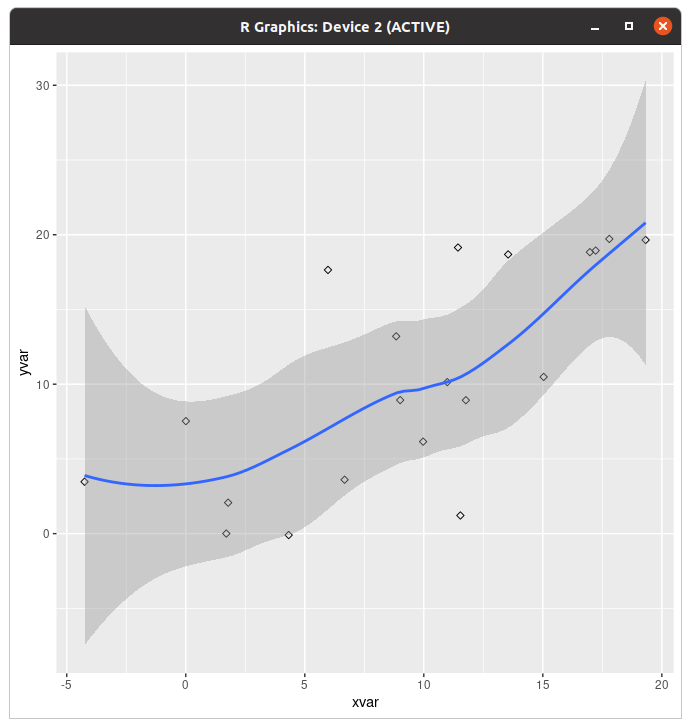
이거 뭔데 애가 흐물흐물해짐???
근데 사람이 살다보면 산점도를 막 그룹별로 그리기도 한다 그죠?
> ggplot(dat,aes(x=xvar,y=yvar,color=cond))+geom_point(size=3)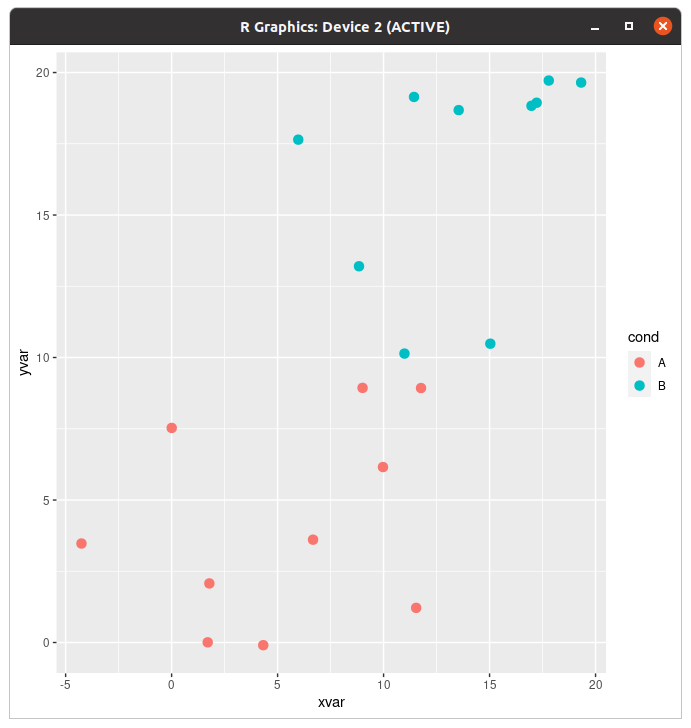
그렇다고
> ggplot(dat,aes(x=xvar,y=yvar,color=cond))+geom_point(size=3)+scale_color_manual(values=c("#f5df4d","#939597"))+geom_smooth(method=lm,se=FALSE)
`geom_smooth()` using formula 'y ~ x'
> ggplot(dat,aes(x=xvar,y=yvar,color=cond))+geom_point(size=3)+scale_color_manual(values=c("#f5df4d","#939597"))+geom_smooth(method=lm,se=FALSE,fullrange=TRUE)
`geom_smooth()` using formula 'y ~ x'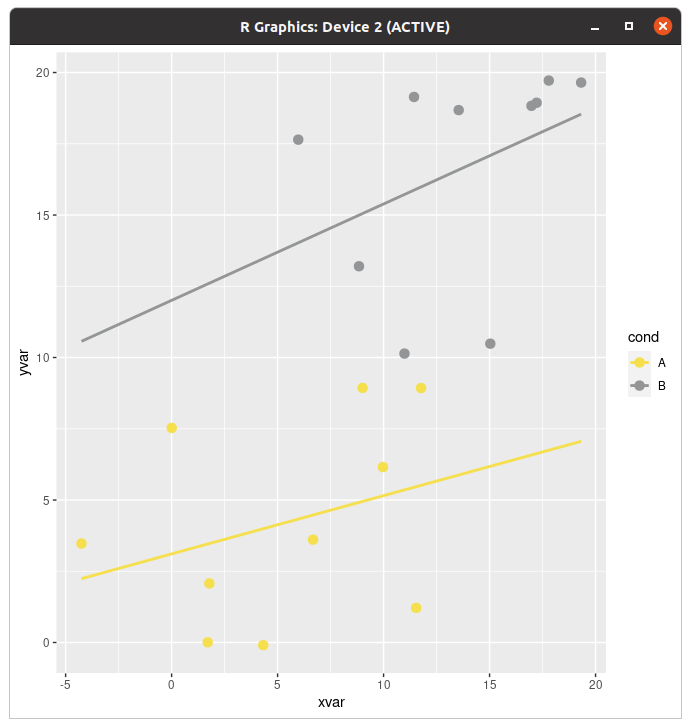
아 회귀곡선도 낭낭하게 따로 넣어드린다니까요
> ggplot(dat,aes(x=xvar,y=yvar,shape=cond,color=cond))+geom_point(size=3)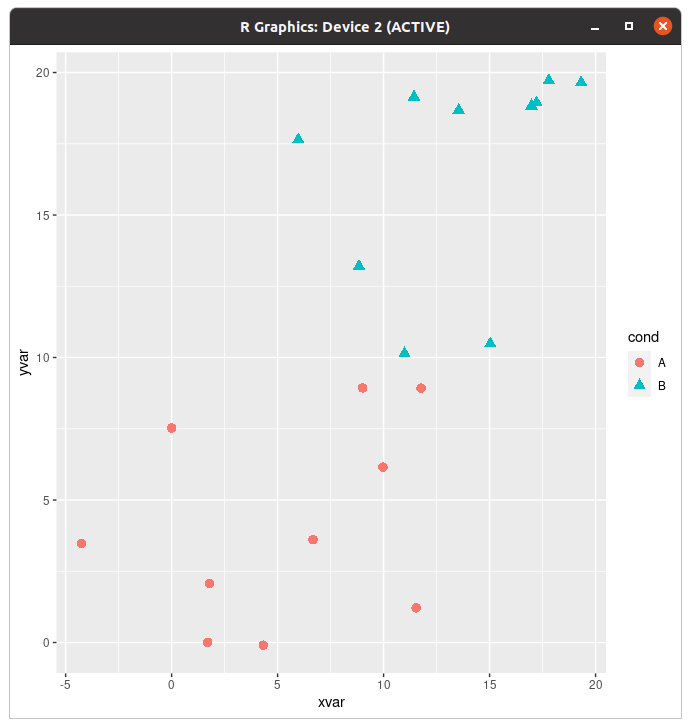
아 점 모양도 낭낭하게 바꿔드린다니까요
오버플로팅이 뭔지는 모르겠으나
> dat$xrnd=round(dat$xvar/5)*5
> dat$yrnd=round(dat$yvar/5)*5
> ggplot(dat,aes(x=xrnd,y=yrnd))+geom_point()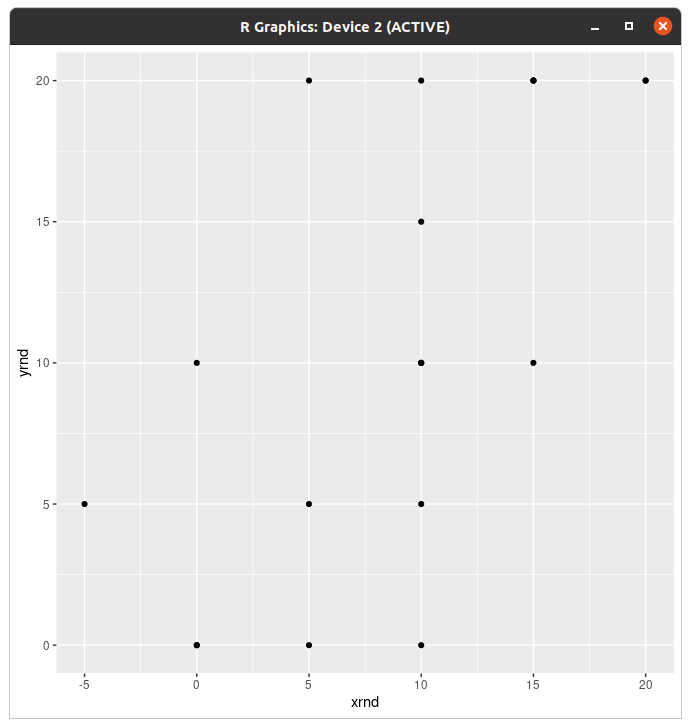
반올림했더니 그래프가 뭐야 내 산점도 돌려줘요가 될 때가 있다.
> ggplot(dat,aes(x=xrnd,y=yrnd))+geom_point(alpha=1/4)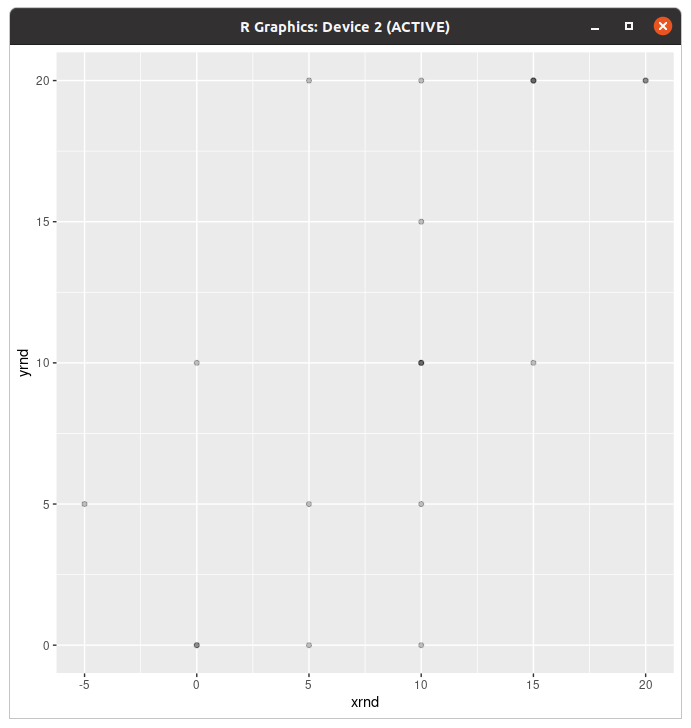
점에 알파를 줘 보면 겹친 영역에 따라 색이 다른 것이 보인다. (진한색이면 거기 겹쳐진 게 많은 거)
> ggplot(dat,aes(x=xrnd,y=yrnd))+geom_point(size=3,position=position_jitter(width=1,height=.5))
닷지 줘도 대충 보이시져?
'Coding > R' 카테고리의 다른 글
| R의 내장 데이터 (부제: 공공데이터 어떻게 받아요?) (0) | 2022.08.22 |
|---|---|
| R 배워보기-8.1. ggplot2로 그래프 그리기 (하) (0) | 2022.08.22 |
| R 배워보기-7. Statistical analysis (하) (0) | 2022.08.21 |
| R 배워보기-7. Statistical analysis (상) (0) | 2022.08.21 |
| R 배워보기- 6.5. Manipulating data-Sequential data (0) | 2022.08.20 |
3부작으로 나눌 걸 그랬나...
라이브러리 다 깔았지들?
Logistic regression(로지스틱 회귀분석)
> dat=subset(mtcars,select=c(mpg,am,vs))
> dat
                     mpg am vs
Mazda RX4           21.0  1  0
Mazda RX4 Wag       21.0  1  0
Datsun 710          22.8  1  1
Hornet 4 Drive      21.4  0  1
Hornet Sportabout   18.7  0  0
Valiant             18.1  0  1
Duster 360          14.3  0  0
Merc 240D           24.4  0  1
Merc 230            22.8  0  1
Merc 280            19.2  0  1
Merc 280C           17.8  0  1
Merc 450SE          16.4  0  0
Merc 450SL          17.3  0  0
Merc 450SLC         15.2  0  0
Cadillac Fleetwood  10.4  0  0
Lincoln Continental 10.4  0  0
Chrysler Imperial   14.7  0  0
Fiat 128            32.4  1  1
Honda Civic         30.4  1  1
Toyota Corolla      33.9  1  1
Toyota Corona       21.5  0  1
Dodge Challenger    15.5  0  0
AMC Javelin         15.2  0  0
Camaro Z28          13.3  0  0
Pontiac Firebird    19.2  0  0
Fiat X1-9           27.3  1  1
Porsche 914-2       26.0  1  0
Lotus Europa        30.4  1  1
Ford Pantera L      15.8  1  0
Ferrari Dino        19.7  1  0
Maserati Bora       15.0  1  0
Volvo 142E          21.4  1  1
이거 뭐 내장 데이터라고 함...
예측 변수는 연속적인데 결과가 이분법(얘 아니면 쟤)
> logr_vm=glm(vs~mpg,data=dat,family=binomial)
> logr_vm

Call:  glm(formula = vs ~ mpg, family = binomial, data = dat)

Coefficients:
(Intercept)          mpg
    -8.8331       0.4304

Degrees of Freedom: 31 Total (i.e. Null);  30 Residual
Null Deviance:	    43.86
Residual Deviance: 25.53 	AIC: 29.53
> logr_vm <- glm(vs ~ mpg, data=dat, family=binomial(link="logit"))
> logr_vm
Call: glm(formula = vs ~ mpg, family = binomial(link = "logit"), data = dat)
Coefficients:
(Intercept) mpg
-8.8331 0.4304
Degrees of Freedom: 31 Total (i.e. Null); 30 Residual
Null Deviance: 43.86
Residual Deviance: 25.53 AIC: 29.53일단 둘 중 하나 적용하면 된다. 어차피 결과는 같아서...
> summary(logr_vm)

Call:
glm(formula = vs ~ mpg, family = binomial(link = "logit"), data = dat)

Deviance Residuals:
    Min       1Q   Median       3Q      Max
-2.2127  -0.5121  -0.2276   0.6402   1.6980

Coefficients:
            Estimate Std. Error z value Pr(>|z|)
(Intercept)  -8.8331     3.1623  -2.793  0.00522 **
mpg           0.4304     0.1584   2.717  0.00659 **
---
Signif. codes:  0 ‘***’ 0.001 ‘**’ 0.01 ‘*’ 0.05 ‘.’ 0.1 ‘ ’ 1

(Dispersion parameter for binomial family taken to be 1)

    Null deviance: 43.860  on 31  degrees of freedom
Residual deviance: 25.533  on 30  degrees of freedom
AIC: 29.533

Number of Fisher Scoring iterations: 6
이쪽은 회귀분석과 마찬가지로 summary()로 더보기가 된다. 같은 회귀분석이라 그런가 쟤는 선형인데?
> library(ggplot2)
> ggplot(dat, aes(x=mpg, y=vs)) + geom_point() +
+   stat_smooth(method="glm", method.args=list(family="binomial"), se=FALSE)
`geom_smooth()` using formula 'y ~ x'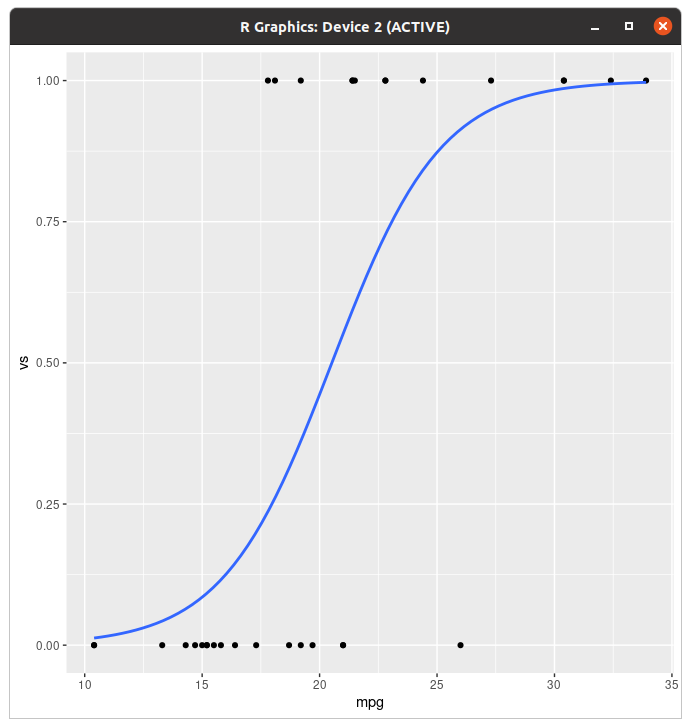
처음에 geom 보고 점이라 저렇게 쓴건가 했음... ㅋㅋㅋㅋㅋㅋ 아 이 그래프는 그리시려면 ggplot2 깔아야됨. 어차피 다음 챕터도 저거니까 걍 지금 까세요.
> par(mar=c(4,4,1,1))
> plot(dat$mpg,dat$vs)
> curve(predict(logr_vm,data.frame(mpg=x),type="response"),add=TRUE)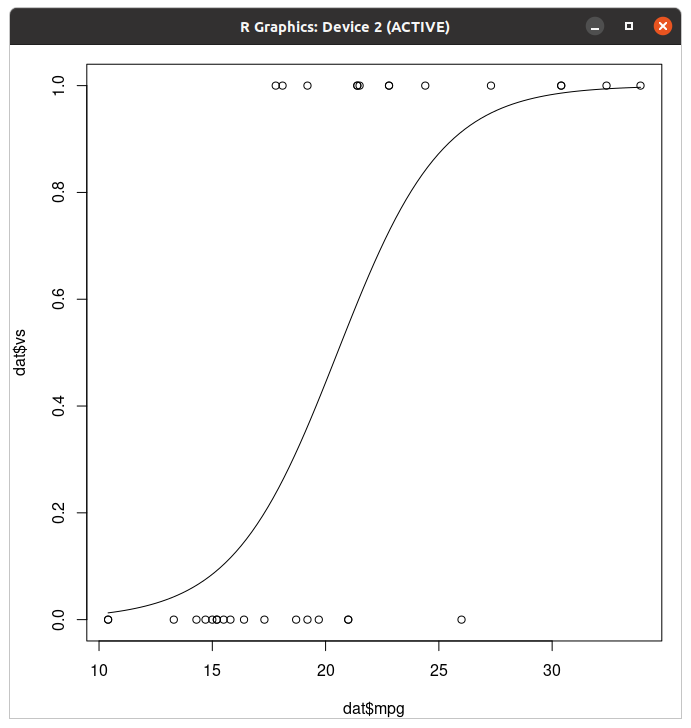
이거는 ggplot2 없어도 될건데...
예측변수와 결과가 둘 다 이분법(둘다 얘 아니면 쟤) 무슨 시그모이드냐
> logr_va=glm(vs~am,data=dat,family=binomial)
> logr_va

Call:  glm(formula = vs ~ am, family = binomial, data = dat)

Coefficients:
(Intercept)           am
    -0.5390       0.6931

Degrees of Freedom: 31 Total (i.e. Null);  30 Residual
Null Deviance:	    43.86
Residual Deviance: 42.95 	AIC: 46.95
근데 am은 뭐임? am pm은 아닐것인데... 각도도 아니고.
> ggplot(dat, aes(x=am, y=vs)) +
+   geom_point(shape=1, position=position_jitter(width=.05,height=.05)) +
+   stat_smooth(method="glm", method.args=list(family="binomial"), se=FALSE)
`geom_smooth()` using formula 'y ~ x'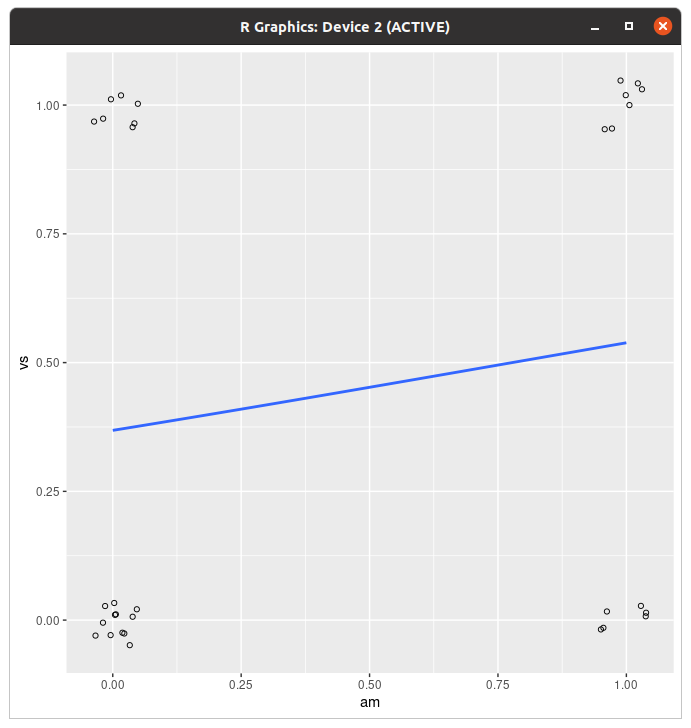
뭐야 내 인테그랄 돌려줘요 로지스틱 의문의 적분기호행
> par(mar=c(4,4,1,1))
> plot(jitter(dat$am,.2),jitter(dat$vs,.2))
> curve(predict(logr_va, data.frame(am=x), type="response"), add=TRUE)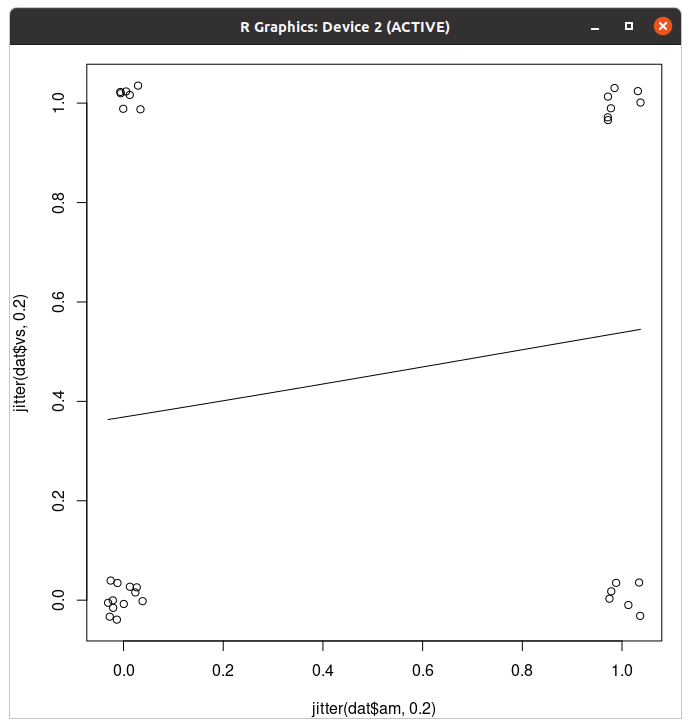
(마른세수)
예측 데이터가 이분법+연속형 짬뽕이고 결과는 이분법인 예
> logr_vma=glm(vs~mpg+am,data=dat,family=binomial)
> logr_vma

Call:  glm(formula = vs ~ mpg + am, family = binomial, data = dat)

Coefficients:
(Intercept)          mpg           am
   -12.7051       0.6809      -3.0073

Degrees of Freedom: 31 Total (i.e. Null);  29 Residual
Null Deviance:	    43.86
Residual Deviance: 20.65 	AIC: 26.65
(대충 이렇게 분석하면 된다는 얘기)
예측 데이터 여러개와 상호작용(Interaction)
> logr_vmai=glm(vs~mpg*am,data=dat,family=binomial)
> logr_vmai

Call:  glm(formula = vs ~ mpg * am, family = binomial, data = dat)

Coefficients:
(Intercept)          mpg           am       mpg:am
   -20.4784       1.1084      10.1055      -0.6637

Degrees of Freedom: 31 Total (i.e. Null);  28 Residual
Null Deviance:	    43.86
Residual Deviance: 19.12 	AIC: 27.12
> logr_vmai=glm(vs~mpg+am+mpg:am,data=dat,family=binomial)
> logr_vmai
Call: glm(formula = vs ~ mpg + am + mpg:am, family = binomial, data = dat)
Coefficients:
(Intercept) mpg am mpg:am
-20.4784 1.1084 10.1055 -0.6637
Degrees of Freedom: 31 Total (i.e. Null); 28 Residual
Null Deviance: 43.86
Residual Deviance: 19.12 AIC: 27.12둘 중 아무거나 쓰면 된다. 근데 얘는 왜 그래프 없음?
등분산 검정
> head(InsectSprays)
  count spray
1    10     A
2     7     A
3    20     A
4    14     A
5    14     A
6    12     A
이거랑
> tg=ToothGrowth
> tg$dose=factor(tg$dose)
> head(tg)
   len supp dose
1  4.2   VC  0.5
2 11.5   VC  0.5
3  7.3   VC  0.5
4  5.8   VC  0.5
5  6.4   VC  0.5
6 10.0   VC  0.5
이거 쓸 건데 독립변수가 하나냐 멀티냐 차이다. 둘 다 내장 데이터인듯.
> plot(count~spray,data=InsectSprays)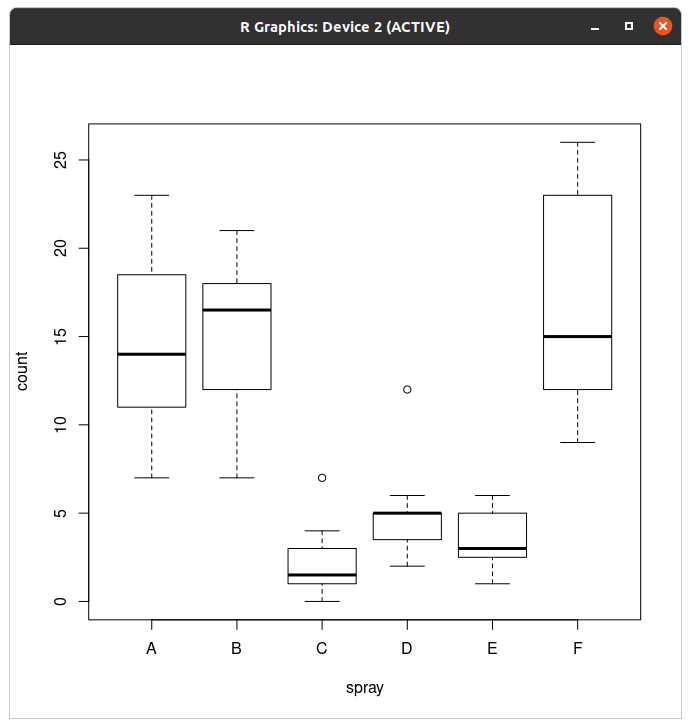
> plot(len ~ interaction(dose,supp), data=ToothGrowth)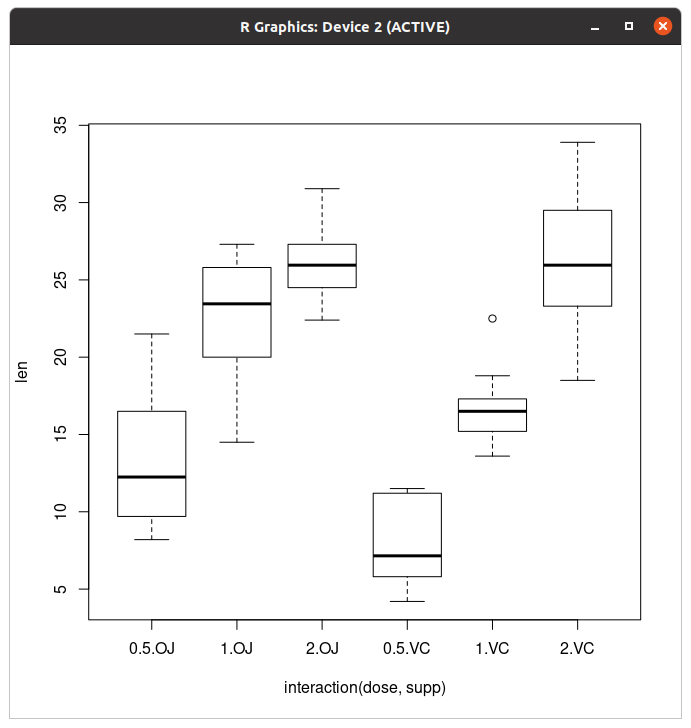
각 데이터별 박스 그래프는 대충 이런 모양이다.
Bartlett’s test
> bartlett.test(count~spray,data=InsectSprays)

	Bartlett test of homogeneity of variances

data:  count by spray
Bartlett's K-squared = 25.96, df = 5, p-value = 9.085e-05
독립 변수가 하나일 때
> bartlett.test(len~interaction(supp,dose),data=ToothGrowth)

	Bartlett test of homogeneity of variances

data:  len by interaction(supp, dose)
Bartlett's K-squared = 6.9273, df = 5, p-value = 0.2261
독립 변수가 여러개일 때(interaction()으로 합쳐야 한다)
Levene’s test
이거 쓰려면 뭐 또 깔아야됨... car 깔고 오세여.
> leveneTest(count~spray,data=InsectSprays)
Levene's Test for Homogeneity of Variance (center = median)
      Df F value   Pr(>F)
group  5  3.8214 0.004223 **
      66
---
Signif. codes:  0 ‘***’ 0.001 ‘**’ 0.01 ‘*’ 0.05 ‘.’ 0.1 ‘ ’ 1
독립 변수가 하나일 때
> leveneTest(len~supp*dose,data=tg)
Levene's Test for Homogeneity of Variance (center = median)
      Df F value Pr(>F)
group  5  1.7086 0.1484
      54
독립 변수가 여러개일 때
Fligner-Killeen test
> fligner.test(count~spray,data=InsectSprays)

	Fligner-Killeen test of homogeneity of variances

data:  count by spray
Fligner-Killeen:med chi-squared = 14.483, df = 5, p-value = 0.01282
독립 변수가 하나일 때
> fligner.test(len~interaction(supp,dose),data=ToothGrowth)

	Fligner-Killeen test of homogeneity of variances

data:  len by interaction(supp, dose)
Fligner-Killeen:med chi-squared = 7.7488, df = 5, p-value = 0.1706
독립 변수가 여러개일 때(얘도 interaction()으로 묶는다)
Inter-rater reliability
네 irr 깔고 오시면 되겠습니다.
> library(irr)
필요한 패키지를 로딩중입니다: lpSolve
> data(diagnoses)
> dat=diagnoses[,1:3]
> head(dat)
                   rater1                  rater2                  rater3
1             4. Neurosis             4. Neurosis             4. Neurosis
2 2. Personality Disorder 2. Personality Disorder 2. Personality Disorder
3 2. Personality Disorder        3. Schizophrenia        3. Schizophrenia
4                5. Other                5. Other                5. Other
5 2. Personality Disorder 2. Personality Disorder 2. Personality Disorder
6           1. Depression           1. Depression        3. Schizophrenia
그리고 이걸 또 데려옴...
Kohen's kappa
> kappa2(dat[,c(1,2)],"unweighted")
 Cohen's Kappa for 2 Raters (Weights: unweighted)

 Subjects = 30
   Raters = 2
    Kappa = 0.651

        z = 7
  p-value = 2.63e-12
응? 가중치? 이거는 나중에 설명드림. 일단 이렇게 하시면 됩니다.
N raters: Fleiss’s Kappa, Conger’s Kappa
> kappam.fleiss(dat)
 Fleiss' Kappa for m Raters

 Subjects = 30
   Raters = 3
    Kappa = 0.534

        z = 9.89
  p-value = 0
Fleiss's kappa
> kappam.fleiss(dat,exact=TRUE)
 Fleiss' Kappa for m Raters (exact value)

 Subjects = 30
   Raters = 3
    Kappa = 0.55
Conger's exact kappa
Kohen's kappa(weighted)
데이터가 순서가 있는 데이터일 경우 가중치가 추가된다고...
> data(anxiety)
> dfa=anxiety[,c(1,2)]
> head(dfa)
  rater1 rater2
1      3      3
2      3      6
3      3      4
4      4      6
5      5      2
6      5      4
이 데이터를 쓸 예정이다. ...여기 순서가 있었음?
> kappa2(dfa,"squared")
 Cohen's Kappa for 2 Raters (Weights: squared)

 Subjects = 20
   Raters = 2
    Kappa = 0.297

        z = 1.34
  p-value = 0.18
Weight=squared
> kappa2(dfa,"equal")
 Cohen's Kappa for 2 Raters (Weights: equal)

 Subjects = 20
   Raters = 2
    Kappa = 0.189

        z = 1.42
  p-value = 0.157
Weight=equal
> kappa2(dfa,"unweighted")
 Cohen's Kappa for 2 Raters (Weights: unweighted)

 Subjects = 20
   Raters = 2
    Kappa = 0.119

        z = 1.16
  p-value = 0.245
가중치 없음
Kohen's kappa(weighted)+factor
팩터: 레벨이 있는 그거 맞음
> dfa2=dfa
> dfa2$rater1=factor(dfa2$rater1,levels=1:6,labels=LETTERS[1:6])
> dfa2$rater2=factor(dfa2$rater2,levels=1:6,labels=LETTERS[1:6])
> head(dfa2)
  rater1 rater2
1      C      C
2      C      F
3      C      D
4      D      F
5      E      B
6      E      D
위에서 불러 온 데이터들을 팩터화한 다음, 레벨을 매겼다.
> levels(dfa2$rater1)
[1] "A" "B" "C" "D" "E" "F"
> levels(dfa2$rater2)
[1] "A" "B" "C" "D" "E" "F"
그래서 이렇게 됐다. (아마 label이 letter 1~6이라 알파벳으로 표기된 듯)
> kappa2(dfa2,"squared")
 Cohen's Kappa for 2 Raters (Weights: squared)

 Subjects = 20
   Raters = 2
    Kappa = 0.297

        z = 1.34
  p-value = 0.18
Weight=squared
> kappa2(dfa2,"equal")
 Cohen's Kappa for 2 Raters (Weights: equal)

 Subjects = 20
   Raters = 2
    Kappa = 0.189

        z = 1.42
  p-value = 0.157
Weight=equal
> kappa2(dfa2,"unweighted")
 Cohen's Kappa for 2 Raters (Weights: unweighted)

 Subjects = 20
   Raters = 2
    Kappa = 0.119

        z = 1.16
  p-value = 0.245
가중치 없음
ICC(Intraclass correlation coefficient)
이건 또 무슨 저세상 용어냐...OTL
> icc(anxiety,model="twoway",type="agreement")
 Single Score Intraclass Correlation

   Model: twoway
   Type : agreement

   Subjects = 20
     Raters = 3
   ICC(A,1) = 0.198

 F-Test, H0: r0 = 0 ; H1: r0 > 0
 F(19,39.7) = 1.83 , p = 0.0543

 95%-Confidence Interval for ICC Population Values:
  -0.039 < ICC < 0.494
정말 이건 무슨 저세상 용어인가요...
'Coding > R' 카테고리의 다른 글
| R 배워보기-8.1. ggplot2로 그래프 그리기 (하) (0) | 2022.08.22 |
|---|---|
| R 배워보기-8.1. ggplot2로 그래프 그리기 (상) (0) | 2022.08.22 |
| R 배워보기-7. Statistical analysis (상) (0) | 2022.08.21 |
| R 배워보기- 6.5. Manipulating data-Sequential data (0) | 2022.08.20 |
| R 배워보기- 6.4. Manipulating data-Restructing data (0) | 2022.08.20 |
들어가기 전에
1) R의 꽃, R의 주목적이다보니 분량이 어마무시하게 길다. 네이버에서 글 분량갖고 자르진 않겠지만 그래서 상, 하편으로 나눠서 작성할 예정이다. (cookbook 소챕터 3:3으로 나눔)
2) 그리고 이새기들 자꾸 안 알려주고 뜬금없이 라이브러리 소환하세요 하는데 오늘도 깔아야 할 패키지가 있다. 하편에 나오는 것도 있고 상편에 나오는 것도 있는데 그냥 다 깔고 가자.
install.packages("car")
install.packages("ggplot2")
install.packages("exact2x2")
install.packages("irr")
3) 처음 보는 분석들이 많아서 나도 이게 뭔지 모른다. 따라서 이론적인 설명은 패스.
회귀분석과 상관계수
참고로 여기서 만드는 데이터는 진짜 새발의 피수준... 나중 가면 라이브러리 깔아서 불러온다.
> set.seed(1)
> xvar=1:20+rnorm(20,sd=3)
> zvar=1:20/4+rnorm(20,sd=2)
> yvar=2*xvar+xvar*zvar/5+3+rnorm(20,sd=4)
> dat=data.frame(x=xvar,y=yvar,z=zvar)
> dat
x y z
1 -0.8793614 0.2159694 2.0879547
2 2.5509300 8.1415762 2.0642726
3 0.4931142 6.8627566 0.8991300
4 8.7858424 17.5642539 -2.9787034
5 5.9885233 15.2038911 2.4896515
6 3.5385948 8.2293408 1.3877425
7 8.4622872 23.8173481 1.4384090
8 10.2149741 24.5805906 -0.9415048
9 10.7273441 26.7808960 1.2936999
10 9.0838348 30.7526228 3.3358831
11 15.5353435 52.6505709 5.4673591
12 13.1695297 34.2512053 2.7944245
13 11.1362783 35.6025037 4.0253432
14 7.3559003 18.1851647 3.3923899
15 18.3747928 49.1415013 0.9958809
16 15.8651992 52.7105687 3.1700109
17 16.9514292 47.1691760 3.4614201
18 20.8315086 58.7406015 4.3813732
19 21.4636636 78.0409159 6.9500507
20 21.7817040 74.4542008 6.5263515회귀분석은 이놈으로 해 보자.
> head(dat)
           x          y         z
1 -0.8793614  0.2159694  2.087955
2  2.5509300  8.1415762  2.064273
3  0.4931142  6.8627566  0.899130
4  8.7858424 17.5642539 -2.978703
5  5.9885233 15.2038911  2.489651
6  3.5385948  8.2293408  1.387743
> tail(dat)
x y z
15 18.37479 49.14150 0.9958809
16 15.86520 52.71057 3.1700109
17 16.95143 47.16918 3.4614201
18 20.83151 58.74060 4.3813732
19 21.46366 78.04092 6.9500507
20 21.78170 74.45420 6.5263515참고로 데이터 분량이 씁 아 이건 좀 그렇네 싶으면 head()나 tail()을 써 보자. pandas의 head(), tail()과 똑같이 데이터의 머리꼬리를 뽑아준다.
> head(dfa,5)
  rater1 rater2
1      3      3
2      3      6
3      3      4
4      4      6
5      5      2
숫자 지정은 이런 식으로 하면 된다. 아무튼 다시 분석하러 가 봅시다.
Correlation(상관분석)
상관계수는 그냥 이걸로 분석하면 된다.
> cor(dat$x,dat$y)
[1] 0.9669456
혹시 분석을 뭉텅이로 해야 해서 일일이 못 돌릴 것 같은가?
> cor(dat)
          x         y         z
x 1.0000000 0.9669456 0.5479301
y 0.9669456 1.0000000 0.6893575
z 0.5479301 0.6893575 1.0000000
아 그럼 행렬 만들면 된다.
> round(cor(dat),2)
     x    y    z
x 1.00 0.97 0.55
y 0.97 1.00 0.69
z 0.55 0.69 1.00
반올림도 해준다.
Bradford assay의 경우 무게를 알고 있는 단백질을 Bradford adday를 통해 분석한 다음 그걸로 standard curve를 그리게 되는데, 이 때 r^2를 계산하게 된다. 그리고 r^2가 1에 가까울 수록 잘 된거다. 그 알제곱이 저거다. 아마도?
Linear regression(선형 회귀분석)
> fit=lm(y~x,data=dat)
> fit

Call:
lm(formula = y ~ x, data = dat)

Coefficients:
(Intercept)            x
     -1.962        3.172
> fit=lm(dat$y~dat$x)
> fit
Call:
lm(formula = dat$y ~ dat$x)
Coefficients:
(Intercept) dat$x
-1.962 3.172선형 회귀 분석은 이걸로 하면 된다. 둘 다 같은건데, 위 코드는 데이터프레임 컬럼 불러서 진행한거고 아래는 데이터프레임 컬럼 벡터로 픽해서 했다. Intercept는 절편(여기서는 y 절편).
> summary(fit)

Call:
lm(formula = dat$y ~ dat$x)

Residuals:
   Min     1Q Median     3Q    Max
-8.341 -5.304 -1.047  4.505 11.925

Coefficients:
            Estimate Std. Error t value Pr(>|t|)
(Intercept)  -1.9619     2.5497  -0.769    0.452
dat$x         3.1718     0.1971  16.089 3.97e-12 ***
---
Signif. codes:  0 ‘***’ 0.001 ‘**’ 0.01 ‘*’ 0.05 ‘.’ 0.1 ‘ ’ 1

Residual standard error: 5.894 on 18 degrees of freedom
Multiple R-squared:  0.935,	Adjusted R-squared:  0.9314
F-statistic: 258.9 on 1 and 18 DF,  p-value: 3.968e-12
자세한 정보가 궁금하다면 summary()를 쓰면 된다.
네? 여러개요?
> fit2=lm(y~x+z,data=dat)
> fit2

Call:
lm(formula = y ~ x + z, data = dat)

Coefficients:
(Intercept)            x            z
     -3.145        2.762        2.190
> fit2=lm(dat$y~dat$x+dat$z)
> fit2
Call:
lm(formula = dat$y ~ dat$x + dat$z)
Coefficients:
(Intercept) dat$x dat$z
-3.145 2.762 2.190둘 중 하나 픽해서 하면 된다. (Intercept는 아까도 말했듯 절편)
> summary(fit2)

Call:
lm(formula = dat$y ~ dat$x + dat$z)

Residuals:
    Min      1Q  Median      3Q     Max
-6.4155 -2.8132  0.0799  1.9206  6.6844

Coefficients:
            Estimate Std. Error t value Pr(>|t|)
(Intercept)  -3.1445     1.7599  -1.787 0.091817 .
dat$x         2.7620     0.1610  17.160  3.6e-12 ***
dat$z         2.1896     0.4713   4.646 0.000231 ***
---
Signif. codes:  0 ‘***’ 0.001 ‘**’ 0.01 ‘*’ 0.05 ‘.’ 0.1 ‘ ’ 1

Residual standard error: 4.025 on 17 degrees of freedom
Multiple R-squared:  0.9714,	Adjusted R-squared:  0.968
F-statistic: 288.3 on 2 and 17 DF,  p-value: 7.669e-14
근데 summary는 요약 아님?
Interaction 껴서 분석하기
> fit3=lm(y~x*z,data=dat)
> fit3

Call:
lm(formula = y ~ x * z, data = dat)

Coefficients:
(Intercept)            x            z          x:z
     2.8057       2.1931      -0.4598       0.1950
> fit3=lm(y~x+z+x:z,data=dat)
> fit3
Call:
lm(formula = y ~ x + z + x:z, data = dat)
Coefficients:
(Intercept) x z x:z
2.8057 2.1931 -0.4598 0.1950Interaction 껴서 분석하는 것도 된다. 근데 이게 뭐 하는건지는 나도 모른다.
> summary(fit3)

Call:
lm(formula = y ~ x + z + x:z, data = dat)

Residuals:
    Min      1Q  Median      3Q     Max
-5.5313 -2.5372  0.1603  1.8645  6.7627

Coefficients:
            Estimate Std. Error t value Pr(>|t|)
(Intercept)  2.80570    2.41253   1.163  0.26189
x            2.19312    0.22715   9.655 4.47e-08 ***
z           -0.45978    0.94445  -0.487  0.63299
x:z          0.19497    0.06346   3.072  0.00729 **
---
Signif. codes:  0 ‘***’ 0.001 ‘**’ 0.01 ‘*’ 0.05 ‘.’ 0.1 ‘ ’ 1

Residual standard error: 3.29 on 16 degrees of freedom
Multiple R-squared:  0.982,	Adjusted R-squared:  0.9786
F-statistic: 290.7 on 3 and 16 DF,  p-value: 3.673e-14
물론 얘도 summary()로 자세히 볼 수 있다.
T-test
> x=floor(runif(25)*100)
> y=floor(runif(25)*105)
> x
 [1] 99 49 48 17 75 45 51 20 22 59 57  7  3 64 92 59 56 52 98 50 68 60 23 25 72
> y
 [1] 47 18 78 11 90 64 58 34 47 52 18 55  7 29 22 29 93 46 81 92 43  6 35 75 35
데이터 가져오기 귀찮으면 만들면 된다.
> data=data.frame(x,y)
> head(data)
   x  y
1 99 47
2 49 18
3 48 78
4 17 11
5 75 90
6 45 64
오케이 가즈아!
평범하게 T-test 웰치스?
> t.test(x,y)

	Welch Two Sample t-test

data:  x and y
t = 0.56293, df = 47.977, p-value = 0.5761
alternative hypothesis: true difference in means is not equal to 0
95 percent confidence interval:
 -10.90445  19.38445
sample estimates:
mean of x mean of y
    50.84     46.60
이거 치면 끝.
> t.test(data$x,data$y)이것도 먹힌다.
> t.test(x,y,var.equal=TRUE)

	Two Sample t-test

data:  x and y
t = 0.56293, df = 48, p-value = 0.5761
alternative hypothesis: true difference in means is not equal to 0
95 percent confidence interval:
 -10.90427  19.38427
sample estimates:
mean of x mean of y
    50.84     46.60
var.equal=TRUE 옵션을 주면 스튜던트 T-test를 진행할 수 있다. default는 웰치스 T-test. 잠깐만 웰치스라고 했음? 아니 그 음료수 아니... 스펠이 왜 똑같지?
Paired T-test
> t.test(x,y,paired=TRUE)

	Paired t-test

data:  x and y
t = 0.6259, df = 24, p-value = 0.5373
alternative hypothesis: true difference in means is not equal to 0
95 percent confidence interval:
 -9.741436 18.221436
sample estimates:
mean of the differences
                   4.24
paired=TRUE 옵션을 주면 paired T-test도 가능하다.
One sample T-test
엥? 근데 저 데이터 하난데 어캄?
> t.test(x,mu=0)

	One Sample t-test

data:  x
t = 9.6518, df = 24, p-value = 9.776e-10
alternative hypothesis: true mean is not equal to 0
95 percent confidence interval:
 39.9686 61.7114
sample estimates:
mean of x
    50.84
> t.test(y,mu=0)
One Sample t-test
data: y
t = 8.6554, df = 24, p-value = 7.617e-09
alternative hypothesis: true mean is not equal to 0
95 percent confidence interval:
35.48812 57.71188
sample estimates:
mean of x
46.6단식도 된다. mu=0은 모평균을 0으로 놓고 본다는 얘기. 모평균은 뮤, 모표준편차는 시그마 제곱이다.
빈도 분석
> data <- read.table(header=TRUE, text='
+  condition result
+    control      0
+    control      0
+    control      0
+    control      0
+  treatment      1
+    control      0
+    control      0
+  treatment      0
+  treatment      1
+    control      1
+  treatment      1
+  treatment      1
+  treatment      1
+  treatment      1
+  treatment      0
+    control      0
+    control      1
+    control      0
+    control      1
+  treatment      0
+  treatment      1
+  treatment      0
+  treatment      0
+    control      0
+  treatment      1
+    control      0
+    control      0
+  treatment      1
+  treatment      0
+  treatment      1
+ ')
> head(data)
  condition result
1   control      0
2   control      0
3   control      0
4   control      0
5 treatment      1
6   control      0
데이터는 고마운데 분량 이거 ㄷㄷ

이럴 땐 이런 분석! 이라고 올려뒀더라고...
X^2(카이스퀘어, Chi-square)
> ct=table(data$result)
> ct

 0  1
17 13
참고로 빈도 분석은 어떤 형태로든 contingency table을 먼저 만들고 시작한다. 여기서는 글 분량때문에 같은 종류의 테이블에 대해서는 코드 생략하고 뭘로 만들었는지만 기재한다.
> chisq.test(ct)

	Chi-squared test for given probabilities

data:  ct
X-squared = 0.53333, df = 1, p-value = 0.4652
평범한 카이스퀘어
> pt=c(.75,.25) # 확률값
> chisq.test(ct,p=pt)

	Chi-squared test for given probabilities

data:  ct
X-squared = 5.3778, df = 1, p-value = 0.02039
기대 빈도수가 다르다고 전제하고 계산하는 카이스퀘어
> chi_res=chisq.test(ct,p=pt)
> str(chi_res)
List of 9
 $ statistic: Named num 5.38
  ..- attr(*, "names")= chr "X-squared"
 $ parameter: Named num 1
  ..- attr(*, "names")= chr "df"
 $ p.value  : num 0.0204
 $ method   : chr "Chi-squared test for given probabilities"
 $ data.name: chr "ct"
 $ observed : 'table' int [1:2(1d)] 17 13
  ..- attr(*, "dimnames")=List of 1
  .. ..$ : chr [1:2] "0" "1"
 $ expected : Named num [1:2] 22.5 7.5
  ..- attr(*, "names")= chr [1:2] "0" "1"
 $ residuals: 'table' num [1:2(1d)] -1.16 2.01
  ..- attr(*, "dimnames")=List of 1
  .. ..$ : chr [1:2] "0" "1"
 $ stdres   : 'table' num [1:2(1d)] -2.32 2.32
  ..- attr(*, "dimnames")=List of 1
  .. ..$ : chr [1:2] "0" "1"
 - attr(*, "class")= chr "htest"
얘는 카이스퀘어 돌린 거 변수 지정하고 str()로 봐야 자세히 보인다.
Exact binomial test
> binom.test(ct,p=0.5)

	Exact binomial test

data:  ct
number of successes = 17, number of trials = 30, p-value = 0.5847
alternative hypothesis: true probability of success is not equal to 0.5
95 percent confidence interval:
 0.3742735 0.7453925
sample estimates:
probability of success
             0.5666667
요거는 위에서 만든 contingency table을 바탕으로 Exact binomial test를 한 결과. 저거 근데 확률 안 써도 값 같더만... (심지어 확률을 바꿔도 값이 같음) 아, p-value는 좀 다르긴 함.
> binom.test(ct,p=0.25)

	Exact binomial test

data:  ct
number of successes = 17, number of trials = 30, p-value = 0.0002157
alternative hypothesis: true probability of success is not equal to 0.25
95 percent confidence interval:
 0.3742735 0.7453925
sample estimates:
probability of success
             0.5666667
카이스퀘어와 달리 두 번째 컬럼값의 확률만 기재한다. 그러면 알아서 앞에껏도 계산해주는 듯.
> bin_res=binom.test(ct,p=0.5)
> str(bin_res)
List of 9
 $ statistic  : Named num 17
  ..- attr(*, "names")= chr "number of successes"
 $ parameter  : Named num 30
  ..- attr(*, "names")= chr "number of trials"
 $ p.value    : Named num 0.585
  ..- attr(*, "names")= chr "0"
 $ conf.int   : num [1:2] 0.374 0.745
  ..- attr(*, "conf.level")= num 0.95
 $ estimate   : Named num 0.567
  ..- attr(*, "names")= chr "probability of success"
 $ null.value : Named num 0.5
  ..- attr(*, "names")= chr "probability of success"
 $ alternative: chr "two.sided"
 $ method     : chr "Exact binomial test"
 $ data.name  : chr "ct"
 - attr(*, "class")= chr "htest"
얘도 자세히 보려면 카이스퀘어처럼 변수 지정해주고 str()로 봐야 한다.
X^2(카이스퀘어)
> ct=table(data$condition,data$result)
> ct

             0  1
  control   11  3
  treatment  6 10
이번꺼는 그룹간의 독립성을 보는 거라 테이블이 조금 다르다. 위 테이블은 결과값만 가지고 만는거지만, 이 테이블은 결과값과 컨디션으로 들어간다.
> chisq.test(ct)

	Pearson's Chi-squared test with Yates' continuity correction

data:  ct
X-squared = 3.593, df = 1, p-value = 0.05802
아이고 어슨이형 또뵙네
> chisq.test(ct,correct=FALSE)

	Pearson's Chi-squared test

data:  ct
X-squared = 5.1293, df = 1, p-value = 0.02353
correct=FALSE 옵션을 주면 Yates's correction for continuity가 빠진다. ...근데 그거 막 그렇게 빼도 돼?
Fisher’s exact test
> fisher.test(ct)

	Fisher's Exact Test for Count Data

data:  ct
p-value = 0.03293
alternative hypothesis: true odds ratio is not equal to 1
95 percent confidence interval:
  0.966861 45.555016
sample estimates:
odds ratio
  5.714369
이건 피셔의 정확도 검정? 그건데 샘플 수가 작을 때 사용하는 분석법이라고 한다. 사실 통계가 데이터가 많을수록 좋은 것도 사실이지만, 그게 항상 그렇게 되리라는 법이 없다. 예를 들자면 희귀병 환자라던가...
Cochran-Mantel-Haenszel test
fish <- read.table(header=TRUE, text='
  Location Allele   Habitat Count
 tillamook     94    marine    56
 tillamook     94 estuarine    69
 tillamook non-94    marine    40
 tillamook non-94 estuarine    77
   yaquina     94    marine    61
   yaquina     94 estuarine   257
   yaquina non-94    marine    57
   yaquina non-94 estuarine   301
     alsea     94    marine    73
     alsea     94 estuarine    65
     alsea non-94    marine    71
     alsea non-94 estuarine    79
    umpqua     94    marine    71
    umpqua     94 estuarine    48
    umpqua non-94    marine    55
    umpqua non-94 estuarine    48
')
> head(fish)
   Location Allele   Habitat Count
1 tillamook     94    marine    56
2 tillamook     94 estuarine    69
3 tillamook non-94    marine    40
4 tillamook non-94 estuarine    77
5   yaquina     94    marine    61
6   yaquina     94 estuarine   257
코크란-만텔-헨젤 검정은 또 표가 다른 게 들어간다. 살려줘.
> ct=xtabs(Count~Allele+Habitat+Location,data=fish)
> ct
, , Location = alsea

        Habitat
Allele   estuarine marine
  94            65     73
  non-94        79     71

, , Location = tillamook

        Habitat
Allele   estuarine marine
  94            69     56
  non-94        77     40

, , Location = umpqua

        Habitat
Allele   estuarine marine
  94            48     71
  non-94        48     55

, , Location = yaquina

        Habitat
Allele   estuarine marine
  94           257     61
  non-94       301     57
얘는 그냥 contengency table로 만들면 3차원이 된다. 지역별로 테이블이 다 나오기때문에
> ftable(ct)
                 Location alsea tillamook umpqua yaquina
Allele Habitat
94     estuarine             65        69     48     257
       marine                73        56     71      61
non-94 estuarine             79        77     48     301
       marine                71        40     55      57
이걸 2차원으로 다시 합칠거다.
> mantelhaen.test(ct)

	Mantel-Haenszel chi-squared test with continuity correction

data:  ct
Mantel-Haenszel X-squared = 5.0497, df = 1, p-value = 0.02463
alternative hypothesis: true common odds ratio is not equal to 1
95 percent confidence interval:
 0.6005522 0.9593077
sample estimates:
common odds ratio
         0.759022
그리고 분석하면 된다... 분석 개빡시네 이거.
McNemar’s test
> data <- read.table(header=TRUE, text='
+  subject time result
+        1  pre      0
+        1 post      1
+        2  pre      1
+        2 post      1
+        3  pre      0
+        3 post      1
+        4  pre      1
+        4 post      0
+        5  pre      1
+        5 post      1
+        6  pre      0
+        6 post      1
+        7  pre      0
+        7 post      1
+        8  pre      0
+        8 post      1
+        9  pre      0
+        9 post      1
+       10  pre      1
+       10 post      1
+       11  pre      0
+       11 post      0
+       12  pre      1
+       12 post      1
+       13  pre      0
+       13 post      1
+       14  pre      0
+       14 post      0
+       15  pre      0
+       15 post      1
+ ')
> head(data)
  subject time result
1       1  pre      0
2       1 post      1
3       2  pre      1
4       2 post      1
5       3  pre      0
6       3 post      1
Mcnemar's test는 또 다른 데이터로 진행한다. 살려줘요.
> library(tidyr)
> data_wide <- spread(data, time, result)
> head(data_wide)
  subject post pre
1       1    1   0
2       2    1   1
3       3    1   0
4       4    0   1
5       5    1   1
6       6    1   0
어? 이거 이렇게 처리하는 거 어디서 봤는데?
> ct=table(data_wide[,c("pre","post")])
> ct
   post
pre 0 1
  0 2 8
  1 1 4
아무튼 테이블을 만들어주고...
> mcnemar.test(ct)

	McNemar's Chi-squared test with continuity correction

data:  ct
McNemar's chi-squared = 4, df = 1, p-value = 0.0455
분⭐석
> library(exact2x2)
필요한 패키지를 로딩중입니다: exactci
필요한 패키지를 로딩중입니다: ssanv
필요한 패키지를 로딩중입니다: testthat

다음의 패키지를 부착합니다: ‘testthat’

The following object is masked from ‘package:tidyr’:

    matches

> mcnemar.exact(ct)

	Exact McNemar test (with central confidence intervals)

data:  ct
b = 8, c = 1, p-value = 0.03906
alternative hypothesis: true odds ratio is not equal to 1
95 percent confidence interval:
   1.072554 354.981246
sample estimates:
odds ratio
         8
excat버전을 쓰려면 exact2x2라는 패키지를 깔아야 한다. (위에 썼던 그거 맞다)
ANOVA
들어보긴 했는데 이거 뭐임? SW 이름 아니었어? 이사람
> data <- read.table(header=TRUE, text='
+  subject sex   age before after
+        1   F   old    9.5   7.1
+        2   M   old   10.3  11.0
+        3   M   old    7.5   5.8
+        4   F   old   12.4   8.8
+        5   M   old   10.2   8.6
+        6   M   old   11.0   8.0
+        7   M young    9.1   3.0
+        8   F young    7.9   5.2
+        9   F   old    6.6   3.4
+       10   M young    7.7   4.0
+       11   M young    9.4   5.3
+       12   M   old   11.6  11.3
+       13   M young    9.9   4.6
+       14   F young    8.6   6.4
+       15   F young   14.3  13.5
+       16   F   old    9.2   4.7
+       17   M young    9.8   5.1
+       18   F   old    9.9   7.3
+       19   F young   13.0   9.5
+       20   M young   10.2   5.4
+       21   M young    9.0   3.7
+       22   F young    7.9   6.2
+       23   M   old   10.1  10.0
+       24   M young    9.0   1.7
+       25   M young    8.6   2.9
+       26   M young    9.4   3.2
+       27   M young    9.7   4.7
+       28   M young    9.3   4.9
+       29   F young   10.7   9.8
+       30   M   old    9.3   9.4
+ ')
> head(data)
  subject sex age before after
1       1   F old    9.5   7.1
2       2   M old   10.3  11.0
3       3   M old    7.5   5.8
4       4   F old   12.4   8.8
5       5   M old   10.2   8.6
6       6   M old   11.0   8.0
Age에 old랑 young은 뭔 기준인지 모르겠지만 일단 패스.
> data$subject=factor(data$subject)이 데이터는 ANOVA 들어가기 전에 저기 subject를 팩터화해줘서 연속적인 데이터 취급 받는 사태를 방지해야 한다. 참고로 ANOVA는 one-way랑 two-way가 있다.
one-way ANOVA
> aov1=aov(before~sex,data=data)
> aov1
Call:
   aov(formula = before ~ sex, data = data)

Terms:
                     sex Residuals
Sum of Squares   1.52861  74.70105
Deg. of Freedom        1        28

Residual standard error: 1.633369
Estimated effects may be unbalanced
> summary(aov1)
            Df Sum Sq Mean Sq F value Pr(>F)
sex          1   1.53   1.529   0.573  0.455
Residuals   28  74.70   2.668
> model.tables(aov1,"means")
Tables of means
Grand mean

9.703333

 sex
     F      M
    10  9.532
rep 11 19.000
two-way ANOVA
> aov3=aov(after~sex*age,data=data)
> aov3
Call:
   aov(formula = after ~ sex * age, data = data)

Terms:
                      sex       age   sex:age Residuals
Sum of Squares   16.07755  38.96110  89.61138 103.51164
Deg. of Freedom         1         1         1        26

Residual standard error: 1.995299
Estimated effects may be unbalanced
> summary(aov3)
            Df Sum Sq Mean Sq F value  Pr(>F)
sex          1  16.08   16.08   4.038  0.0550 .
age          1  38.96   38.96   9.786  0.0043 **
sex:age      1  89.61   89.61  22.509 6.6e-05 ***
Residuals   26 103.51    3.98
---
Signif. codes:  0 ‘***’ 0.001 ‘**’ 0.01 ‘*’ 0.05 ‘.’ 0.1 ‘ ’ 1
> model.tables(aov3,"means")
Tables of means
Grand mean

6.483333

 sex
         F      M
     7.445  5.926
rep 11.000 19.000

 age
       old  young
     7.874  5.556
rep 12.000 18.000

 sex:age
     age
sex   old    young
  F    6.260  8.433
  rep  5.000  6.000
  M    9.157  4.042
  rep  7.000 12.000
> aov3=aov(after~sex+age+sex:age,data=data)
> summary(aov3)
Df Sum Sq Mean Sq F value Pr(>F)
sex 1 16.08 16.08 4.038 0.0550 .
age 1 38.96 38.96 9.786 0.0043 **
sex:age 1 89.61 89.61 22.509 6.6e-05 ***
Residuals 26 103.51 3.98
---
Signif. codes: 0 ‘***’ 0.001 ‘**’ 0.01 ‘*’ 0.05 ‘.’ 0.1 ‘ ’ 1둘이 같은 코드.
Tukey HSD post-hoc test
> TukeyHSD(aov1)
  Tukey multiple comparisons of means
    95% family-wise confidence level

Fit: aov(formula = before ~ sex, data = data)

$sex
          diff       lwr       upr     p adj
M-F -0.4684211 -1.736038 0.7991961 0.4554053
One-way
> TukeyHSD(aov3)
  Tukey multiple comparisons of means
    95% family-wise confidence level

Fit: aov(formula = after ~ sex + age + sex:age, data = data)

$sex
         diff       lwr        upr     p adj
M-F -1.519139 -3.073025 0.03474709 0.0549625

$age
              diff       lwr        upr     p adj
young-old -2.31785 -3.846349 -0.7893498 0.0044215

$`sex:age`
                      diff        lwr        upr     p adj
M:old-F:old      2.8971429 -0.3079526  6.1022384 0.0869856
F:young-F:old    2.1733333 -1.1411824  5.4878491 0.2966111
M:young-F:old   -2.2183333 -5.1319553  0.6952887 0.1832890
F:young-M:old   -0.7238095 -3.7691188  2.3214997 0.9138789
M:young-M:old   -5.1154762 -7.7187601 -2.5121923 0.0000676
M:young-F:young -4.3916667 -7.1285380 -1.6547953 0.0008841
Two-way
ANOVA 데이터를 바탕으로 tukey HSD 분석을 할 수도 있다.
ANOVAs with within-subjects variables
> data_long <- gather(data, time, value, before:after)
> head(data_long)
subject sex age time value
1 1 F old before 9.5
2 2 M old before 10.3
3 3 M old before 7.5
4 4 F old before 12.4
5 5 M old before 10.2
6 6 M old before 11.0
> data_long$subject <- factor(data_long$subject)subject variable를 끼고 하려고 표를 길게 만들었단다. (아까 팩터화한 그거 맞음)
> aov_time=aov(value~time+Error(subject/time),data=data_long)
> aov_time
Call:
aov(formula = value ~ time + Error(subject/time), data = data_long)
Grand Mean: 8.093333
Stratum 1: subject
Terms:
Residuals
Sum of Squares 261.2473
Deg. of Freedom 29
Residual standard error: 3.001421
Stratum 2: subject:time
Terms:
time Residuals
Sum of Squares 155.526 63.144
Deg. of Freedom 1 29
Residual standard error: 1.475595
Estimated effects are balancedone-way
> aov_age_time=aov(value~age*time+Error(subject/time),data=data_long)
> aov_age_time
Call:
aov(formula = value ~ age * time + Error(subject/time), data = data_long)
Grand Mean: 8.093333
Stratum 1: subject
Terms:
age Residuals
Sum of Squares 24.44011 236.80722
Deg. of Freedom 1 28
Residual standard error: 2.908161
1 out of 2 effects not estimable
Estimated effects are balanced
Stratum 2: subject:time
Terms:
time age:time Residuals
Sum of Squares 155.526 18.769 44.375
Deg. of Freedom 1 1 28
Residual standard error: 1.258897
Estimated effects may be unbalancedmixed design
'Coding > R' 카테고리의 다른 글
| R 배워보기-8.1. ggplot2로 그래프 그리기 (상) (0) | 2022.08.22 |
|---|---|
| R 배워보기-7. Statistical analysis (하) (0) | 2022.08.21 |
| R 배워보기- 6.5. Manipulating data-Sequential data (0) | 2022.08.20 |
| R 배워보기- 6.4. Manipulating data-Restructing data (0) | 2022.08.20 |
| R 배워보기- 6.3. Manipulating data-Data Frames (0) | 2022.08.20 |
내일 예고: 통계분석 들어가기 때문에 골치아파질 예정 교수님 죄송합니다 여러번 외칠 예정
이동평균 계산하기
이동평균: 전체 데이터 집합의 여러 하위 집합에 대한 일련의 평균을 만들어 데이터 요소를 분석하는 계산(솔직히 뭐 하는건지는 모르겠음)
난 sequential data라길래 파이썬처럼 시퀀스형 데이터가 있나 했더니 연속형 데이터 말하는건가봄. 전구간에서 미분 가능한가요 NA 들어가면 짤없을 예정
> set.seed(1)
> x=1:300
> y=sin(x)+rnorm(300,sd=1)
> y[295:300]=NA
> plot(x, y, type="l", col=grey(.5))일단 뒤에 여백의 미를 줄 예정이다.
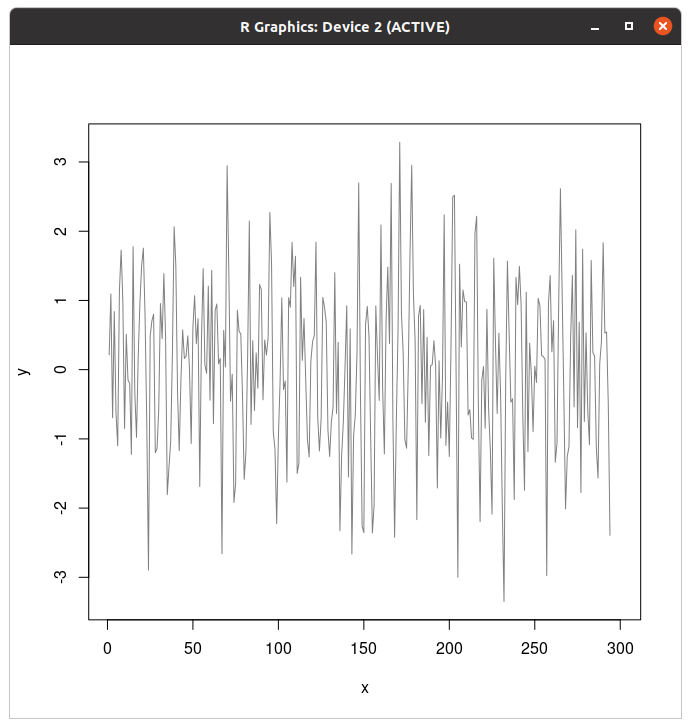
(마른세수)
> grid()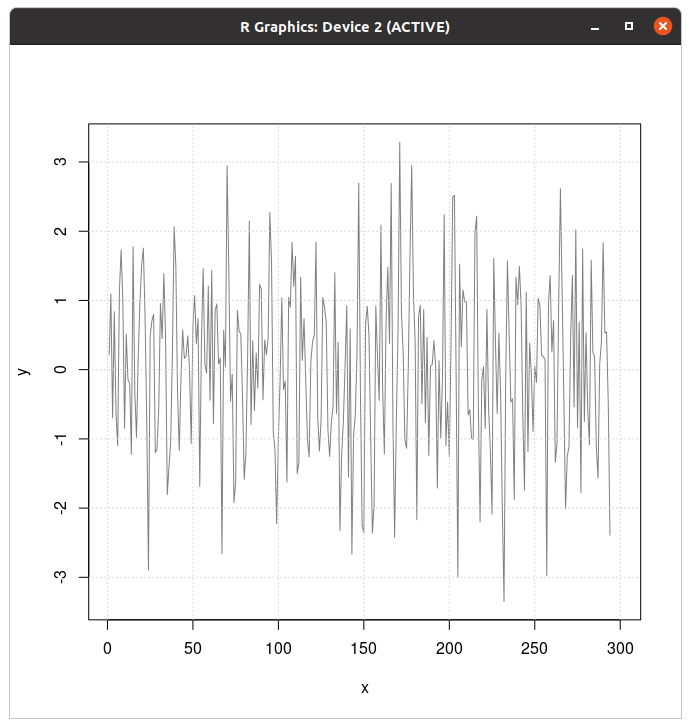
이게 모눈을 킨다고 다 이쁜 그래프가 아니그등요... 아무튼 계산해보자...
> f20=rep(1/20,20)
> f20
[1] 0.05 0.05 0.05 0.05 0.05 0.05 0.05 0.05 0.05 0.05 0.05 0.05 0.05 0.05 0.05
[16] 0.05 0.05 0.05 0.05 0.05
> y_lag=filter(y,f20,sides=1)
> lines(x,y_lag,col="red")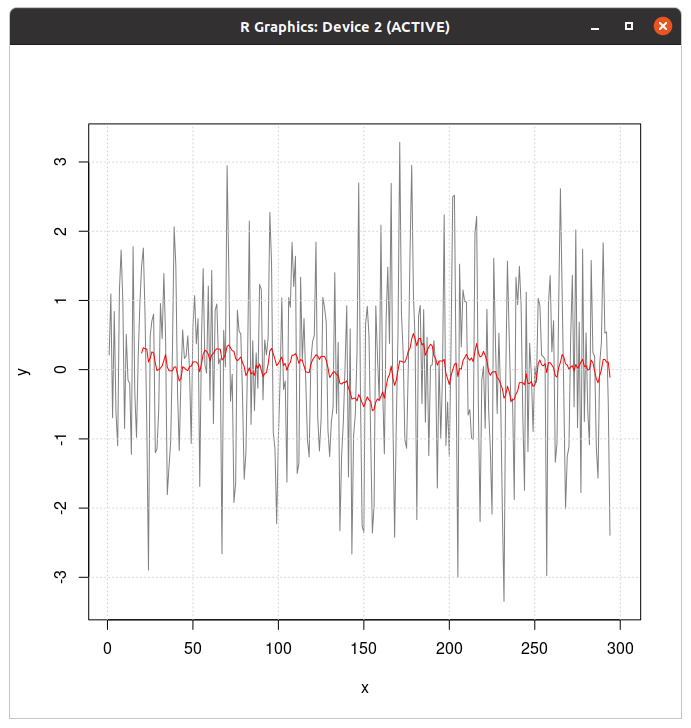
> f21=rep(1/21,21)
> f21
[1] 0.04761905 0.04761905 0.04761905 0.04761905 0.04761905 0.04761905
[7] 0.04761905 0.04761905 0.04761905 0.04761905 0.04761905 0.04761905
[13] 0.04761905 0.04761905 0.04761905 0.04761905 0.04761905 0.04761905
[19] 0.04761905 0.04761905 0.04761905
> y_sym=filter(y,f21,sides=2)
> lines(x,y_sym,col="blue")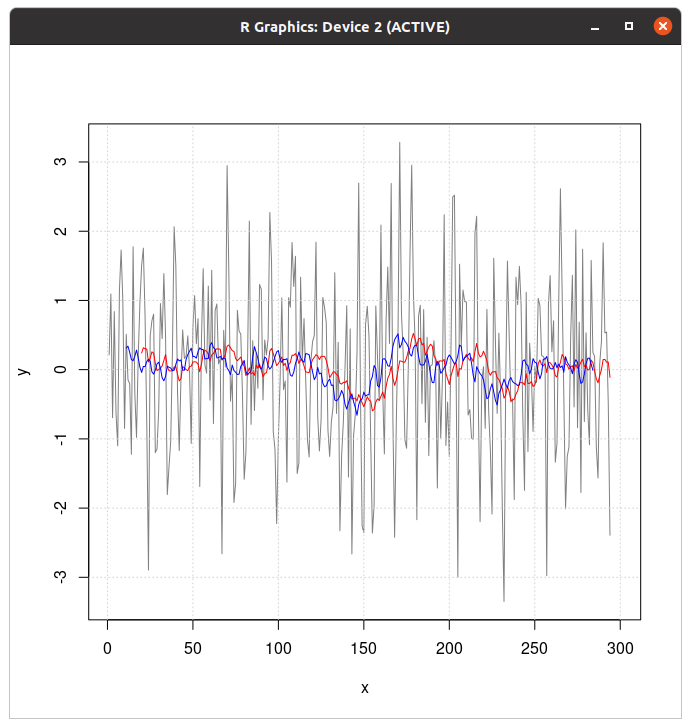
솔직히 왜 20, 21인지는 모르겠다. 쿡북에 sin(x/20)으로 되어 있어서 그런가...
아 참고로
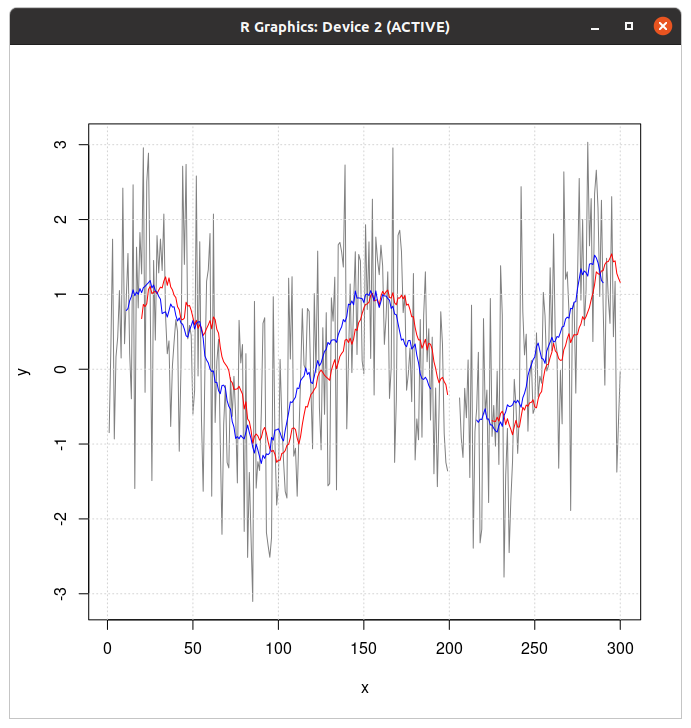
filter()는 결측값이 있으면 공백이 된다. 여백의 미
블록으로 나눠서 평균 매기기
> set.seed(3)
> x=floor(runif(22)*100)
> x
[1] 16 80 38 32 60 60 12 29 57 63 51 50 53 55 86 82 11 70 89 27 22 1runif()=난수 생성, floor()=소수점 떼뿌라!!!
# Round up the length of vector the to the nearest 4
> newlength=ceiling(length(x)/4)*4
> newlength
[1] 24위에서 만든 벡터에서 네개씩 묶어서 평균 낸 결과라고 한다. (솔직히 귀찮아서 검산 안했음)
> x[newlength]=NA
> x
[1] 16 80 38 32 60 60 12 29 57 63 51 50 53 55 86 82 11 70 89 27 22 1 NA NA일단 길이를 늘리기 위해 벡터 두 개를 끼워넣고
> x=matrix(x,nrow=4)
> x
[,1] [,2] [,3] [,4] [,5] [,6]
[1,] 16 60 57 53 11 22
[2,] 80 60 63 55 70 1
[3,] 38 12 51 86 89 NA
[4,] 32 29 50 82 27 NA이것이 행렬이다 희망편(아님)... 은 아니고 matrix()로 행렬 만들었다. 그러면
> colMeans(x,na.rm=TRUE)
[1] 41.50 40.25 55.25 69.00 49.25 11.50
# 컬럼 평균
> rowMeans(x,na.rm=TRUE)
[1] 36.50000 54.83333 55.20000 44.00000
# 열 평균아까랑 다른데?
rle()
rle가 아마 run length encoding의 약자인듯. 자꾸 나와 이거...
> v <- c("A","A","A", "B","B","B","B", NA,NA, "C","C", "B", "C","C","C")
> v
[1] "A" "A" "A" "B" "B" "B" "B" NA NA "C" "C" "B" "C" "C" "C"여기 벡터가 있다.
> vr=rle(v)
> vr
Run Length Encoding
lengths: int [1:7] 3 4 1 1 2 1 3
values : chr [1:7] "A" "B" NA NA "C" "B" "C"rle()를 줘 보면 NA가 각개로 나오는 것을 볼 수 있다. 얘는 python의 set과 달리 끊어져 있으면 중복으로 안 치는 듯 하다. (python set은 중복이면 가차없이 빼버림)
> inverse.rle(vr)
[1] "A" "A" "A" "B" "B" "B" "B" NA NA "C" "C" "B" "C" "C" "C"inverse.rle()를 쓰면 다시 벡터로 돌릴 수 있다.
> str(w)
chr [1:11] "Alpha" "Alpha" "pi" "pi" "pi" "Omicron" "Psi" "Psi" "Xi" "Xi" ...
> str(rle(w))
List of 2
$ lengths: int [1:5] 2 3 1 2 3
$ values : chr [1:5] "Alpha" "pi" "Omicron" "Psi" ...
- attr(*, "class")= chr "rle"확인해보면 타입이 다르다. (rle는 리스트 두 개)
> x=v
> x[is.na(x)]="D"
> x
[1] "A" "A" "A" "B" "B" "B" "B" "D" "D" "C" "C" "B" "C" "C" "C"NA를 다른 걸로 대체하게 되면
> xr=rle(x)
> xr
Run Length Encoding
lengths: int [1:6] 3 4 2 2 1 3
values : chr [1:6] "A" "B" "D" "C" "B" "C"rle() 결과가 달라진다. NA가 다 D로 바뀌었기 때문.
> xr$values[xr$values=="D"]=NA
> xr
Run Length Encoding
lengths: int [1:6] 3 4 2 2 1 3
values : chr [1:6] "A" "B" NA "C" "B" "C"그 상태에서 D를 NA로 바꾼 것은 원래 벡터를 그냥 rle() 한 것과 또 다르다.
> x2=inverse.rle(xr)
> x2
[1] "A" "A" "A" "B" "B" "B" "B" NA NA "C" "C" "B" "C" "C" "C"
# 중간에 NA를 때웠던 벡터
> inverse.rle(vr)
[1] "A" "A" "A" "B" "B" "B" "B" NA NA "C" "C" "B" "C" "C" "C"
# NA 안 때운 벡터근데 벡터되면 다 똑같음.
이거 팩터에서도 되긴 되는데...
> f=factor(v)
> f
[1] A A A B B B B <NA> <NA> C C B C C C
Levels: A B C여기 팩터가 있다.
> f_levels=levels(f)
> f_levels
[1] "A" "B" "C"팩터의 레벨에 결측값은 낄 수 없다. ???: 뭐어? 결측값? 결측값??? 결측값도 레벨에 끼면 소는 누가 키울거야 소는! 결측값이랑 소랑 뭔 상관이여
> fc=as.character(f)
> fc
[1] "A" "A" "A" "B" "B" "B" "B" NA NA "C" "C" "B" "C" "C" "C"아무튼 얘는 글자로 변환하고 rle()를 준다. 사실상 이 뒤로는 벡터랑 같은 부분이라 생략.
근데 팩터에 rle 주면 안되냐고?
> rle(f)
Error in rle(f) : 'x'는 반드시 atomic 타입으로 이루어진 벡터이어야 합니다오류남.
바로 앞 데이터로 NA 채우기
> x <- c(NA,NA, "A","A", "B","B","B", NA,NA, "C", NA,NA,NA, "A","A","B", NA,NA)
> x
[1] NA NA "A" "A" "B" "B" "B" NA NA "C" NA NA NA "A" "A" "B" NA NA여기 벡터가 있다. (마른세수)
> goodIdx=is.na(x)
> goodIdx
[1] TRUE TRUE FALSE FALSE FALSE FALSE FALSE TRUE TRUE FALSE TRUE TRUE
[13] TRUE FALSE FALSE FALSE TRUE TRUE와씨 더럽게 많네...
> goodVals <- c(NA, x[goodIdx])
> goodVals
[1] NA "A" "A" "B" "B" "B" "C" "A" "A" "B"
# These are the non-NA values from x only
# Add a leading NA for later use when we index into this vectorNA 직전 값들을 알아낸다. (NA 앞 인덱스이면서 is.na()가 false인 값)
> fillIdx=cumsum(goodIdx)+1
> fillIdx
[1] 1 1 2 3 4 5 6 6 6 7 7 7 7 8 9 10 10 10
# 1을 더하는 이유는 0부터 채우는 걸 피하기 위함이다!그리고 채우기 위한 준비를 해 봅니다.
> goodVals[fillIdx]
[1] NA NA "A" "A" "B" "B" "B" "B" "B" "C" "C" "C" "C" "A" "A" "B" "B" "B"
# The original vector with gaps filled는 맨 앞에 두 개 빼고 때웠음.
'Coding > R' 카테고리의 다른 글
| R 배워보기-7. Statistical analysis (하) (0) | 2022.08.21 |
|---|---|
| R 배워보기-7. Statistical analysis (상) (0) | 2022.08.21 |
| R 배워보기- 6.4. Manipulating data-Restructing data (0) | 2022.08.20 |
| R 배워보기- 6.3. Manipulating data-Data Frames (0) | 2022.08.20 |
| R 배워보기- 6.2. Manipulating data-Factors (0) | 2022.08.20 |
들어가기 전에
아니 새기들아 깔아야 하는 라이브러리가 있으면 미리 좀 알려달라고!!! (깊은 분노)
아니 어느 레시피에서 재료설명도 없이 주저리 주저리 레시피 쓰다가 존내 당연하다는 듯 여러분 다들 집에 맨드레이크 있으시죠? 맨드레이크를 채썰어주세요. 하면서 레시피를 쓰냐!!! 집에 왜 그런게 있죠 아니 외가에서 무 받아온게 사람 모양이더라고
아무튼... 좀 개빡치긴 했지만... 라이브러리 깔고 가세요...
install.packages("tidyr")
install.packages("reshape2")
install.packages("doBy")테이블 가로세로 바꾸기
테이블은 보통 가로로 길거나 세로로 길거나 둘 중 하나이다. 캡처는 못했지만, 전전직장에서 일하면서 SQL로 정리해뒀던 샘플 표는 가로로 정말 엄청나게 긴 표였다. (시료의 색깔, 크기, 규격, 회사명, 제품명, 합불여부까지 다 기재해서... 마스크는 똑같은 회사에서 만들더라도 KF 규격이 다르거나 색, 크기가 다르면 다 검사 받아야 한다)
아무튼... 이게 가로세로가 바뀐다고?
> df=read.csv('/home/koreanraichu/example.csv',sep=";")
> df
ID Interesred.in Class
1 kimlab0213 Python Basic
2 ahn_0526 Python Medium
3 peponi01 R Basic
4 kuda_koma R Expert
5 comma_life Java Basic
6 wheresjohn Java Medium
7 hanguk_joa Python Expert
8 sigma_00 R Basic
9 kokoatalk Java Basic이건 근데 가로로 긴거냐 세로로 긴거냐... 그냥 세로로 방대한거 아닌가
> df_long=gather(df,ID,Interested.in,Class,factor_key=TRUE)
> df_long
ID Interested.in
1 Class Basic
2 Class Medium
3 Class Basic
4 Class Expert
5 Class Basic
6 Class Medium
7 Class Expert
8 Class Basic
9 Class Basictidyr 라이브러리의 gather()를 이용하면 이렇게 된다. (코드에는 생략되어 있으나 이 글을 읽는 여러분들이라면 아시리라 믿는다. tidyr 먼저 부르자)
> library(reshape2)
다음의 패키지를 부착합니다: ‘reshape2’
The following object is masked from ‘package:tidyr’:
smiths
> df_melt=melt(df,id.vars=c("ID","Class"))
> df_melt
ID Class variable value
1 kimlab0213 Basic Interested.in Python
2 ahn_0526 Medium Interested.in Python
3 peponi01 Basic Interested.in R
4 kuda_koma Expert Interested.in R
5 comma_life Basic Interested.in Java
6 wheresjohn Medium Interested.in Java
7 hanguk_joa Expert Interested.in Python
8 sigma_00 Basic Interested.in R
9 kokoatalk Basic Interested.in Javareshape2의 melt()로는 이렇게 한다.
> df_melt=melt(df,id.bvars=c("Interested.in","Class"),measure.vars=c("Interested.in","Class"),variable.names="Lenguages",value.name="ID")디테일한 지정도 된다.
이거는 넓은 표를 길게 했다 칩시다... 그럼 긴 표를 넓게 하려면 어떻게 해야 할까?
> df_wide=spread(df,ID,Class)
> df_wide
Interested.in ahn_0526 comma_life hanguk_joa kimlab0213 kokoatalk kuda_koma
1 Java <NA> Basic <NA> <NA> Basic <NA>
2 Python Medium <NA> Expert Basic <NA> <NA>
3 R <NA> <NA> <NA> <NA> <NA> Expert
peponi01 sigma_00 wheresjohn
1 <NA> <NA> Medium
2 <NA> <NA> <NA>
3 Basic Basic <NA>> df2_wide=spread(df2,Category.1,Price)
> df2_wide
ID Product.name Category.2 Order Cancel Consumable
1 BC-001 BCIG agar Bacteria 10 2 NA
2 DM-001 DMEM Cell culture 20 0 NA
3 GL-001 Slide glass Experimental 50 0 NA
4 GL-002 Cover glass Experimental 55 1 NA
5 LB-001 LB agar Bacteria 5 0 NA
6 LB-002 LB broth Bacteria 6 1 NA
7 MS-001 MS agar Plant 7 2 NA
8 MS-002 MS broth Plant 7 0 NA
9 MS-003 MS agar(w/ plant hormone) Plant 2 1 NA
10 PI-001 Pasteur pipet Experimental 30 5 10000
11 PI-002 Pipet-AID(10ml) Experimental 45 0 15000
12 PI-003 Pipet-AID(25ml) Experimental 45 5 25000
13 PI-004 Pipet-AID Experimental 2 0 NA
Equipment Glasswear Medium
1 NA NA 70000
2 NA NA 90000
3 NA 20000 NA
4 NA 20000 NA
5 NA NA 55000
6 NA NA 50000
7 NA NA 65000
8 NA NA 60000
9 NA NA 75000
10 NA NA NA
11 NA NA NA
12 NA NA NA
13 100000 NA NAtidyr 라이브러리에 있는 spread를 쓰거나... NA 진짜 보기싫네...
> dcast(df2,Order~Cancel,value.var="Price",sum)
Order 0 1 2 5
1 2 100000 75000 0 0
2 5 55000 0 0 0
3 6 0 50000 0 0
4 7 60000 0 65000 0
5 10 0 0 70000 0
6 20 90000 0 0 0
7 30 0 0 0 10000
8 45 15000 0 0 25000
9 50 20000 0 0 0
10 55 0 20000 0 0dcast를 쓰자. 얘가 대충 피벗테이블 같은 역할이라는 듯... 형식은 dcast(원본 데이터, 행~열에 들어갈 항목, 값으로 들어갈 항목, 적용할 함수).
Summarize
대충 설명만 들어봤을 때는 pandas의 그룹바이가 생각난다.
data <- read.table(header=TRUE, text='
subject sex condition before after change
1 F placebo 10.1 6.9 -3.2
2 F placebo 6.3 4.2 -2.1
3 M aspirin 12.4 6.3 -6.1
4 F placebo 8.1 6.1 -2.0
5 M aspirin 15.2 9.9 -5.3
6 F aspirin 10.9 7.0 -3.9
7 F aspirin 11.6 8.5 -3.1
8 M aspirin 9.5 3.0 -6.5
9 F placebo 11.5 9.0 -2.5
10 M placebo 11.9 11.0 -0.9
11 F aspirin 11.4 8.0 -3.4
12 M aspirin 10.0 4.4 -5.6
13 M aspirin 12.5 5.4 -7.1
14 M placebo 10.6 10.6 0.0
15 M aspirin 9.1 4.3 -4.8
16 F placebo 12.1 10.2 -1.9
17 F placebo 11.0 8.8 -2.2
18 F placebo 11.9 10.2 -1.7
19 M aspirin 9.1 3.6 -5.5
20 M placebo 13.5 12.4 -1.1
21 M aspirin 12.0 7.5 -4.5
22 F placebo 9.1 7.6 -1.5
23 M placebo 9.9 8.0 -1.9
24 F placebo 7.6 5.2 -2.4
25 F placebo 11.8 9.7 -2.1
26 F placebo 11.8 10.7 -1.1
27 F aspirin 10.1 7.9 -2.2
28 M aspirin 11.6 8.3 -3.3
29 F aspirin 11.3 6.8 -4.5
30 F placebo 10.3 8.3 -2.0
')예제 테이블은 이건데... 아마도 임상실험을 상정하고 만든 데이터같다. 임상실험에서는 투약군과 위약군이 나뉜다. 투약군은 약을 투여하는거고 위약군은 가짜 약을 투여하는 군이라고 보면 된다.
비운의 약 TGN1412의 경우 전임상에서는 이상 없었는데 1차 임상시험에서 투약군 6명이 전부 심각한 부작용으로 ICU행이 되어서 개발 중단된 약. (위약군 두 명만 멀쩡했다고...)
> library(plyr)
> cdata=ddply(data,c("sex","condition"),summarise,N=length(change),mean=mean(change),sd=sd(change),se=sd/sqrt(N))
> cdata
sex condition N mean sd se
1 F aspirin 5 -3.420000 0.8642916 0.3865230
2 F placebo 12 -2.058333 0.5247655 0.1514867
3 M aspirin 9 -5.411111 1.1307569 0.3769190
4 M placebo 4 -0.975000 0.7804913 0.3902456
# Run the functions length, mean, and sd on the value of "change" for each group,
# broken down by sex + conditionddply()를 쓰고 싶다면 plyr 라이브러리를... 아직도 안 깔았음???
> cdataNA=ddply(dataNA,c("sex","condition"),summarise,N=sum(!is.na(change)),mean=mean(change,na.rm=TRUE),sd=sd(change,na.rm=TRUE),se=sd/sqrt(N))
> cdataNA
sex condition N mean sd se
1 F aspirin 4 -3.425000 0.9979145 0.4989572
2 F placebo 12 -2.058333 0.5247655 0.1514867
3 M aspirin 7 -5.142857 1.0674848 0.4034713
4 M placebo 3 -1.300000 0.5291503 0.3055050네? 결측값이요? na.rm=TRUE를 주면 된다.
> ddply(dataNA,c("sex","condition"),summarise,N=sum(!is.na(change)),mean=mean(change),sd=sd(change,na.rm=TRUE),se=sd/sqrt(N))
sex condition N mean sd se
1 F aspirin 4 NA 0.9979145 0.4989572
2 F placebo 12 -2.058333 0.5247655 0.1514867
3 M aspirin 7 NA 1.0674848 0.4034713
4 M placebo 3 NA 0.5291503 0.3055050na.rm=TRUE를 안 주면(일단 평균에만 안 줬다) 이렇게 된다. pandas는 skipna가 자동으로 켜져있지만 R은 아님.
> library(doBy)
> cdata=summaryBy(change~sex+condition,data=data,FUN=c(length,mean,sd))
> cdata
sex condition change.length change.mean change.sd
1 F aspirin 5 -3.420000 0.8642916
2 F placebo 12 -2.058333 0.5247655
3 M aspirin 9 -5.411111 1.1307569
4 M placebo 4 -0.975000 0.7804913doBy 라이브러리의 summaryBy()도 쓸 수 있다. 저게 ddply()보다 간결함.
cdataNA <- summaryBy(change ~ sex + condition, data=dataNA,
FUN=c(length2, mean, sd), na.rm=TRUE)결측값도 간결하게 처리해준다.
네? 라이브러리 깔 여건이 안된다고요? 그렇다면 R에 있는 aggregate()를 쓰면 되는데... 쓰다보면 알겠지만 차라리 라이브러리 까는 게 낫다.
> cdata=aggregate(data["subject"],by=data[c("sex","condition")],FUN=length)
> cdata
sex condition subject
1 F aspirin 5
2 M aspirin 9
3 F placebo 12
4 M placebo 4일단 만들고
> names(cdata)[names(cdata)=="subject"]="N"
> cdata
sex condition N
1 F aspirin 5
2 M aspirin 9
3 F placebo 12
4 M placebo 4이름 바꿔주고
> cdata=cdata[order(cdata$sex),]
> cdata
sex condition N
1 F aspirin 5
3 F placebo 12
2 M aspirin 9
4 M placebo 4정렬해주고... 아직 안 끝났다. 이제 평균이랑 표준편차랑 se 구해야된다.
> cdata.means=aggregate(data[c("before","after","change")],by=data[c("sex","condition")],FUN=mean)
> cdata.means
sex condition before after change
1 F aspirin 11.06000 7.640000 -3.420000
2 M aspirin 11.26667 5.855556 -5.411111
3 F placebo 10.13333 8.075000 -2.058333
4 M placebo 11.47500 10.500000 -0.975000> cdata=merge(cdata,cdata.means)
> cdata
sex condition N before after change
1 F aspirin 5 11.06000 7.640000 -3.420000
2 F placebo 12 10.13333 8.075000 -2.058333
3 M aspirin 9 11.26667 5.855556 -5.411111
4 M placebo 4 11.47500 10.500000 -0.975000평균
> cdata.sd=aggregate(data["change"],by=data[c("sex","condition")],FUN=sd)
> cdata.sd
sex condition change
1 F aspirin 0.8642916
2 M aspirin 1.1307569
3 F placebo 0.5247655
4 M placebo 0.7804913> names(cdata.sd)[names(cdata.sd)=="change"] <- "change.sd"
> cdata.sd
sex condition change.sd
1 F aspirin 0.8642916
2 M aspirin 1.1307569
3 F placebo 0.5247655
4 M placebo 0.7804913> cdata=merge(cdata,cdata.sd)
> cdata
sex condition subject before after change change.sd
1 F aspirin 5 11.06000 7.640000 -3.420000 0.8642916
2 F placebo 12 10.13333 8.075000 -2.058333 0.5247655
3 M aspirin 9 11.26667 5.855556 -5.411111 1.1307569
4 M placebo 4 11.47500 10.500000 -0.975000 0.7804913표준편차(Standard deviation 줄이면 SD)
> cdata$change.se <- cdata$change.sd / sqrt(cdata$subject)
> cdata
sex condition subject before after change change.sd change.se
1 F aspirin 5 11.06000 7.640000 -3.420000 0.8642916 0.3865230
2 F placebo 12 10.13333 8.075000 -2.058333 0.5247655 0.1514867
3 M aspirin 9 11.26667 5.855556 -5.411111 1.1307569 0.3769190
4 M placebo 4 11.47500 10.500000 -0.975000 0.7804913 0.3902456se... 저거 참고로 중간에 표 한번 조져서 다시 만들었다...ㅋㅋㅋㅋㅋㅋ
이 노가다를 하느니 그냥 라이브러리를 깔자...
Contingency table
솔직히 이거 뭐하는건지는 나도 모름.
> ctable=table(df)
> ctable
, , Class = Basic
Interested.in
ID Java Python R
ahn_0526 0 0 0
comma_life 1 0 0
hanguk_joa 0 0 0
kimlab0213 0 1 0
kokoatalk 1 0 0
kuda_koma 0 0 0
peponi01 0 0 1
sigma_00 0 0 1
wheresjohn 0 0 0
, , Class = Expert
Interested.in
ID Java Python R
ahn_0526 0 0 0
comma_life 0 0 0
hanguk_joa 0 1 0
kimlab0213 0 0 0
kokoatalk 0 0 0
kuda_koma 0 0 1
peponi01 0 0 0
sigma_00 0 0 0
wheresjohn 0 0 0
, , Class = Medium
Interested.in
ID Java Python R
ahn_0526 0 1 0
comma_life 0 0 0
hanguk_joa 0 0 0
kimlab0213 0 0 0
kokoatalk 0 0 0
kuda_koma 0 0 0
peponi01 0 0 0
sigma_00 0 0 0
wheresjohn 1 0 0일단 불러온 걸로 만들어 본 결과...
> df=read.csv('/home/koreanraichu/example.csv',sep=";")
> df
ID Interested.in Class
1 kimlab0213 Python Basic
2 ahn_0526 Python Medium
3 peponi01 R Basic
4 kuda_koma R Expert
5 comma_life Java Basic
6 wheresjohn Java Medium
7 hanguk_joa Python Expert
8 sigma_00 R Basic
9 kokoatalk Java Basic여기서 Class별로 언어 몇 개 있는지 세 준다. (Basic에서 파이썬 R 자바 몇개 이런 식) 그걸 ID별로 표기하느라 중구난방이 된 것. 이걸 수제작으로 그리면
> df_counts=data.frame(Class=c("Basic","Basic","Basic","Medium","Medium","Medium","Expert","Expert","Expert"),Lan=c("Python","R","Java","Python","R","Java","Python","R","Java"),freq=c(1,2,2,1,0,1,1,1,0))
> df_counts
Class Lan freq
1 Basic Python 1
2 Basic R 2
3 Basic Java 2
4 Medium Python 1
5 Medium R 0
6 Medium Java 1
7 Expert Python 1
8 Expert R 1
9 Expert Java 0중간에 오타나면 멘탈바사삭 확정.
우리의 신입사원 김부추씨는 프로그래밍 언어 강의 플랫폼을 서비스하는 회사에서 근무한다. 회사에서 고객 데이터 집계를 위해 각 클래스별로 얼마나 듣는지 데이터를 달라는데... 저걸 다 세면 되나요? 아니 어느세월에...
> table(df$Class,df$Interested.in)
Java Python R
Basic 2 1 2
Expert 0 1 1
Medium 1 1 0이러면 나오잖음...
인덱스는 난이도(class), 컬럼이 언어이다. 즉 컬럼별로 보자면 자바 셋, 파이썬 셋, R 셋. 난이도별로 보자면 초급 5명, 중급 2명, 쌉고수전문가 2명.
네? 회사에 제출하는건데 저렇게 해도 되냐고요?
> table(df$Class,df$Interested.in,dnn=c("Class","Interested.in"))
Interested.in
Class Java Python R
Basic 2 1 2
Expert 0 1 1
Medium 1 1 0이름을 넣으면 됨.
> table(df[,c("Class","Interested.in")])
Interested.in
Class Java Python R
Basic 2 1 2
Expert 0 1 1
Medium 1 1 0물론 이것도 된다. 저기서 ID를 넣으면 데이터가 매우 괴랄해지므로 좀 묶을 수 있는 걸로 넣어보는 것을 추천한다.
> countdf=as.data.frame(table(df))
> countdf
ID Interested.in Class Freq
1 ahn_0526 Java Basic 0
2 comma_life Java Basic 1
3 hanguk_joa Java Basic 0
4 kimlab0213 Java Basic 0
5 kokoatalk Java Basic 1
6 kuda_koma Java Basic 0
7 peponi01 Java Basic 0
8 sigma_00 Java Basic 0
9 wheresjohn Java Basic 0
10 ahn_0526 Python Basic 0
11 comma_life Python Basic 0
12 hanguk_joa Python Basic 0
13 kimlab0213 Python Basic 1
14 kokoatalk Python Basic 0
15 kuda_koma Python Basic 0
16 peponi01 Python Basic 0
17 sigma_00 Python Basic 0
18 wheresjohn Python Basic 0
19 ahn_0526 R Basic 0
20 comma_life R Basic 0
21 hanguk_joa R Basic 0
22 kimlab0213 R Basic 0
23 kokoatalk R Basic 0
24 kuda_koma R Basic 0
25 peponi01 R Basic 1
26 sigma_00 R Basic 1
27 wheresjohn R Basic 0
28 ahn_0526 Java Expert 0
29 comma_life Java Expert 0
30 hanguk_joa Java Expert 0
31 kimlab0213 Java Expert 0
32 kokoatalk Java Expert 0
33 kuda_koma Java Expert 0
34 peponi01 Java Expert 0
35 sigma_00 Java Expert 0
36 wheresjohn Java Expert 0
37 ahn_0526 Python Expert 0
38 comma_life Python Expert 0
39 hanguk_joa Python Expert 1
40 kimlab0213 Python Expert 0
41 kokoatalk Python Expert 0
42 kuda_koma Python Expert 0
43 peponi01 Python Expert 0
44 sigma_00 Python Expert 0
45 wheresjohn Python Expert 0
46 ahn_0526 R Expert 0
47 comma_life R Expert 0
48 hanguk_joa R Expert 0
49 kimlab0213 R Expert 0
50 kokoatalk R Expert 0
51 kuda_koma R Expert 1
52 peponi01 R Expert 0
53 sigma_00 R Expert 0
54 wheresjohn R Expert 0
55 ahn_0526 Java Medium 0
56 comma_life Java Medium 0
57 hanguk_joa Java Medium 0
58 kimlab0213 Java Medium 0
59 kokoatalk Java Medium 0
60 kuda_koma Java Medium 0
61 peponi01 Java Medium 0
62 sigma_00 Java Medium 0
63 wheresjohn Java Medium 1
64 ahn_0526 Python Medium 1
65 comma_life Python Medium 0
66 hanguk_joa Python Medium 0
67 kimlab0213 Python Medium 0
68 kokoatalk Python Medium 0
69 kuda_koma Python Medium 0
70 peponi01 Python Medium 0
71 sigma_00 Python Medium 0
72 wheresjohn Python Medium 0
73 ahn_0526 R Medium 0
74 comma_life R Medium 0
75 hanguk_joa R Medium 0
76 kimlab0213 R Medium 0
77 kokoatalk R Medium 0
78 kuda_koma R Medium 0
79 peponi01 R Medium 0
80 sigma_00 R Medium 0
81 wheresjohn R Medium 0count로 바꾸는 것도 되긴 되는데... 하지 말자... (마른세수)
> xtabs(Freq~Class+Interested.in,data=countdf)
Interested.in
Class Java Python R
Basic 2 1 2
Expert 0 1 1
Medium 1 1 0뭐야 이것도 됨?
'Coding > R' 카테고리의 다른 글
| R 배워보기-7. Statistical analysis (상) (0) | 2022.08.21 |
|---|---|
| R 배워보기- 6.5. Manipulating data-Sequential data (0) | 2022.08.20 |
| R 배워보기- 6.3. Manipulating data-Data Frames (0) | 2022.08.20 |
| R 배워보기- 6.2. Manipulating data-Factors (0) | 2022.08.20 |
| R 배워보기- 6.1. Manipulating data-General (0) | 2022.08.20 |
들어가기 전에 작은 시범조교를 하나(아니고 넷) 준비했음.. 다운 ㄱㄱ
각 csv파일의 내용물을 R로 불러오면
> df=read.csv('/home/koreanraichu/example.csv',sep=";")
> df
ID Interesred.in Class
1 kimlab0213 Python Basic
2 ahn_0526 Python Medium
3 peponi01 R Basic
4 kuda_koma R Expert
5 comma_life Java Basic
6 wheresjohn Java Medium
7 hanguk_joa Python Expert
8 sigma_00 R Basic
9 kokoatalk Java Basic(example, 구분자 세미콜론)
> df2=read.csv('/home/koreanraichu/example2.csv')
> df2
ID Product.name Category.1 Category.2 Price Order Cancel
1 LB-001 LB agar Medium Bacteria 55000 5 0
2 LB-002 LB broth Medium Bacteria 50000 6 1
3 MS-001 MS agar Medium Plant 65000 7 2
4 MS-002 MS broth Medium Plant 60000 7 0
5 DM-001 DMEM Medium Cell culture 90000 20 0
6 BC-001 BCIG agar Medium Bacteria 70000 10 2
7 MS-003 MS agar(w/ plant hormone) Medium Plant 75000 2 1
8 PI-001 Pasteur pipet Consumable Experimental 10000 30 5
9 PI-002 Pipet-AID(10ml) Consumable Experimental 15000 45 0
10 PI-003 Pipet-AID(25ml) Consumable Experimental 25000 45 5
11 PI-004 Pipet-AID Equipment Experimental 100000 2 0
12 GL-001 Slide glass Glasswear Experimental 20000 50 0
13 GL-002 Cover glass Glasswear Experimental 20000 55 1(example2, 구분자 콤마) 만들어놓고 잊혀진 파일
> df3=read.csv('/home/koreanraichu/example3.csv',sep="\t")
> df3
name Chemical.formula MW.g.mol.1. Density.g.cm.3.
1 Sodium chloride NaCl 58.443 2.17000
2 Acetic acid C2H4O2 60.052 1.04900
3 Glucose C6H12O6 180.156 1.54000
4 Mercury(II) sulfide HgS 232.660 8.10000
5 Toluene C7H8 92.141 0.87000
6 Phenol C6H6O 94.113 1.07000
7 Glycerol C3H8O3 92.094 1.26100
8 PETN C5H8N4O12 316.137 1.77000
9 Ethanol C2H6O 46.069 0.78945
10 SDS C12H25NaSO4 288.372 1.01000
11 Chlorophyll a C55H72MgN4O5 893.509 1.07900
12 Citric acid anhydrous C6H8O7 192.123 1.66500
13 Boron tribromide BBr3 250.520 2.64300(example3, 구분자 탭)
> df4=read.csv('/home/koreanraichu/example4.csv',sep=" ")
> df4
category compound_name chemical_formula Molecular_mass.g.mol.1.
1 Borane Borane BH3 13.830
2 Borane Ammonia_borane BNH6 30.865
3 Borane Tetraborane B4H10 53.320
4 Borane Pentaborane(9) B5H9 63.120
5 Borane Octadecaborane B18H22 216.770
6 Oxide Caesium_monooxide Cs2O 281.810
7 Oxide Actinium_oxide Ac2O3 502.053
8 Oxide Triuranium_oxide U3O8 842.100
9 Oxide Technetium(VII)_oxide Tc2O7 307.810
10 Oxide Thorium_monooxide ThO 248.040
11 Alkane Methane CH4 16.043
12 Alkane Hexane C6H14 86.178
13 Alkane Nonane C9H20 128.259
14 Alkane Tridecane C13H28 184.367
15 Alkane Hentricotane C31H64 436.853
16 Sugar_alcohol Mannotol C6H14O6 182.172
17 Sugar_alcohol Xylitol C5H12O5 152.146
18 Sugar_alcohol Fucitol C6H14O5 166.170
19 Sugar_alcohol Volemitol C7H16O7 212.198
20 Sugar_alcohol Inositol C6H12O6 180.160
21 IARC_group_1 Aflatoxin_B1 C17H12O6 312.277
22 IARC_group_1 Cicloaporin C61H111N11O12 1202.635
23 IARC_group_1 Gallium_arsenide GaAs 144.615
24 IARC_group_1 Melphalan C13H18Cl2N2O2 305.200
25 IARC_group_1 Azothioprine C9H7N7O2S 277.260(example4, 구분자 공백)
받아뒀다가 이거 할 때도 쓰고 판다스 할 때도 쓰세요. 참고로 해당 csv파일은 엑셀로도 열 수는 있지만 일단 만들 때는 지에딧으로 만들었음. (gedit filename.확장자 하면 그걸로 뜹디다)
Python과 R의 데이터프레임
-R은 데이터프레임을 다루기 위해 따로 뭘 깔 필요가 없다. 물론 일부 기능을 위해 plyr 라이브러리를 깔긴 해야 하지만 라이브러리 없이도 할 수는 있다. (python은 일단 판다스부터 깔고 봐야 한다)
-얘도 구분자 지정 안 해주면 default는 ,다. (위에 불러오는 코드를 보면 세미콜론과 탭, 공백은 따로 sep=""옵션을 줬다) 원래 csv의 cs가 comma seperated의 약자.
컬럼명 바꾸기
이번 시범조교는 2번 파일. 해당 파일의 컬럼명은
> names(df2)
[1] "ID" "Product.name" "Category.1" "Category.2" "Price"
[6] "Order" "Cancel"이렇게 되어 있다.
우리의 신입사원 김부추씨는 저 csv파일을 받아서 R로 깔끔하게 정리를 했다. (order는 주문량, cancel은 주문 취소량) 그런데 중간보고를 위해 상급자에게 갔더니 상급자의 한마디!
"부추씨, 이거 정리 되게 깔끔하게 잘 했어. 그런데 저기 ID가 한번에 딱 봐서는 모를 것 같거든... ID만 Product ID로 바꿔서 제출하면 될 것 같아. "
김부추 멘붕왔다. 헐 그럼 csv파일단에서 수정 다시 해야 함? 이거 하느라 개고생했는데...OTL 근데 부추가 누구죠 아 제 텅비드 이름인데요 이제 텅비드를 취업시키는건가 아 걍 해요
> library(plyr)
> rename(df2,c("ID"="Product.ID"))
Product.ID Product.name Category.1 Category.2 Price Order
1 LB-001 LB agar Medium Bacteria 55000 5
2 LB-002 LB broth Medium Bacteria 50000 6
3 MS-001 MS agar Medium Plant 65000 7
4 MS-002 MS broth Medium Plant 60000 7
5 DM-001 DMEM Medium Cell culture 90000 20
6 BC-001 BCIG agar Medium Bacteria 70000 10
7 MS-003 MS agar(w/ plant hormone) Medium Plant 75000 2
8 PI-001 Pasteur pipet Consumable Experimental 10000 30
9 PI-002 Pipet-AID(10ml) Consumable Experimental 15000 45
10 PI-003 Pipet-AID(25ml) Consumable Experimental 25000 45
11 PI-004 Pipet-AID Equipment Experimental 100000 2
12 GL-001 Slide glass Glasswear Experimental 20000 50
13 GL-002 Cover glass Glasswear Experimental 20000 55
Cancel
1 0
2 1
3 2
4 0
5 0
6 2
7 1
8 5
9 0
10 5
11 0
12 0
13 1파일단에서 손댈 것도 없이 그냥 저거 한 방이면 끝난다. (물론 plyr 라이브러리는 깔아두셨죠?) 참고로 얘는 저거 적용하고 names(df2)로 불러보면 ID로 나온다. (df2=코드 하고 해야 하나...)
네? 당장 보고 들어가야 해서 plyr 라이브러리 깔 시간이 없다고요?
> names(df2)[names(df2)=="ID"]="Product.ID"
> df2
Product.ID Product.name Category.1 Category.2 Price Order
1 LB-001 LB agar Medium Bacteria 55000 5
2 LB-002 LB broth Medium Bacteria 50000 6
3 MS-001 MS agar Medium Plant 65000 7
4 MS-002 MS broth Medium Plant 60000 7
5 DM-001 DMEM Medium Cell culture 90000 20
6 BC-001 BCIG agar Medium Bacteria 70000 10
7 MS-003 MS agar(w/ plant hormone) Medium Plant 75000 2
8 PI-001 Pasteur pipet Consumable Experimental 10000 30
9 PI-002 Pipet-AID(10ml) Consumable Experimental 15000 45
10 PI-003 Pipet-AID(25ml) Consumable Experimental 25000 45
11 PI-004 Pipet-AID Equipment Experimental 100000 2
12 GL-001 Slide glass Glasswear Experimental 20000 50
13 GL-002 Cover glass Glasswear Experimental 20000 55
Cancel
1 0
2 1
3 2
4 0
5 0
6 2
7 1
8 5
9 0
10 5
11 0
12 0
13 1ㄱㄱ
> names(df2)=sub("ID","Product.ID",names(df2))
> df2
Product.Product.ID Product.name Category.1 Category.2 Price
1 LB-001 LB agar Medium Bacteria 55000
2 LB-002 LB broth Medium Bacteria 50000
3 MS-001 MS agar Medium Plant 65000
4 MS-002 MS broth Medium Plant 60000
5 DM-001 DMEM Medium Cell culture 90000
6 BC-001 BCIG agar Medium Bacteria 70000
7 MS-003 MS agar(w/ plant hormone) Medium Plant 75000
8 PI-001 Pasteur pipet Consumable Experimental 10000
9 PI-002 Pipet-AID(10ml) Consumable Experimental 15000
10 PI-003 Pipet-AID(25ml) Consumable Experimental 25000
11 PI-004 Pipet-AID Equipment Experimental 100000
12 GL-001 Slide glass Glasswear Experimental 20000
13 GL-002 Cover glass Glasswear Experimental 20000
Order Cancel
1 5 0
2 6 1
3 7 2
4 7 0
5 20 0
6 10 2
7 2 1
8 30 5
9 45 0
10 45 5
11 2 0
12 50 0
13 55 1> names(df2)=gsub("D","d",names(df2))
> df2
Product.Product.Id Product.name Category.1 Category.2 Price
1 LB-001 LB agar Medium Bacteria 55000
2 LB-002 LB broth Medium Bacteria 50000
3 MS-001 MS agar Medium Plant 65000
4 MS-002 MS broth Medium Plant 60000
5 DM-001 DMEM Medium Cell culture 90000
6 BC-001 BCIG agar Medium Bacteria 70000
7 MS-003 MS agar(w/ plant hormone) Medium Plant 75000
8 PI-001 Pasteur pipet Consumable Experimental 10000
9 PI-002 Pipet-AID(10ml) Consumable Experimental 15000
10 PI-003 Pipet-AID(25ml) Consumable Experimental 25000
11 PI-004 Pipet-AID Equipment Experimental 100000
12 GL-001 Slide glass Glasswear Experimental 20000
13 GL-002 Cover glass Glasswear Experimental 20000
Order Cancel
1 5 0
2 6 1
3 7 2
4 7 0
5 20 0
6 10 2
7 2 1
8 30 5
9 45 0
10 45 5
11 2 0
12 50 0
13 55 1sub(), gsub()도 당연히 된다. (라이브러리 없어도 됨)
컬럼 첨삭하기
> df
ID Interesred.in Class
1 kimlab0213 Python Basic
2 ahn_0526 Python Medium
3 peponi01 R Basic
4 kuda_koma R Expert
5 comma_life Java Basic
6 wheresjohn Java Medium
7 hanguk_joa Python Expert
8 sigma_00 R Basic
9 kokoatalk Java Basicexample 1번을 모셔봅시다. 예제 1번은 회원들에게 프로그래밍 언어 강의를 제공하는 웹 플랫폼을 상정하고 만든 것이다. (그래서 파이썬 R 자바가... 씨언어 어디갔어요 씨언어 뭐 씨? 씨샵? 씨쁠쁠?) 그러니까 ID는 회원 아이디, 관심분야는 파이썬, 클래스는 강의의 난이도(초급/중급/전문가).
씁 근데 이렇게만 해서는 이 아이디의 주인이 해당 수업을 다 이수했나 아닌가를 모르겠다. 그래서 P/F 컬럼을 새로 추가하고자 한다.
> df$PF=c("P","P","F","F","P","F","P","F","F")
> df
ID Interesred.in Class PF
1 kimlab0213 Python Basic P
2 ahn_0526 Python Medium P
3 peponi01 R Basic F
4 kuda_koma R Expert F
5 comma_life Java Basic P
6 wheresjohn Java Medium F
7 hanguk_joa Python Expert P
8 sigma_00 R Basic F
9 kokoatalk Java Basic F제목이요? 저거는 따옴표로 감싸지 않는 이상 공백 있으면 에러뜸미다... (언더바 ㄱㄱ)
> df[,"Pass or Fail"]=c("P","P","F","F","P","F","P","F","F")
> df
ID Interesred.in Class Pass or Fail
1 kimlab0213 Python Basic P
2 ahn_0526 Python Medium P
3 peponi01 R Basic F
4 kuda_koma R Expert F
5 comma_life Java Basic P
6 wheresjohn Java Medium F
7 hanguk_joa Python Expert P
8 sigma_00 R Basic F
9 kokoatalk Java Basic F아니면 이건 어떠심?
그렇게 아이디어를 제안한 김상추씨. 하지만 선배 김양상추씨(둘 다 본인 포켓몬 이름임... 릴리요였나...)는 그 제안을 듣고 이렇게 말했다.
"좋은 아이디어긴 한데... P/F로 매기게 되면 강의 이수여부는 알 수 있지만, 출결 관리까지 알기는 좀 힘들 것 같아. 차라리 P/F를 빼고 출석율을 넣거나, 출석율이랑 병기하는 건 어때? "
> df$PF=NULL
> df
ID Interesred.in Class
1 kimlab0213 Python Basic
2 ahn_0526 Python Medium
3 peponi01 R Basic
4 kuda_koma R Expert
5 comma_life Java Basic
6 wheresjohn Java Medium
7 hanguk_joa Python Expert
8 sigma_00 R Basic
9 kokoatalk Java Basic그래서 김상추씨는 PF 컬럼을 빼버렸다.
참고로
# Ways to add a column
data$size <- c("small", "large", "medium")
data[["size"]] <- c("small", "large", "medium")
data[,"size"] <- c("small", "large", "medium")
data$size <- 0 # Use the same value (0) for all rows# Ways to remove the column
data$size <- NULL
data[["size"]] <- NULL
data[,"size"] <- NULL
data[[3]] <- NULL
data[,3] <- NULL
data <- subset(data, select=-size)이건 뭐 니들이 뭘 좋아할 지 몰라서 다 넣었어도 아니고 첨삭 방법이 되게 많다.
컬럼 오더 바꾸기
이번 시범조교...
> df3
name Chemical.formula MW.g.mol.1. Density.g.cm.3.
1 Sodium chloride NaCl 58.443 2.17000
2 Acetic acid C2H4O2 60.052 1.04900
3 Glucose C6H12O6 180.156 1.54000
4 Mercury(II) sulfide HgS 232.660 8.10000
5 Toluene C7H8 92.141 0.87000
6 Phenol C6H6O 94.113 1.07000
7 Glycerol C3H8O3 92.094 1.26100
8 PETN C5H8N4O12 316.137 1.77000
9 Ethanol C2H6O 46.069 0.78945
10 SDS C12H25NaSO4 288.372 1.01000
11 Chlorophyll a C55H72MgN4O5 893.509 1.07900
12 Citric acid anhydrous C6H8O7 192.123 1.66500
13 Boron tribromide BBr3 250.520 2.64300이분임...
보기만 해도 으아아가 절로 나온다면 정상입니다. 난 아니지만. 이사람 집에 주기율표 있다 끝말잇기 잘하시겠네요 아뇨 그건 아닙니다 원래 주기율표 다 꿰고 있으면 완급조절도 가능하다 코페르니슘! 슘페터! 터븀!
> df3[c(4,3,2,1)]
Density.g.cm.3. MW.g.mol.1. Chemical.formula name
1 2.17000 58.443 NaCl Sodium chloride
2 1.04900 60.052 C2H4O2 Acetic acid
3 1.54000 180.156 C6H12O6 Glucose
4 8.10000 232.660 HgS Mercury(II) sulfide
5 0.87000 92.141 C7H8 Toluene
6 1.07000 94.113 C6H6O Phenol
7 1.26100 92.094 C3H8O3 Glycerol
8 1.77000 316.137 C5H8N4O12 PETN
9 0.78945 46.069 C2H6O Ethanol
10 1.01000 288.372 C12H25NaSO4 SDS
11 1.07900 893.509 C55H72MgN4O5 Chlorophyll a
12 1.66500 192.123 C6H8O7 Citric acid anhydrous
13 2.64300 250.520 BBr3 Boron tribromide오더를 이렇게 컬럼명으로 바꾸거나(...)
> df3[c("Chemical.formula","name","MW.g.mol.1.","Density.g.cm.3.")]
Chemical.formula name MW.g.mol.1. Density.g.cm.3.
1 NaCl Sodium chloride 58.443 2.17000
2 C2H4O2 Acetic acid 60.052 1.04900
3 C6H12O6 Glucose 180.156 1.54000
4 HgS Mercury(II) sulfide 232.660 8.10000
5 C7H8 Toluene 92.141 0.87000
6 C6H6O Phenol 94.113 1.07000
7 C3H8O3 Glycerol 92.094 1.26100
8 C5H8N4O12 PETN 316.137 1.77000
9 C2H6O Ethanol 46.069 0.78945
10 C12H25NaSO4 SDS 288.372 1.01000
11 C55H72MgN4O5 Chlorophyll a 893.509 1.07900
12 C6H8O7 Citric acid anhydrous 192.123 1.66500
13 BBr3 Boron tribromide 250.520 2.64300...일단 저건 숫자가 더 효율적임.
> df3[,c(1,2,4,3)]
name Chemical.formula Density.g.cm.3. MW.g.mol.1.
1 Sodium chloride NaCl 2.17000 58.443
2 Acetic acid C2H4O2 1.04900 60.052
3 Glucose C6H12O6 1.54000 180.156
4 Mercury(II) sulfide HgS 8.10000 232.660
5 Toluene C7H8 0.87000 92.141
6 Phenol C6H6O 1.07000 94.113
7 Glycerol C3H8O3 1.26100 92.094
8 PETN C5H8N4O12 1.77000 316.137
9 Ethanol C2H6O 0.78945 46.069
10 SDS C12H25NaSO4 1.01000 288.372
11 Chlorophyll a C55H72MgN4O5 1.07900 893.509
12 Citric acid anhydrous C6H8O7 1.66500 192.123
13 Boron tribromide BBr3 2.64300 250.520뭔 매트릭스 매기듯이 이렇게도 한다.
> df3[2]
Chemical.formula
1 NaCl
2 C2H4O2
3 C6H12O6
4 HgS
5 C7H8
6 C6H6O
7 C3H8O3
8 C5H8N4O12
9 C2H6O
10 C12H25NaSO4
11 C55H72MgN4O5
12 C6H8O7
13 BBr32열을 뽑아봤습니다.
> df3[,2]
[1] NaCl C2H4O2 C6H12O6 HgS C7H8
[6] C6H6O C3H8O3 C5H8N4O12 C2H6O C12H25NaSO4
[11] C55H72MgN4O5 C6H8O7 BBr3
13 Levels: BBr3 C12H25NaSO4 C2H4O2 C2H6O C3H8O3 C55H72MgN4O5 ... NaCl이렇게 하면 벡터처럼 뽑힌다. (레벨이 있는 걸 보면 아시겠지만 팩터임)
> df3[,2,drop=FALSE]
Chemical.formula
1 NaCl
2 C2H4O2
3 C6H12O6
4 HgS
5 C7H8
6 C6H6O
7 C3H8O3
8 C5H8N4O12
9 C2H6O
10 C12H25NaSO4
11 C55H72MgN4O5
12 C6H8O7
13 BBr3drop=FALSE를 주면 표 형태로 뽑힌다. 저게 그 시리즌가 그거냐 그건 판다스고
파이널 퓨전
> df
ID Interesred.in Class Pass or Fail
1 kimlab0213 Python Basic P
2 ahn_0526 Python Medium P
3 peponi01 R Basic F
4 kuda_koma R Expert F
5 comma_life Java Basic P
6 wheresjohn Java Medium F
7 hanguk_joa Python Expert P
8 sigma_00 R Basic F
9 kokoatalk Java Basic F아까 그거 맞다. 여기에다가 클래스별 가격 정보를 추가할건데... 그럼 가격표가 어디 있느냐고?
> df5=read.table(header=TRUE, text='
+ Class;Price
+ Basic;Free
+ Medium;1000
+ Expert;2000
+ ',sep=";")> df5
Class Price
1 Basic Free
2 Medium 1000
3 Expert 2000여기요.
이 표를 파이널(별)퓨전해달라는 업무를 받은 김상추씨(아니 진짜 내 포켓몬 이름이여 이름이 왜그래요 부추때문에 추로 끝나는 야채는 다 넣었음 다행히도 고추는 없습니다 그건 어감이 거시기해서)... 아니 그럼 새로 컬럼 만들고 저걸 일일이 다 써요? ㄴㄴ
> merge(df,df5,"Class")
Class ID Interesred.in Pass or Fail Price
1 Basic kimlab0213 Python P Free
2 Basic peponi01 R F Free
3 Basic sigma_00 R F Free
4 Basic comma_life Java P Free
5 Basic kokoatalk Java F Free
6 Expert hanguk_joa Python P 2000
7 Expert kuda_koma R F 2000
8 Medium ahn_0526 Python P 1000
9 Medium wheresjohn Java F 1000공통된 컬럼인 Class를 기반으로 파이널퓨전 하면 된다.
> df6[c(3,4,5,1,2)]
ID Interesred.in Pass or Fail Class Price
1 kimlab0213 Python P Basic Free
2 peponi01 R F Basic Free
3 sigma_00 R F Basic Free
4 comma_life Java P Basic Free
5 kokoatalk Java F Basic Free
6 hanguk_joa Python P Expert 2000
7 kuda_koma R F Expert 2000
8 ahn_0526 Python P Medium 1000
9 wheresjohn Java F Medium 1000새 데이터프레임에 할당하고 순서 바꿀 수 있다.
> stories2 <- read.table(header=TRUE, text='
+ id title
+ 1 lions
+ 2 tigers
+ 3 bears
+ ')
subject storyid rating
1 1 1 6.7
2 1 2 4.5
3 1 3 3.7
4 2 2 3.3
5 2 3 4.1
6 2 1 5.2컬럼명이 다른데 되나요?
> merge(x=stories2,y=data,by.x="id",by.y="storyid")
id title subject rating
1 1 lions 1 6.7
2 1 lions 2 5.2
3 2 tigers 1 4.5
4 2 tigers 2 3.3
5 3 bears 1 3.7
6 3 bears 2 4.1네. 근데 내가 갖고 있는거에 만들어서 할랬더니 에러뜸...
Error in fix.by(by.x, x) : 'by' must specify a uniquely valid column혹시 이 에러 해결법 아시는 분 제보좀 부탁드립니다. (합치려는 데이터프레임 영역 팩터로 같은 거 확인함)
> animals <- read.table(header=T, text='
+ size type name
+ small cat lynx
+ big cat tiger
+ small dog chihuahua
+ big dog "great dane"
+ ')
> observations <- read.table(header=T, text='
+ number size type
+ 1 big cat
+ 2 small dog
+ 3 small dog
+ 4 big dog
+ ')이걸 파이널퓨전하는 것도 된다.
> merge(observations,animals,c("size","type"))
size type number name
1 big cat 1 tiger
2 big dog 4 great dane
3 small dog 2 chihuahua
4 small dog 3 chihuahua어째서인지는 모르겠으나 됨.
데이터프레임 비교하기
> dfA <- data.frame(Subject=c(1,1,2,2), Response=c("X","X","X","X"))
> dfB <- data.frame(Subject=c(1,2,3), Response=c("X","Y","X"))
> dfC <- data.frame(Subject=c(1,2,3), Response=c("Z","Y","Z"))
> dfA
Subject Response
1 1 X
2 1 X
3 2 X
4 2 X
> dfB
Subject Response
1 1 X
2 2 Y
3 3 X
> dfC
Subject Response
1 1 Z
2 2 Y
3 3 Z쿡북에 있는 시범조교를 모셔봤습니다.
> dfA$Coder="A"
> dfB$Coder="B"
> dfC$Coder="C"각 데이터프레임에 Coder라는 컬럼을 추가한다.
> df7=rbind(dfA,dfB,dfC)
> df7
Subject Response Coder
1 1 X A
2 1 X A
3 2 X A
4 2 X A
5 1 X B
6 2 Y B
7 3 X B
8 1 Z C
9 2 Y C
10 3 Z C그리고 행단위로 파이널퓨전!
> df7=df7[,c("Coder","Subject","Response")]
> df7
Coder Subject Response
1 A 1 X
2 A 1 X
3 A 2 X
4 A 2 X
5 B 1 X
6 B 2 Y
7 B 3 X
8 C 1 Z
9 C 2 Y
10 C 3 Z하고 정렬까지 해야 시범조교 끝...
참고로 이걸 진행하려면 함수 하나를 정의하고 가야 하는데
dupsBetweenGroups <- function (df, idcol) {
# df: the data frame
# idcol: the column which identifies the group each row belongs to
# Get the data columns to use for finding matches
datacols <- setdiff(names(df), idcol)
# Sort by idcol, then datacols. Save order so we can undo the sorting later.
sortorder <- do.call(order, df)
df <- df[sortorder,]
# Find duplicates within each id group (first copy not marked)
dupWithin <- duplicated(df)
# With duplicates within each group filtered out, find duplicates between groups.
# Need to scan up and down with duplicated() because first copy is not marked.
dupBetween = rep(NA, nrow(df))
dupBetween[!dupWithin] <- duplicated(df[!dupWithin,datacols])
dupBetween[!dupWithin] <- duplicated(df[!dupWithin,datacols], fromLast=TRUE) | dupBetween[!dupWithin]
# ============= Replace NA's with previous non-NA value ==============
# This is why we sorted earlier - it was necessary to do this part efficiently
# Get indexes of non-NA's
goodIdx <- !is.na(dupBetween)
# These are the non-NA values from x only
# Add a leading NA for later use when we index into this vector
goodVals <- c(NA, dupBetween[goodIdx])
# Fill the indices of the output vector with the indices pulled from
# these offsets of goodVals. Add 1 to avoid indexing to zero.
fillIdx <- cumsum(goodIdx)+1
# The original vector, now with gaps filled
dupBetween <- goodVals[fillIdx]
# Undo the original sort
dupBetween[sortorder] <- dupBetween
# Return the vector of which entries are duplicated across groups
return(dupBetween)
}이놈이다. 정의하고 가자.
> dupRows=dupsBetweenGroups(df7,"Coder")
> dupRows
[1] TRUE TRUE FALSE FALSE TRUE TRUE FALSE FALSE TRUE FALSE근데 이렇게만 해 두면 뭔지 모르것다...
> cbind(df7,dup=dupRows)
Coder Subject Response dup
1 A 1 X TRUE
2 A 1 X TRUE
3 A 2 X FALSE
4 A 2 X FALSE
5 B 1 X TRUE
6 B 2 Y TRUE
7 B 3 X FALSE
8 C 1 Z FALSE
9 C 2 Y TRUE
10 C 3 Z FALSE열단위로 결합해도 뭔지 모르겠다...
사실 저건 각 테이블에서 중복되는 값을 찾아주는 함수이다. 코드가 달라도 중복되는 값이 있으면 TRUE, 아예 없으면 FALSE.
> cbind(df7,unique=!dupRows)
Coder Subject Response unique
1 A 1 X FALSE
2 A 1 X FALSE
3 A 2 X TRUE
4 A 2 X TRUE
5 B 1 X FALSE
6 B 2 Y FALSE
7 B 3 X TRUE
8 C 1 Z TRUE
9 C 2 Y FALSE
10 C 3 Z TRUE이건 반대로 중복이 없으면 TRUE, 중복값이 있으면 FALSE다.
서브셋 나누기
> dfA=subset(dfDup,Coder=="A",select=-Coder)
> dfB=subset(dfDup,Coder=="B",select=-Coder)
> dfC=subset(dfDup,Coder=="C",select=-Coder)
> dfA
Subject Response dup
1 1 X TRUE
2 1 X TRUE
3 2 X FALSE
4 2 X FALSE
> dfB
Subject Response dup
5 1 X TRUE
6 2 Y TRUE
7 3 X FALSE
> dfC
Subject Response dup
8 1 Z FALSE
9 2 Y TRUE
10 3 Z FALSE
# 아 저게 Coder 빼고 셀렉션해달라는 얘기였냐고나누면 됩니다. 근데 저 셀렉트는 뭐냐...
> df4
category compound_name chemical_formula Molecular_mass.g.mol.1.
1 Borane Borane BH3 13.830
2 Borane Ammonia_borane BNH6 30.865
3 Borane Tetraborane B4H10 53.320
4 Borane Pentaborane(9) B5H9 63.120
5 Borane Octadecaborane B18H22 216.770
6 Oxide Caesium_monooxide Cs2O 281.810
7 Oxide Actinium_oxide Ac2O3 502.053
8 Oxide Triuranium_oxide U3O8 842.100
9 Oxide Technetium(VII)_oxide Tc2O7 307.810
10 Oxide Thorium_monooxide ThO 248.040
11 Alkane Methane CH4 16.043
12 Alkane Hexane C6H14 86.178
13 Alkane Nonane C9H20 128.259
14 Alkane Tridecane C13H28 184.367
15 Alkane Hentricotane C31H64 436.853
16 Sugar_alcohol Mannotol C6H14O6 182.172
17 Sugar_alcohol Xylitol C5H12O5 152.146
18 Sugar_alcohol Fucitol C6H14O5 166.170
19 Sugar_alcohol Volemitol C7H16O7 212.198
20 Sugar_alcohol Inositol C6H12O6 180.160
21 IARC_group_1 Aflatoxin_B1 C17H12O6 312.277
22 IARC_group_1 Cicloaporin C61H111N11O12 1202.635
23 IARC_group_1 Gallium_arsenide GaAs 144.615
24 IARC_group_1 Melphalan C13H18Cl2N2O2 305.200
25 IARC_group_1 Azothioprine C9H7N7O2S 277.260시범조교 4번을 불러보자. 으아아 저게 뭐야 참고로 IARC group 1은 이놈은 Carcinogen(발암물질)이 확실하니까 먹지도 마시지도 말고 애비 지지해야되는 것들.
> df4A=subset(df4,category=="Borane")
> df4A
category compound_name chemical_formula Molecular_mass.g.mol.1.
1 Borane Borane BH3 13.830
2 Borane Ammonia_borane BNH6 30.865
3 Borane Tetraborane B4H10 53.320
4 Borane Pentaborane(9) B5H9 63.120
5 Borane Octadecaborane B18H22 216.770Borane(붕소 화합물임... 자세한건 모름)으로 서브셋을 만들어보면 이렇게 나온다. 근데 생각해보니 Borane으로 묶었는데 저기서 카테고리를 보여 줄 필요가 없거든.
> df4B=subset(df4,category=="IARC_group_1",select=-category)
> df4B
compound_name chemical_formula Molecular_mass.g.mol.1.
21 Aflatoxin_B1 C17H12O6 312.277
22 Cicloaporin C61H111N11O12 1202.635
23 Gallium_arsenide GaAs 144.615
24 Melphalan C13H18Cl2N2O2 305.200
25 Azothioprine C9H7N7O2S 277.260그래서 select에 -를 줘서 뺀 것이다. (R에서 -붙으면 그거 빼고 달라는 얘기)
> df4C=subset(df4,Molecular_mass.g.mol.1.>=100)
> df4C
category compound_name chemical_formula Molecular_mass.g.mol.1.
5 Borane Octadecaborane B18H22 216.770
6 Oxide Caesium_monooxide Cs2O 281.810
7 Oxide Actinium_oxide Ac2O3 502.053
8 Oxide Triuranium_oxide U3O8 842.100
9 Oxide Technetium(VII)_oxide Tc2O7 307.810
10 Oxide Thorium_monooxide ThO 248.040
13 Alkane Nonane C9H20 128.259
14 Alkane Tridecane C13H28 184.367
15 Alkane Hentricotane C31H64 436.853
16 Sugar_alcohol Mannotol C6H14O6 182.172
17 Sugar_alcohol Xylitol C5H12O5 152.146
18 Sugar_alcohol Fucitol C6H14O5 166.170
19 Sugar_alcohol Volemitol C7H16O7 212.198
20 Sugar_alcohol Inositol C6H12O6 180.160
21 IARC_group_1 Aflatoxin_B1 C17H12O6 312.277
22 IARC_group_1 Cicloaporin C61H111N11O12 1202.635
23 IARC_group_1 Gallium_arsenide GaAs 144.615
24 IARC_group_1 Melphalan C13H18Cl2N2O2 305.200
25 IARC_group_1 Azothioprine C9H7N7O2S 277.260참고로 조건부로 서브셋 만드는 것도 된다. 뭐 여기서는 100으로 잡았지만 ChEMBL에서 불러온 다음 RO5 조건 만족하는 것들로 만들거나 BBB 통과 조건으로 만들거나 할 수도 있다. (아니면 SMILES에 @@ 붙은거?)
팩터 레벨 재조정하기
그 뮤츠씨가 좋아하는? 아니 그건 팩트라니까 얘는 팩터잖아
> str(df3)
'data.frame': 13 obs. of 4 variables:
$ name : Factor w/ 13 levels "Acetic acid",..: 12 1 6 8 13 10 7 9 5 11 ...
$ Chemical.formula: Factor w/ 13 levels "BBr3","C12H25NaSO4",..: 13 3 8 12 11 9 5 7 4 2 ...
$ MW.g.mol.1. : num 58.4 60.1 180.2 232.7 92.1 ...
$ Density.g.cm.3. : num 2.17 1.05 1.54 8.1 0.87 ...3번 시범조교에도 팩터가 두 개 있다. (이름, 분자식) ㅇㅋ? ㄱㄱ
> df3_1=droplevels(df3)
> df3_1
name Chemical.formula MW.g.mol.1. Density.g.cm.3.
1 Sodium chloride NaCl 58.443 2.17000
2 Acetic acid C2H4O2 60.052 1.04900
3 Glucose C6H12O6 180.156 1.54000
4 Mercury(II) sulfide HgS 232.660 8.10000
5 Toluene C7H8 92.141 0.87000
6 Phenol C6H6O 94.113 1.07000
7 Glycerol C3H8O3 92.094 1.26100
8 PETN C5H8N4O12 316.137 1.77000
9 Ethanol C2H6O 46.069 0.78945
10 SDS C12H25NaSO4 288.372 1.01000
11 Chlorophyll a C55H72MgN4O5 893.509 1.07900
13 Boron tribromide BBr3 250.520 2.6430012행을 날리고 droplevel()을 적용하면
> str(df3_1)
'data.frame': 12 obs. of 4 variables:
$ name : Factor w/ 12 levels "Acetic acid",..: 11 1 5 7 12 9 6 8 4 10 ...
$ Chemical.formula: Factor w/ 12 levels "BBr3","C12H25NaSO4",..: 12 3 8 11 10 9 5 7 4 2 ...
$ MW.g.mol.1. : num 58.4 60.1 180.2 232.7 92.1 ...
$ Density.g.cm.3. : num 2.17 1.05 1.54 8.1 0.87 ...팩터 레벨이 바뀌었다. (13->12)
이걸 vapply()와 lapply()를 적용해서 할 수도 있는데
> factor_cols=vapply(df3,is.factor,logical(1))
> factor_cols
name Chemical.formula MW.g.mol.1. Density.g.cm.3.
TRUE TRUE FALSE FALSEvapply()를 통해 이놈이 팩터인가를 볼 수 있고
> df3[factor_cols]=lapply(df3[factor_cols],factor)
# Apply the factor() function to those columns, and assign then back into d팩터 함수를 적용시키면
> str(df3)
'data.frame': 12 obs. of 4 variables:
$ name : Factor w/ 12 levels "Acetic acid",..: 11 1 5 7 12 9 6 8 4 10 ...
$ Chemical.formula: Factor w/ 12 levels "BBr3","C12H25NaSO4",..: 12 3 8 11 10 9 5 7 4 2 ...
$ MW.g.mol.1. : num 58.4 60.1 180.2 232.7 92.1 ...
$ Density.g.cm.3. : num 2.17 1.05 1.54 8.1 0.87 ...(대충 droplevel()이랑 같은거라는 얘기)
'Coding > R' 카테고리의 다른 글
| R 배워보기- 6.5. Manipulating data-Sequential data (0) | 2022.08.20 |
|---|---|
| R 배워보기- 6.4. Manipulating data-Restructing data (0) | 2022.08.20 |
| R 배워보기- 6.2. Manipulating data-Factors (0) | 2022.08.20 |
| R 배워보기- 6.1. Manipulating data-General (0) | 2022.08.20 |
| R 배워보기-5. 데이터 불러오고 쓰기 (0) | 2022.08.20 |